Everything You Need. One App.
40 features built for caravans, RVs, and campervans. From navigation built for your rig to your signal along the route, your budget and cinematic trip replays.
Navigation Built for Your Rig.
Turn-by-turn directions that know your height, length and weight, with warnings before they matter.
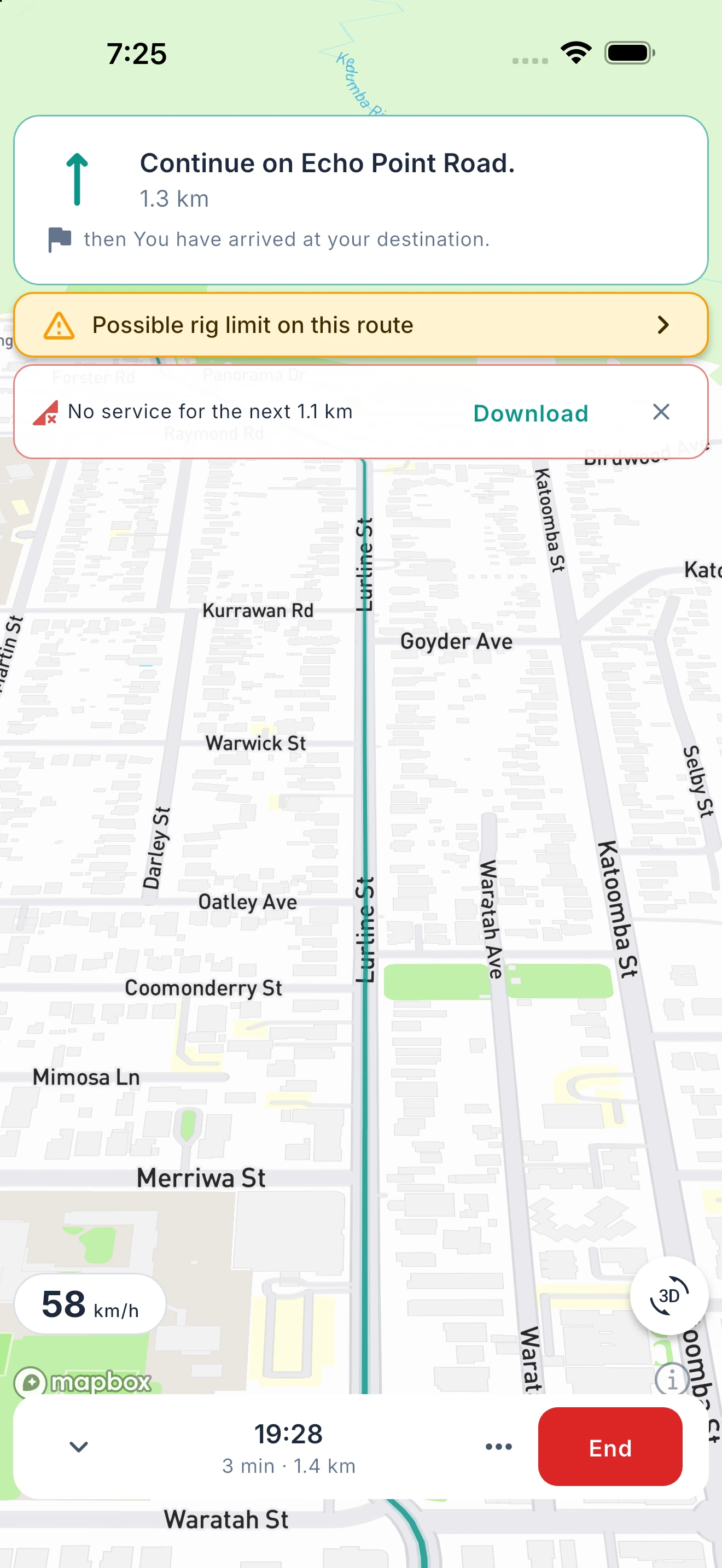
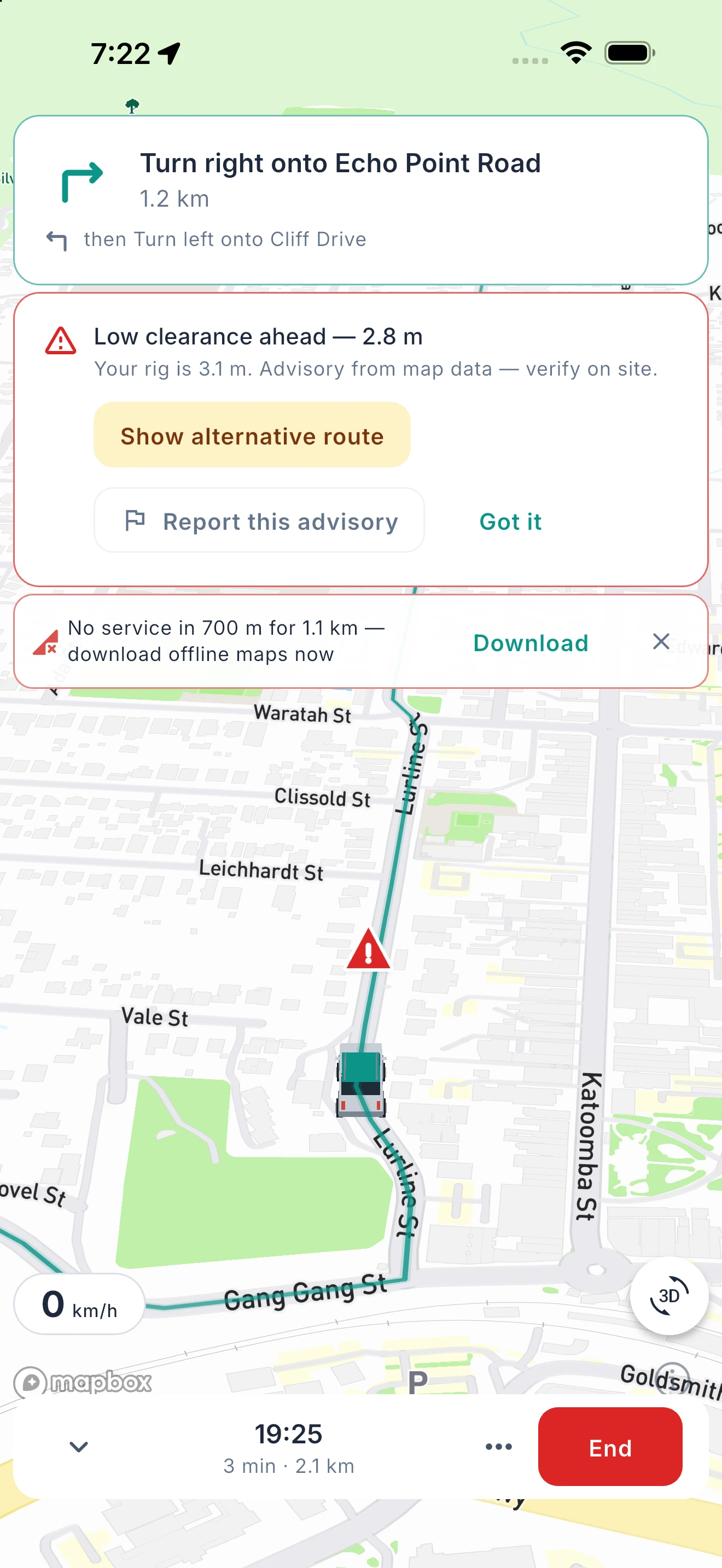
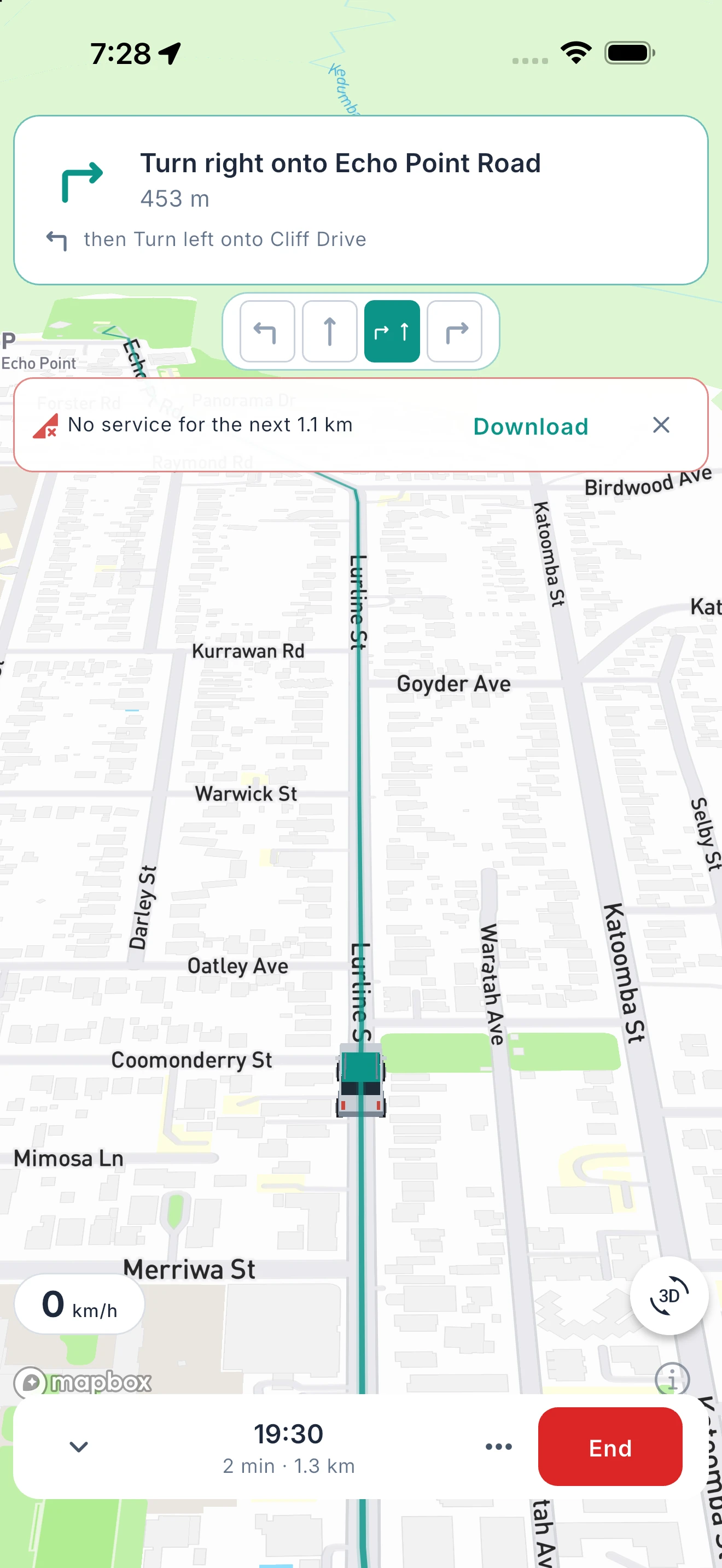
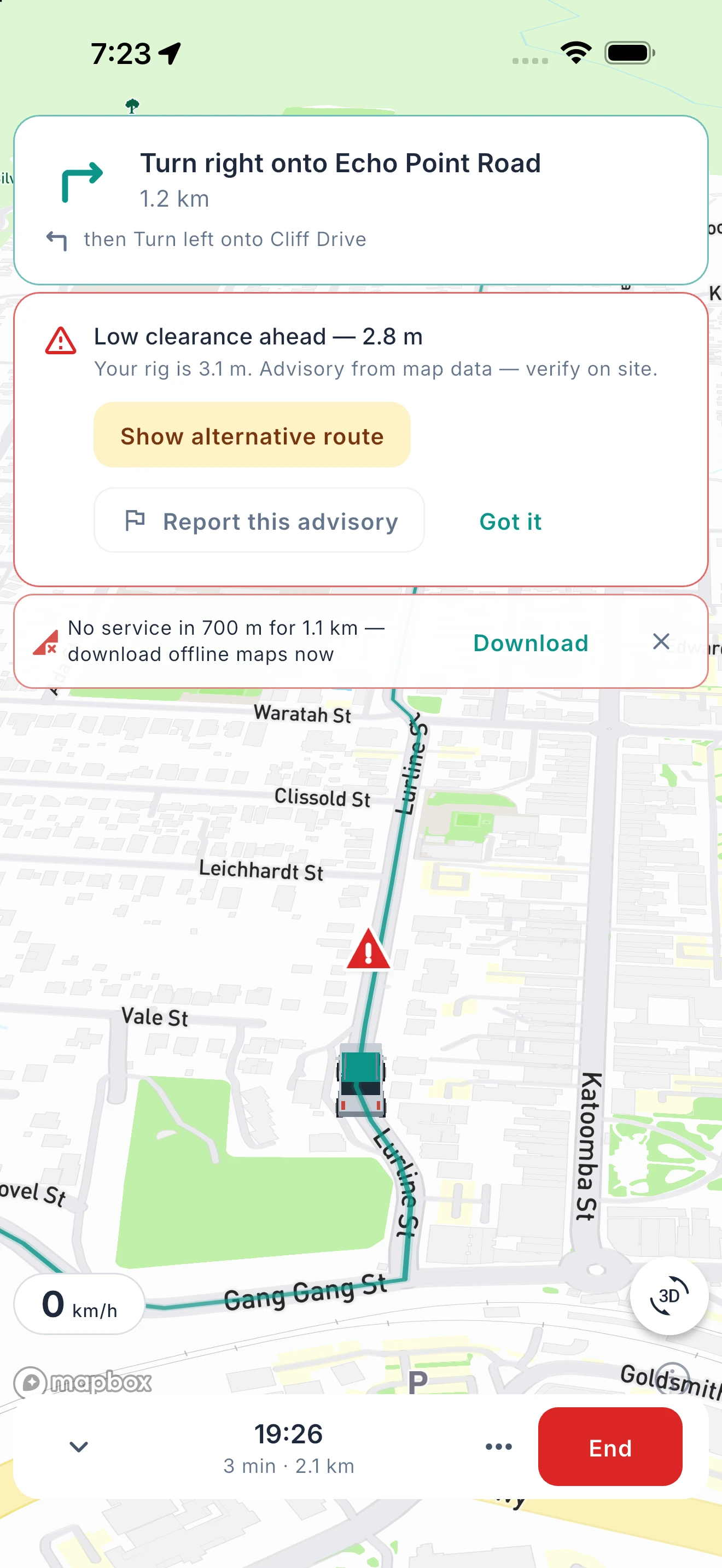
Your phone’s maps app thinks you’re a car. Ready2Roam plans every drive around the rig in your Garage, so the route suits the whole combination. You’ll get a heads-up ahead of low clearances, steep grades and long stretches without a break, with the option to find another way where the road data flags a restriction. Lane guidance and roundabout directions put you in the right spot early, and the next turn sits on your Lock Screen. Download a nav pack before you lose signal, and guidance keeps going through the gap. Warnings are advisory, so always check the signs on site. Prefer your own maps app? Send any route to Apple Maps or Google Maps, free. You can also see your driving reach — a rig-aware range by time or distance that respects how your rig actually travels, so every campsite inside it is a viable next stop.
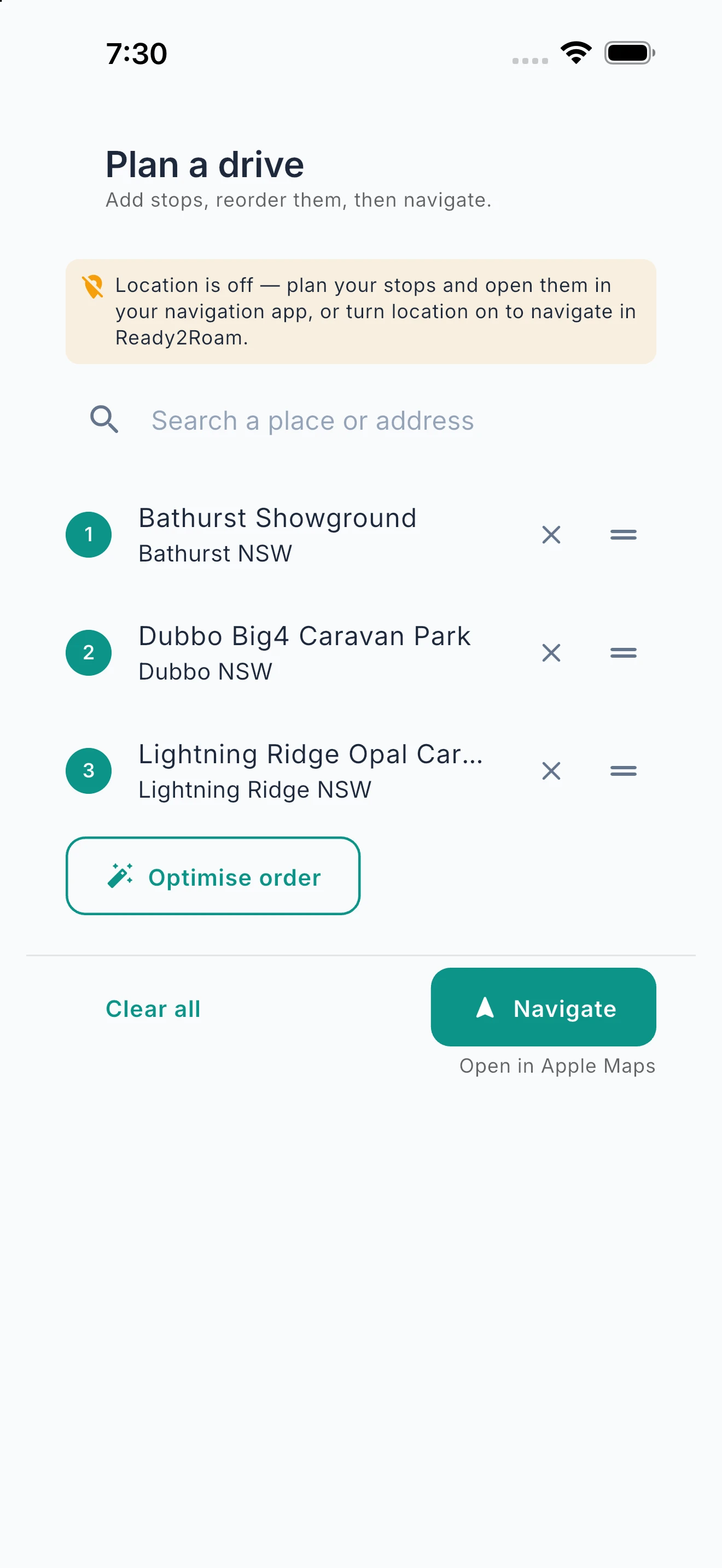
Step 1: Build your drive
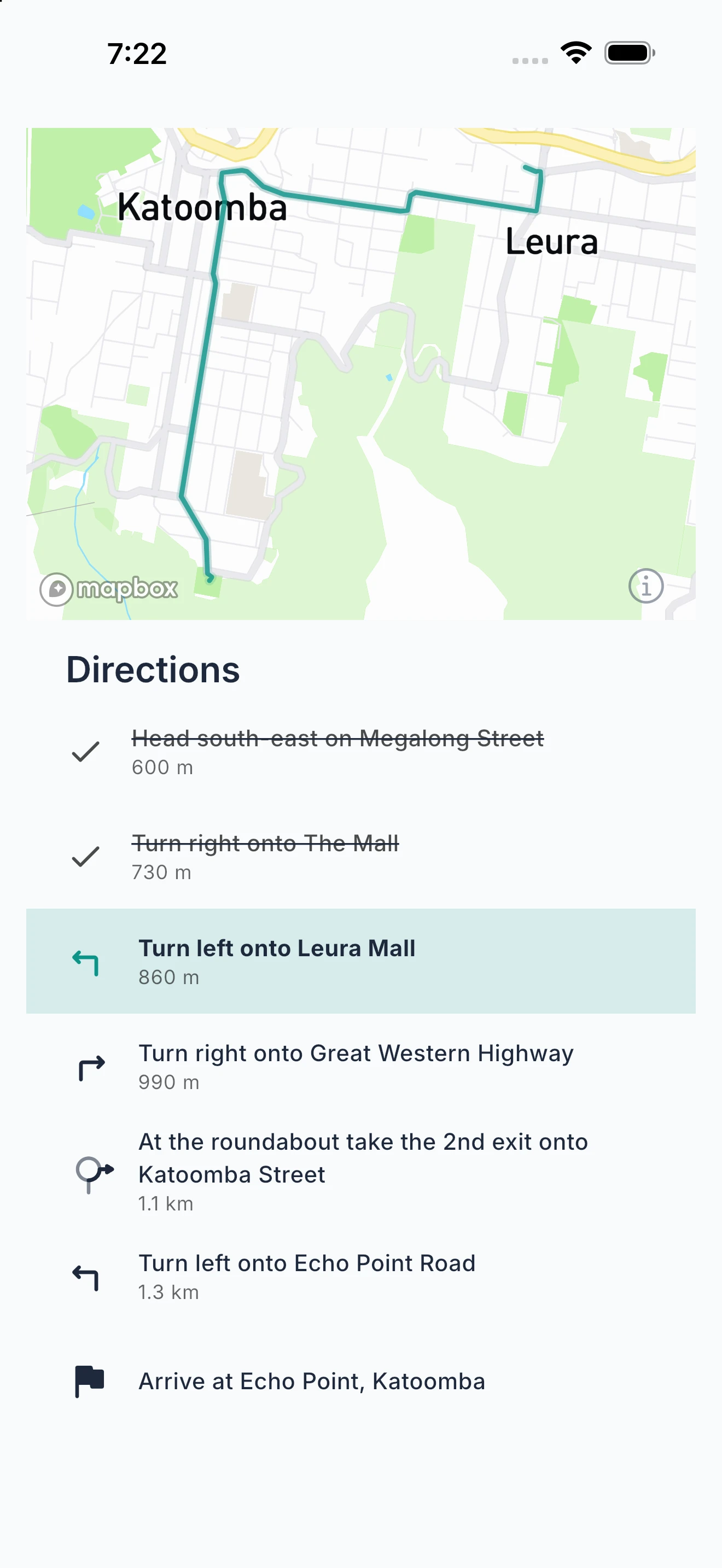
Step 2: Check the directions
Step 3: Lane guidance
Step 4: Warnings before they matter
Step 5: Dead-zone heads-up
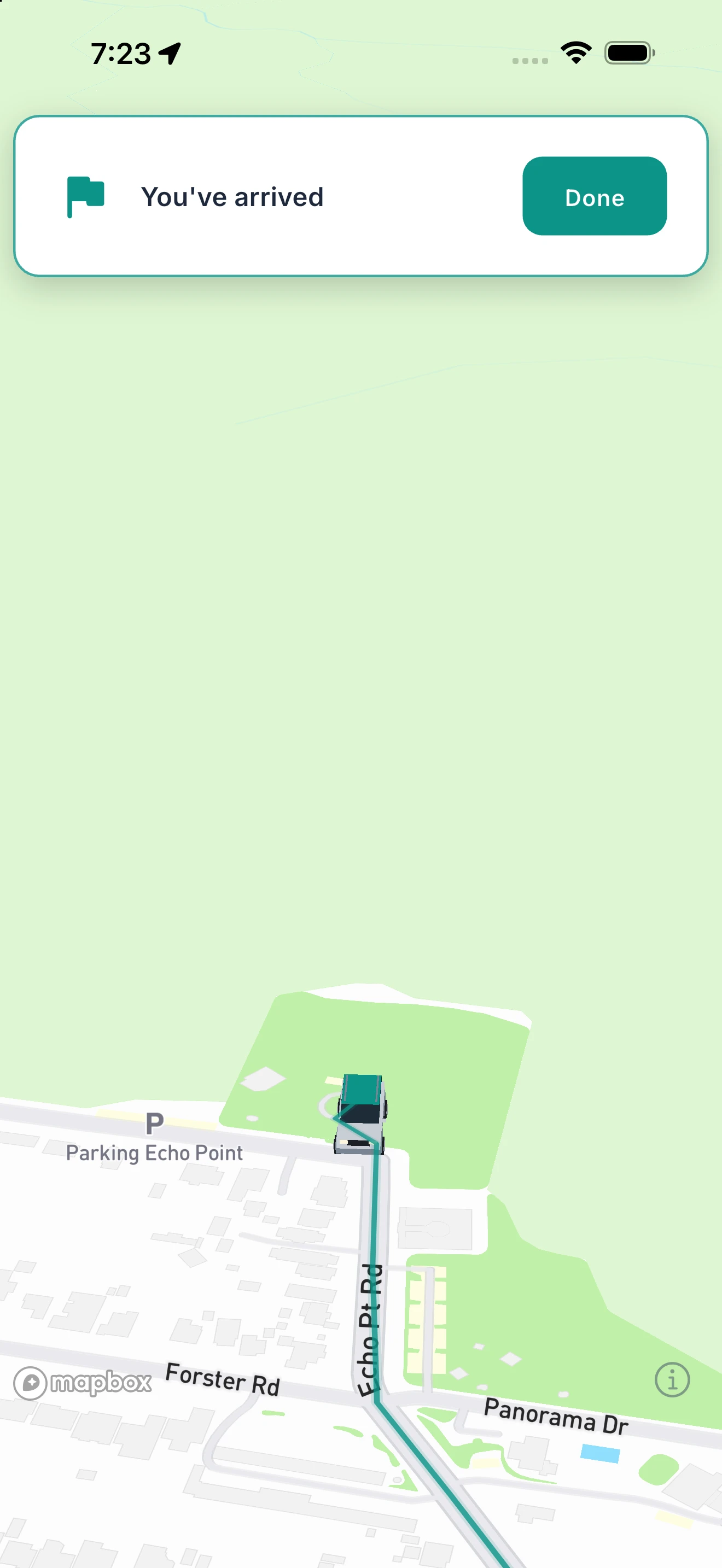
Step 6: Arrive
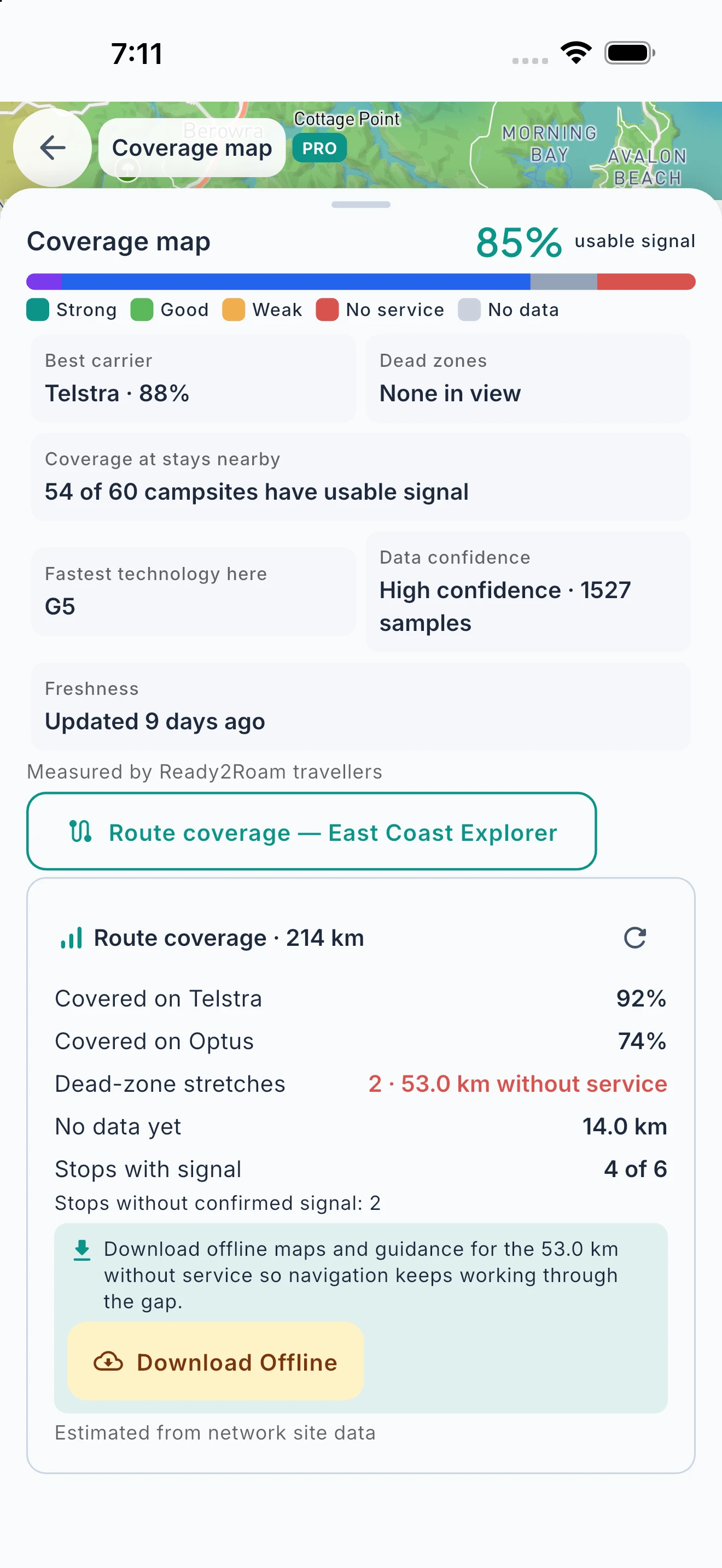
Know Your Signal Before You Go.
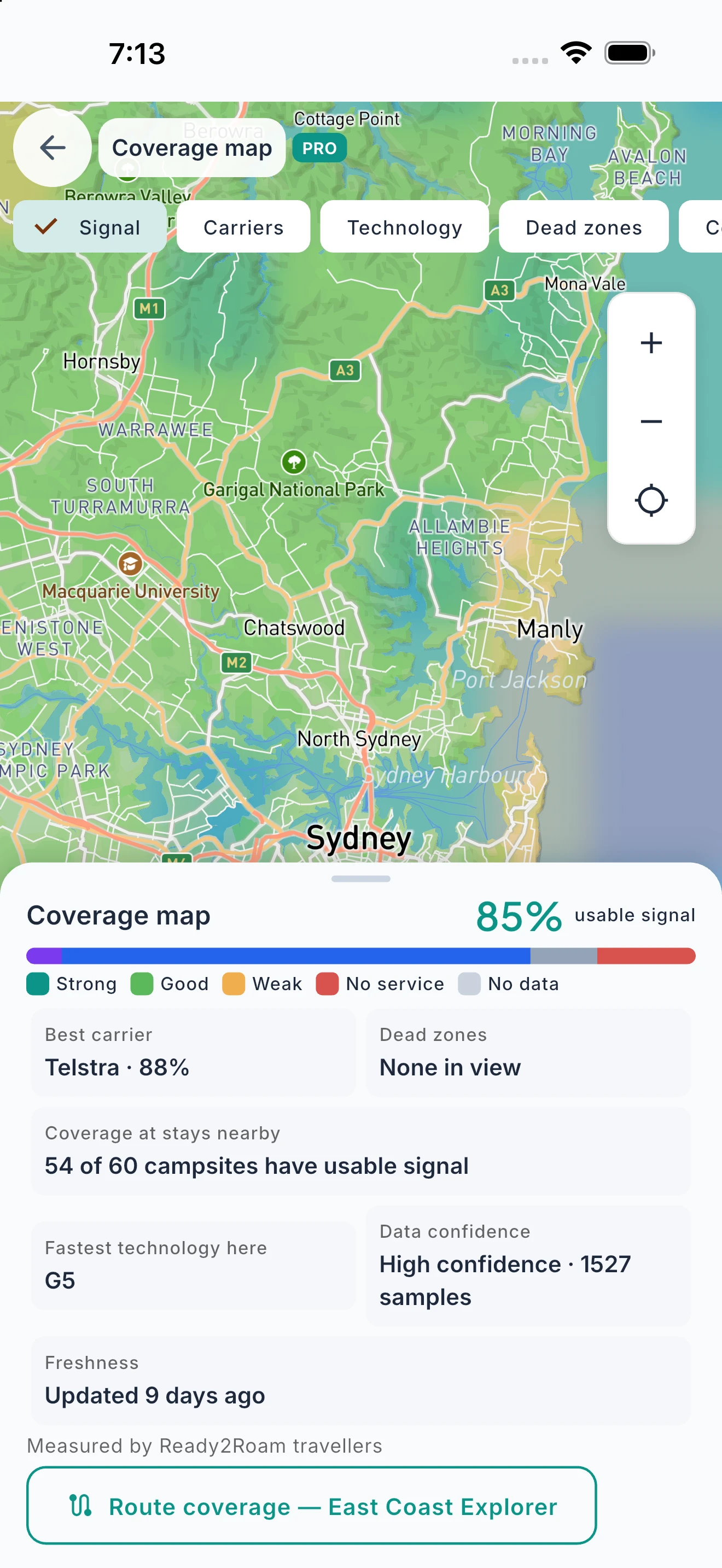
Mobile coverage along your route and at every campsite, so dead zones never catch you out.
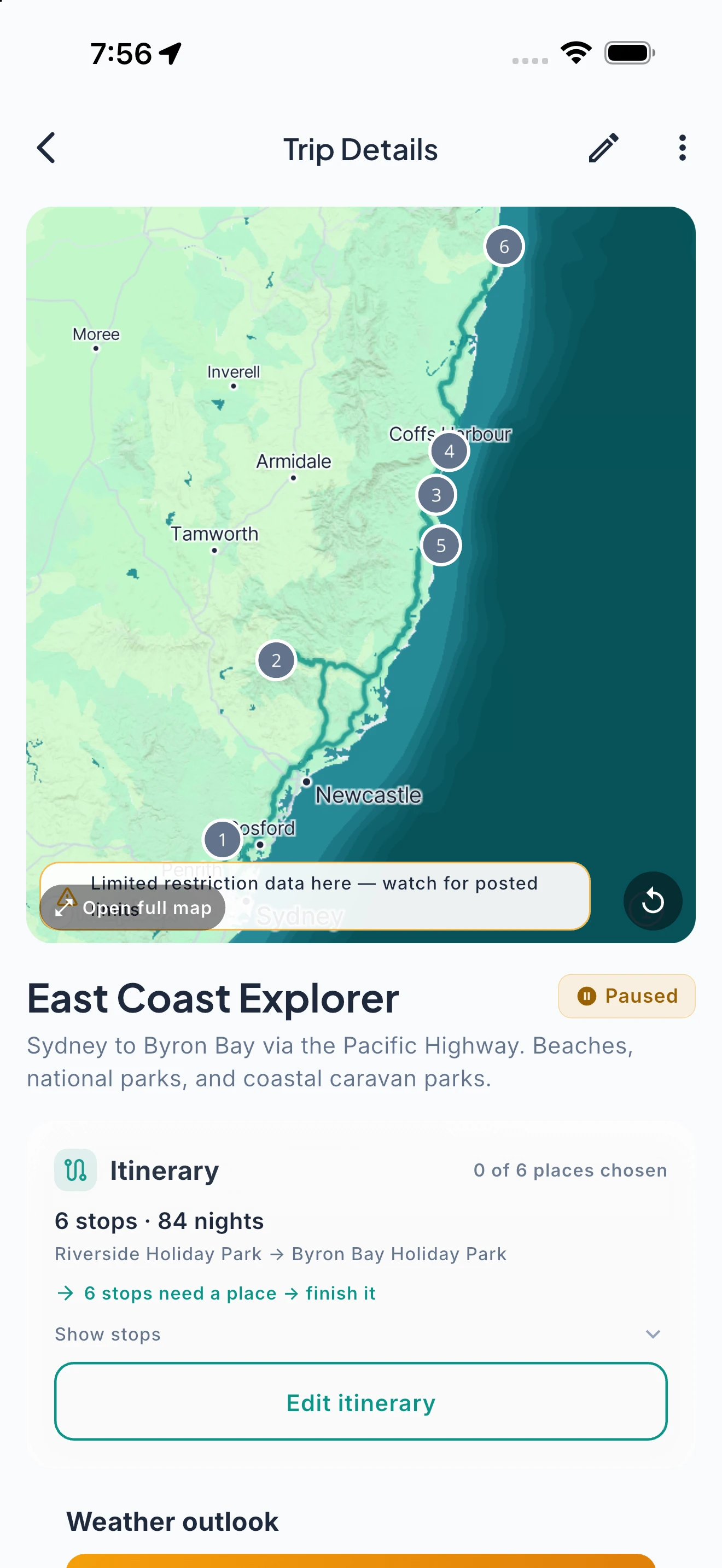
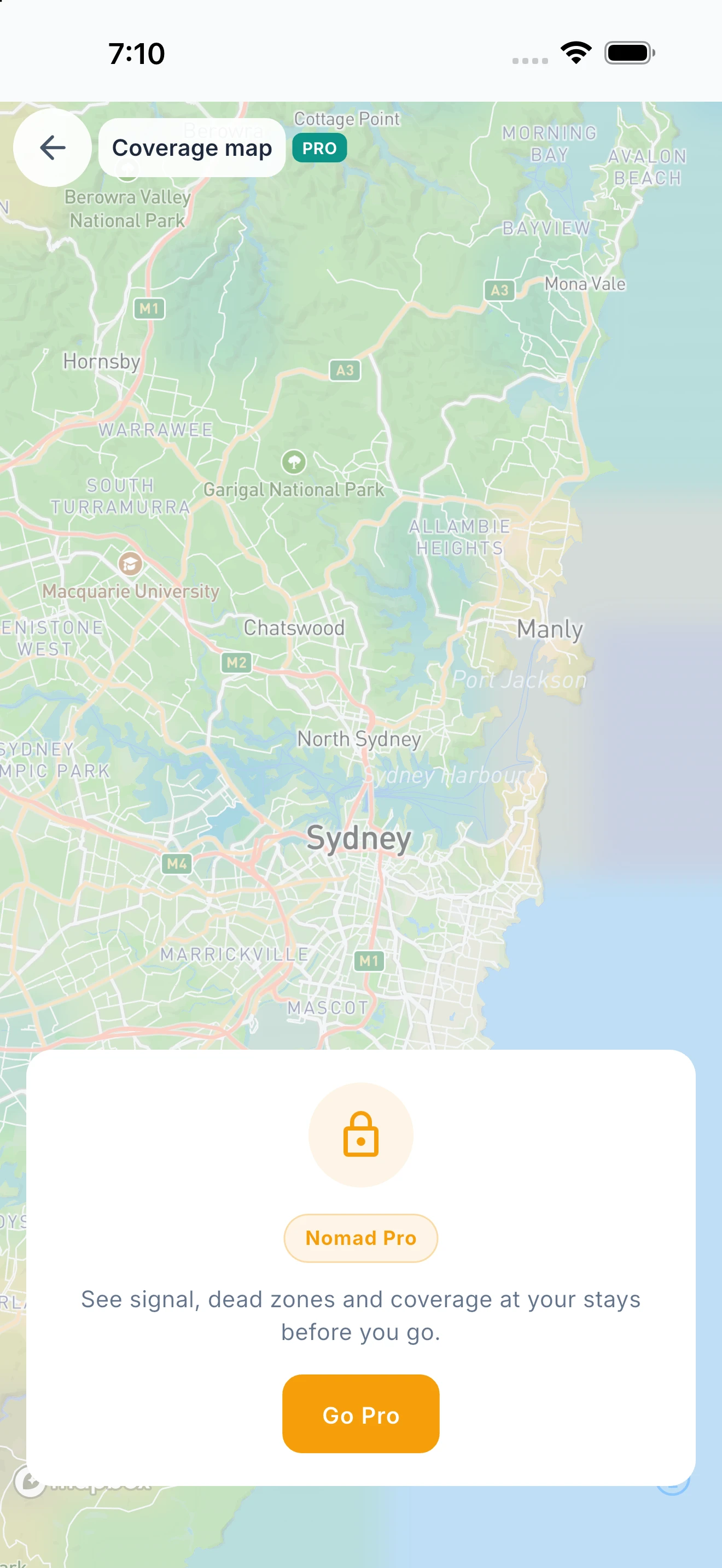
See how much of your route has usable signal, where the dead zones are and which network is strongest, then pick the camp where you can make that call. Each stop shows the signal you can expect on arrival. Coverage is crowd-sourced from Ready2Roam travellers and modelled from network data, so treat it as a guide; coverage varies by region and sharpens as more people travel with the app.
Free vs Nomad Pro
Free
Nomad Pro
Plan It Together.
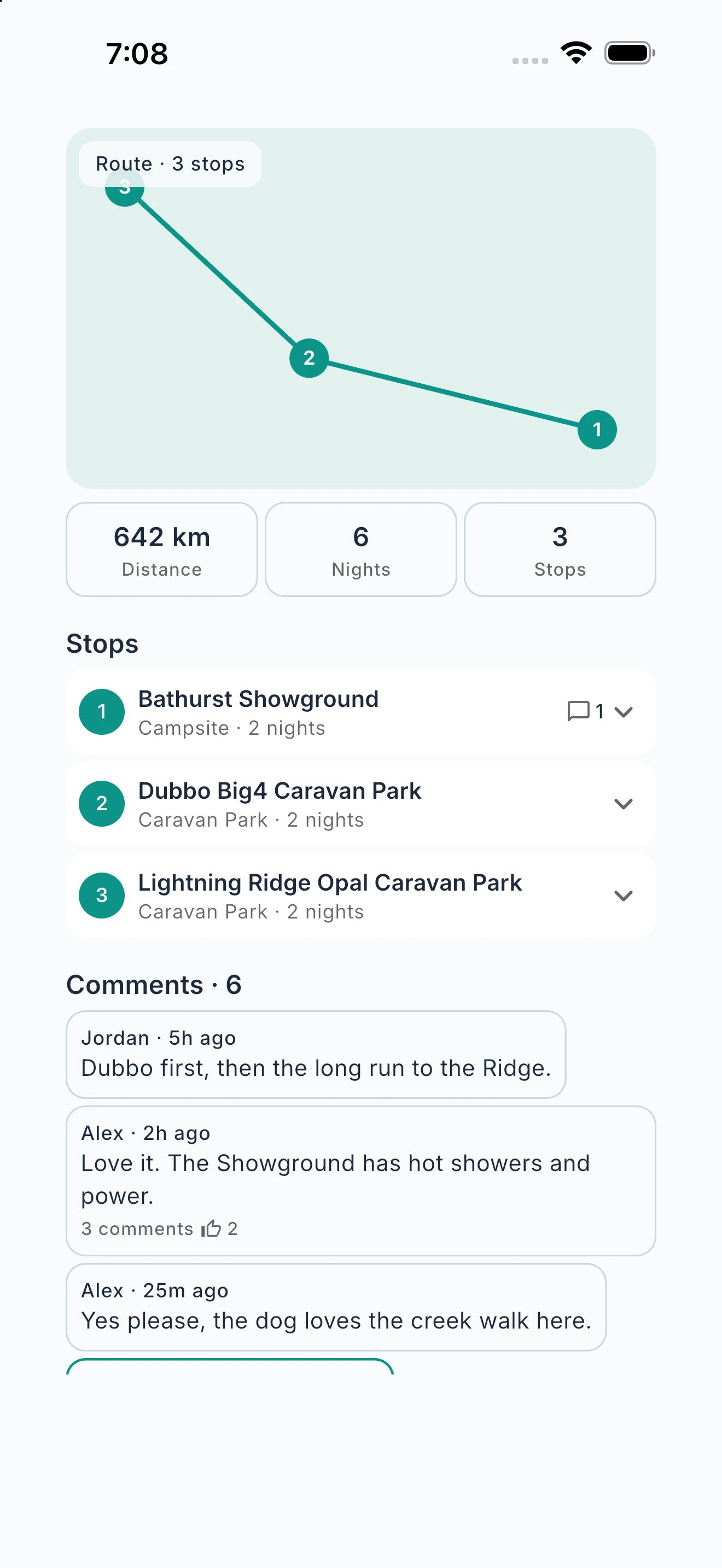
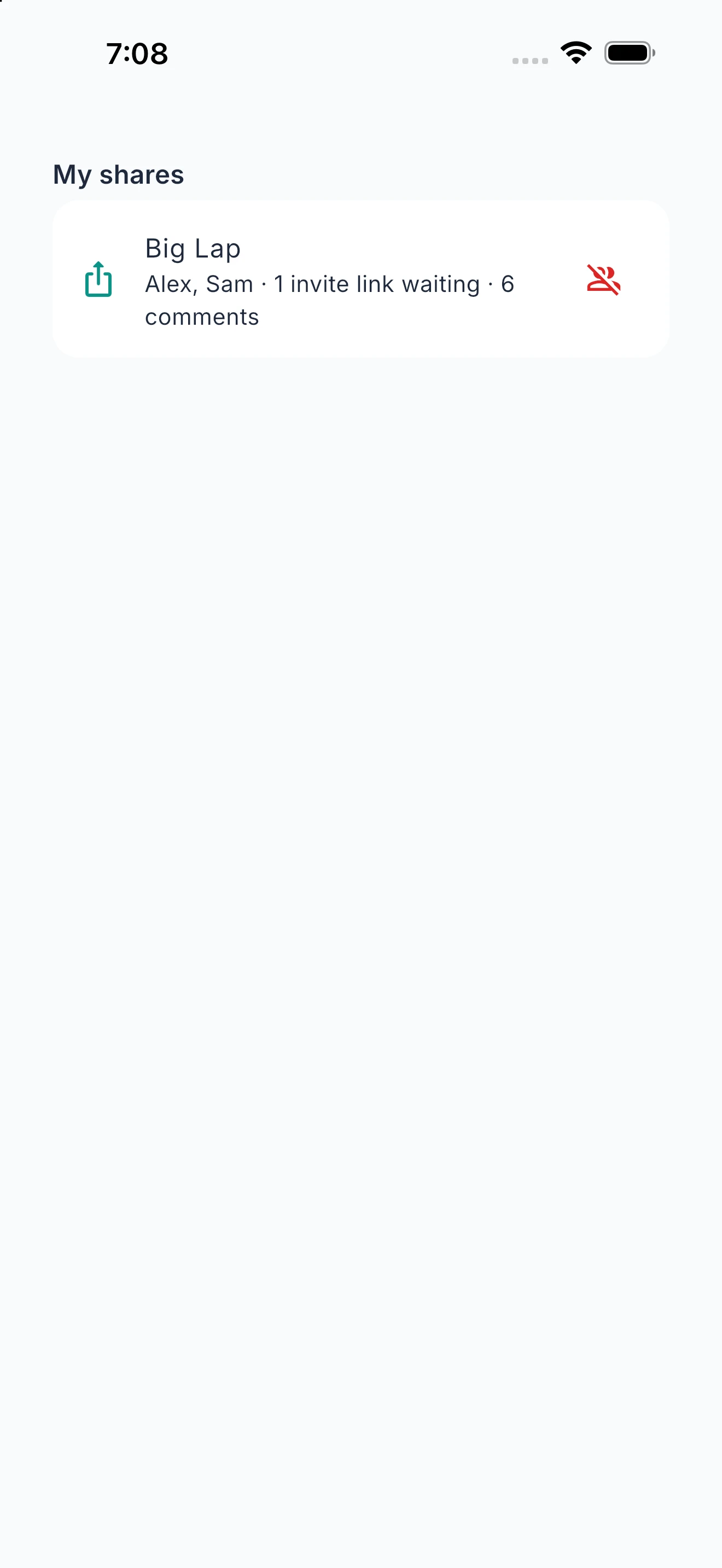
Invite your travel mates in. Talk about each stop where the stop is.
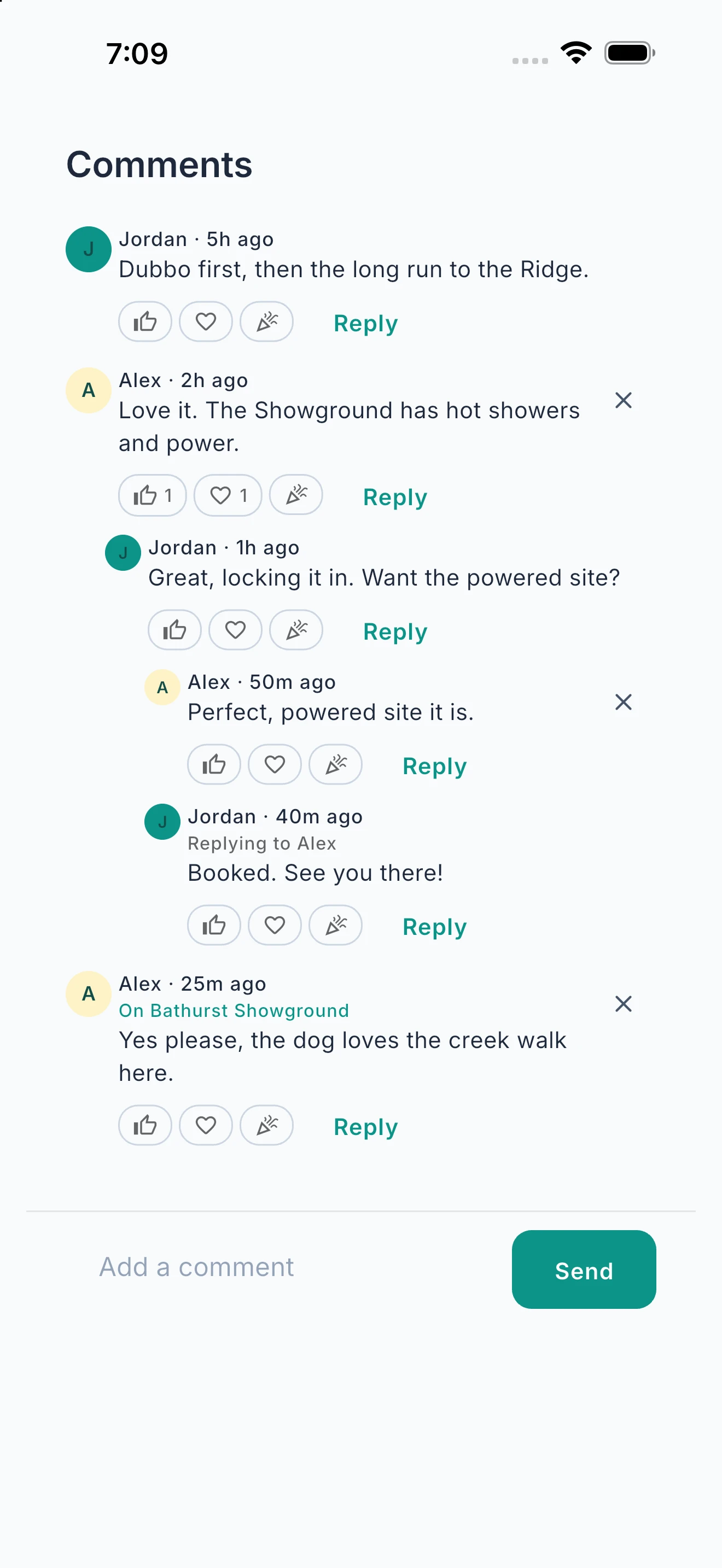
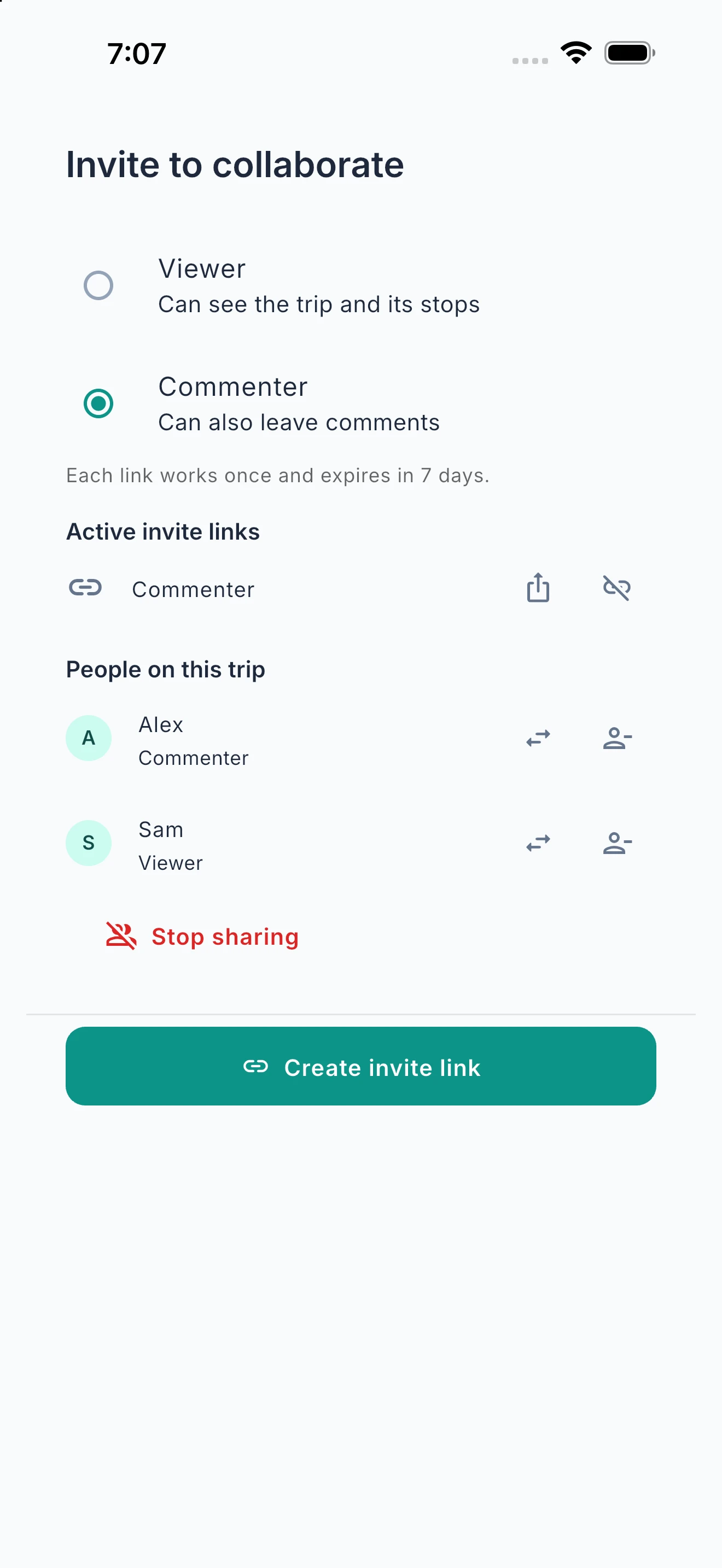
Invite friends or family into a trip and everyone sees the same route, every stop and the plan as it changes. Comment on a stop, react and reply, so Thursday’s campground is decided on Thursday’s campground, not 200 messages up a group chat. Choose who can view and who can comment, and stop sharing any time. Your budget and private notes stay yours.
Step 1: Invite your travel mates
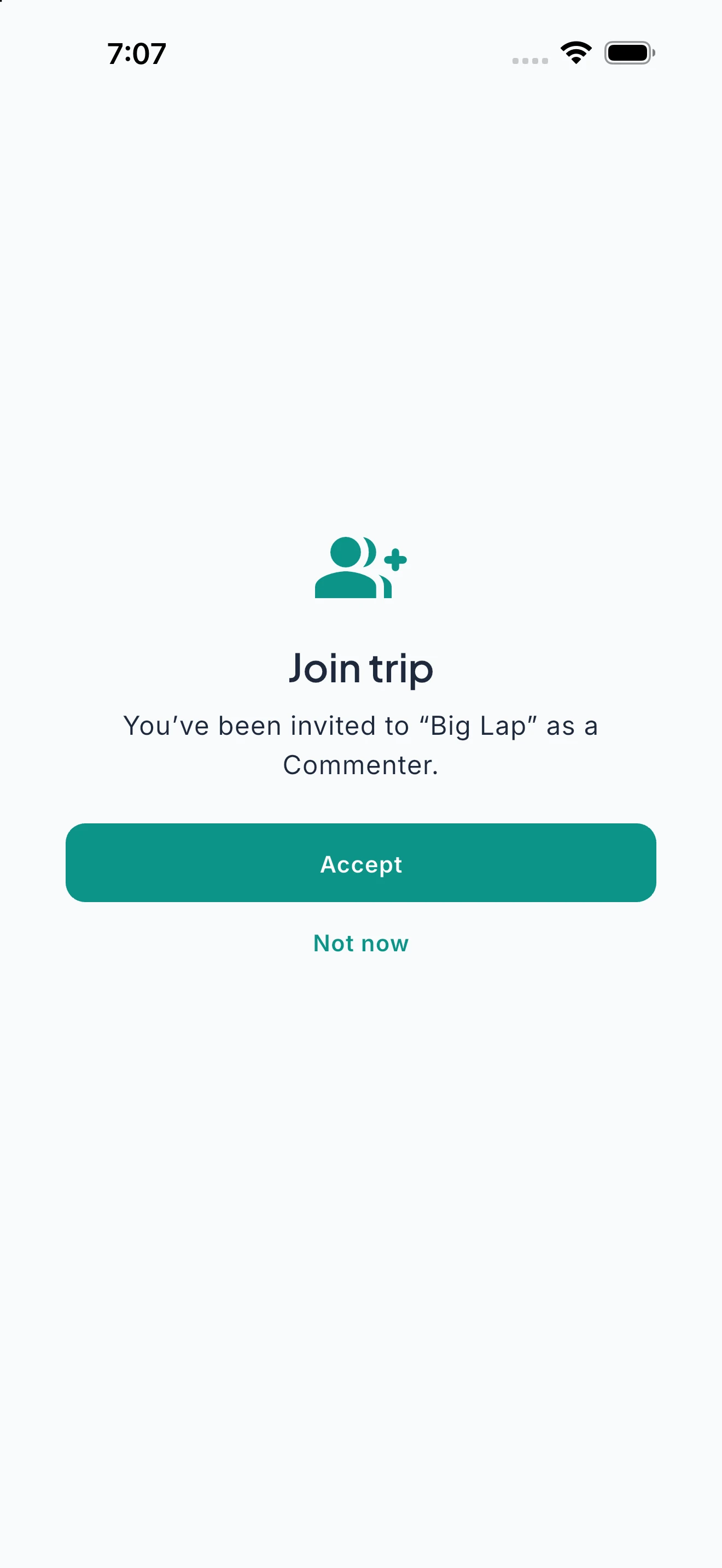
Step 2: They accept the invite
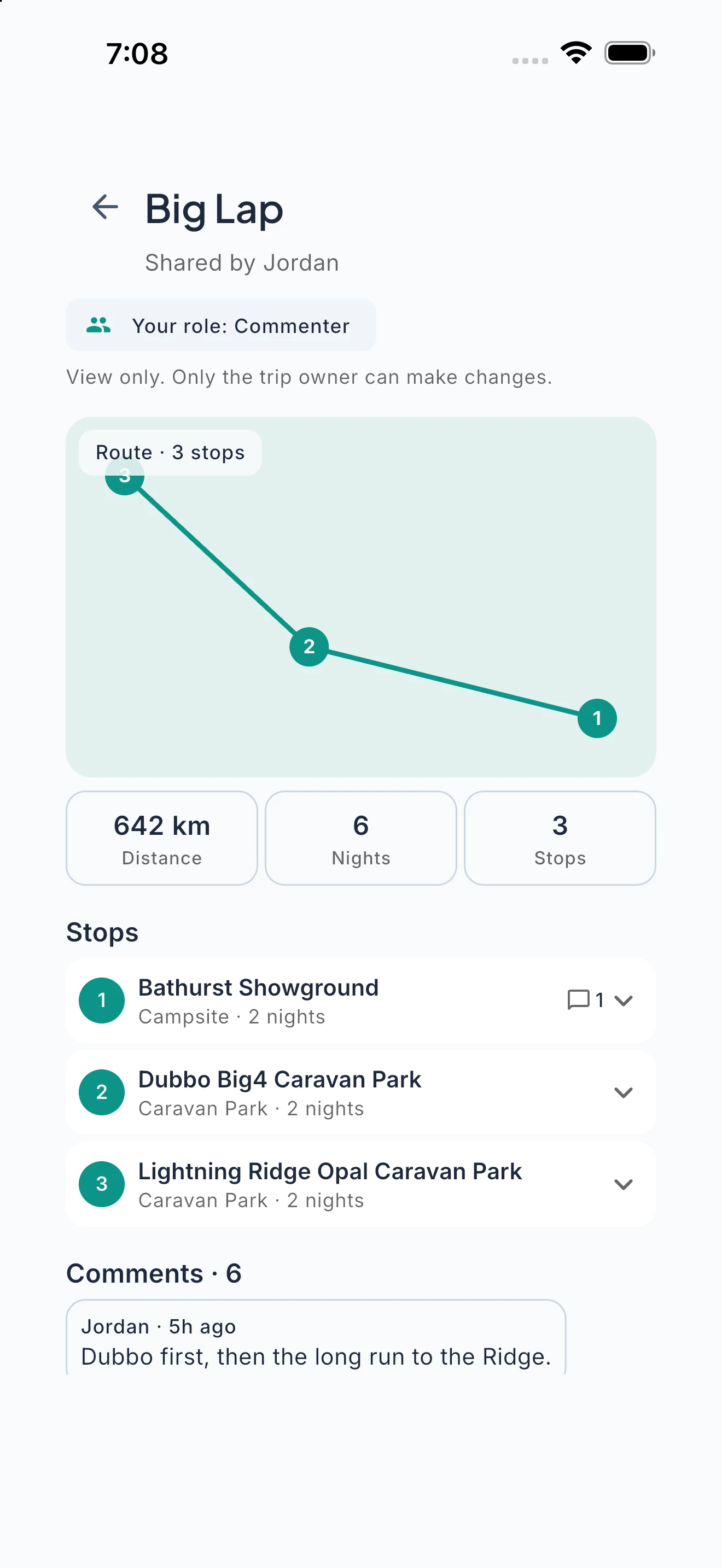
Step 3: Everyone sees the plan
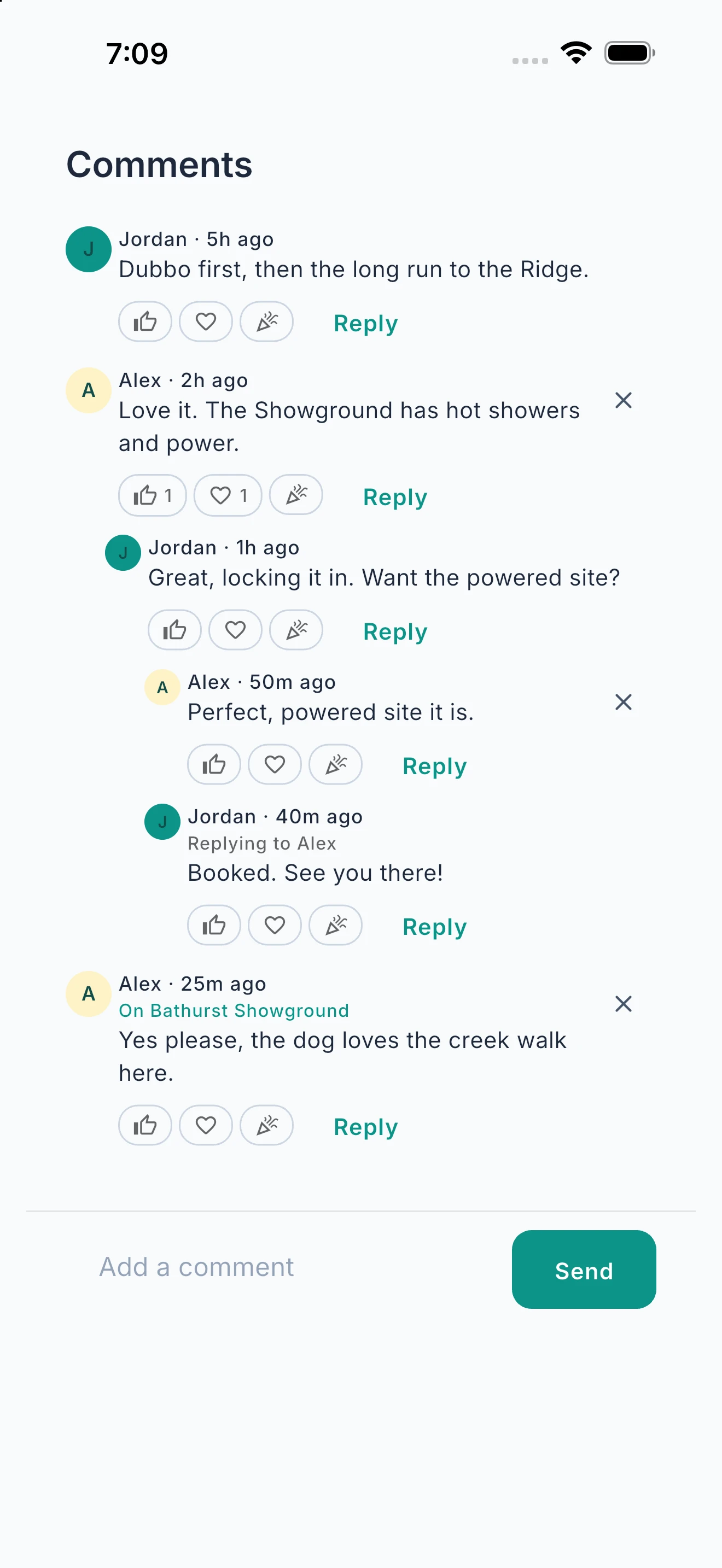
Step 4: Comment stop by stop
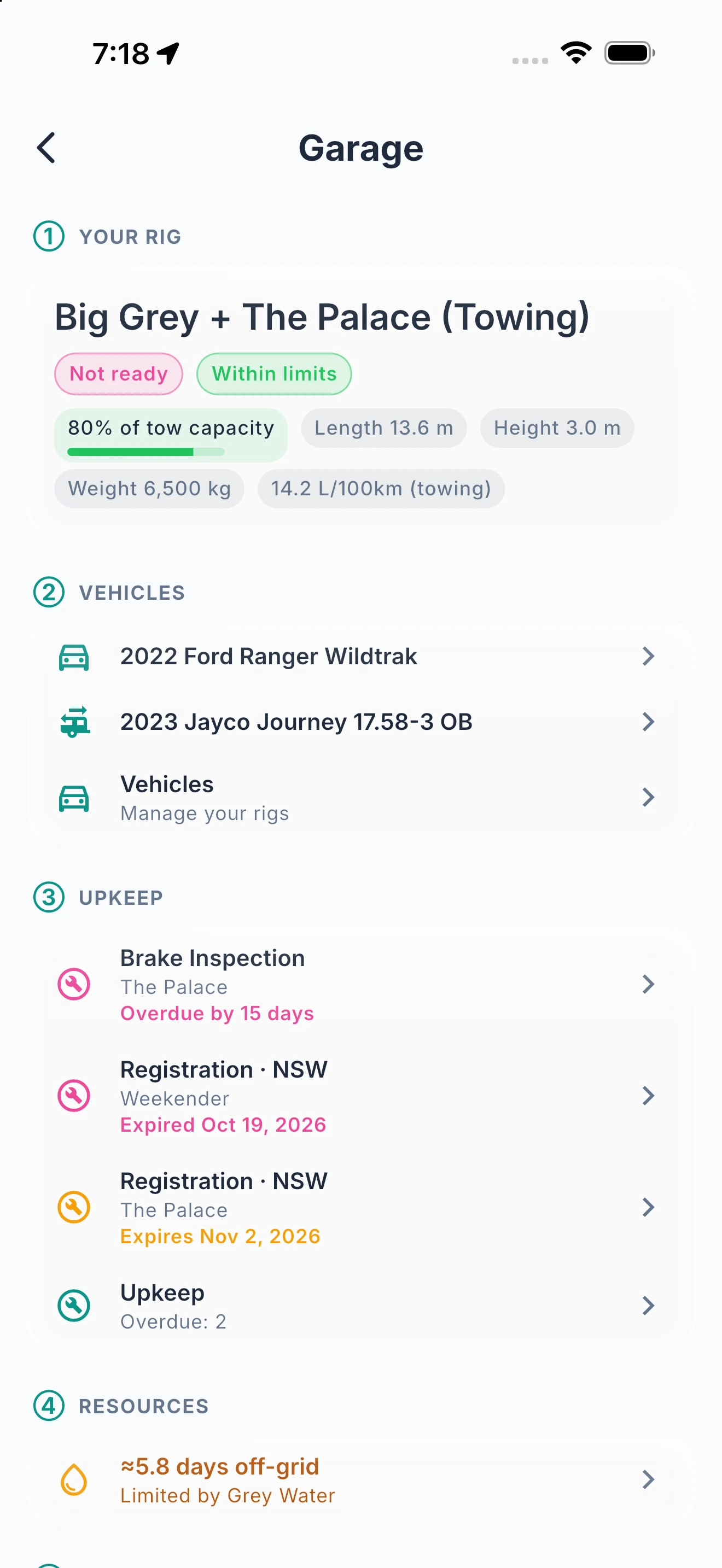
Your Whole Rig. One Garage.
Vehicles, specs, upkeep, renewals and off-grid resources, all in one place.
Your Garage brings every vehicle together: combined towing dimensions, upkeep that’s due, registration and insurance renewals, and the water, power and gas your whole setup carries. Link a vehicle with Ready2Tow and the specs flow straight through, so you only enter them once. Adding a rig is a guided, step-by-step setup, and with Nomad Pro the community spec database auto-fills weights, dimensions and fuel economy by make and model.
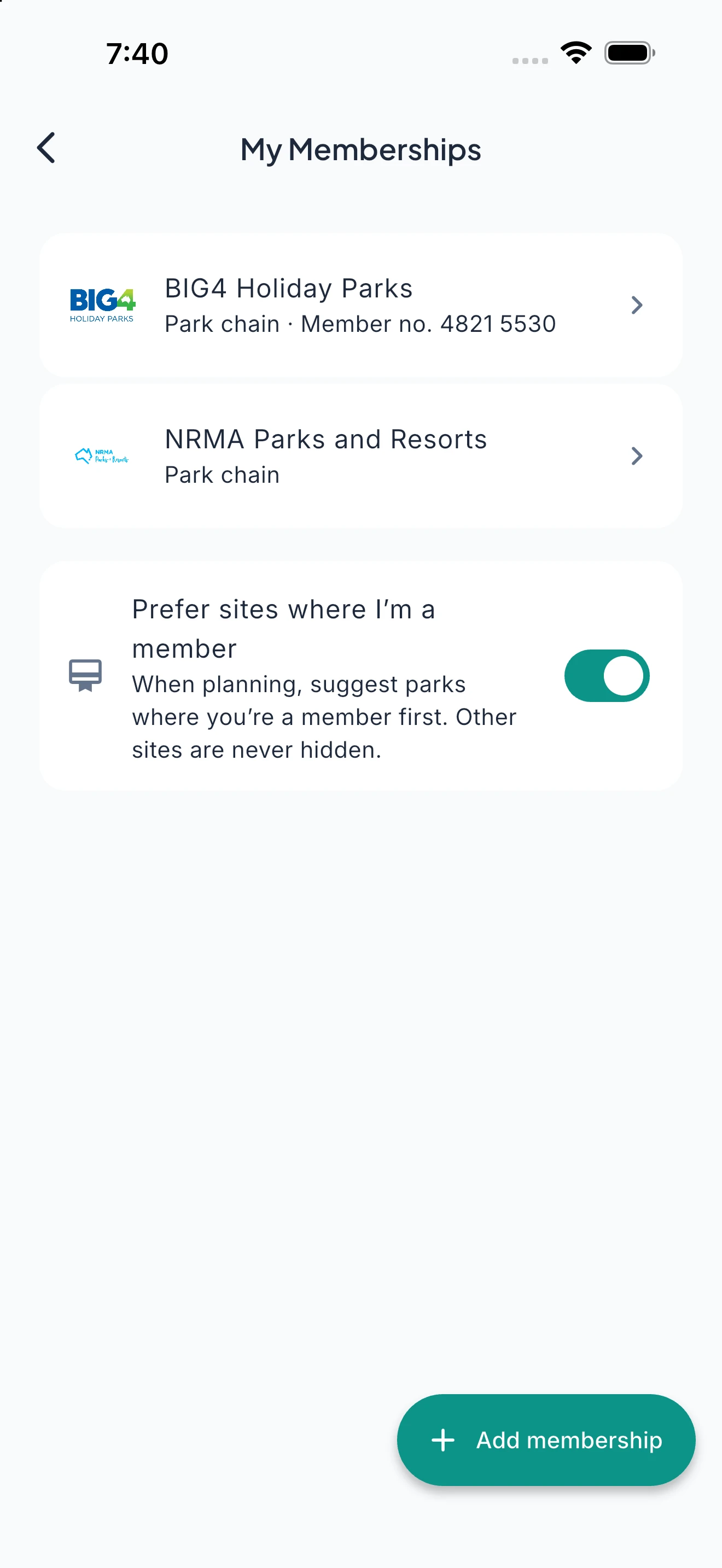
Your Memberships, Working for You.
Keep your park and club memberships in one wallet, and see when you’re at a member site.
Add the clubs and park chains you belong to, and Ready2Roam tells you when a place is one where you’re a member, so you remember to ask for member rates. Turn on “Prefer sites where I’m a member” and member parks come first when you plan. Other sites are never hidden. We only favour a site because you told us you’re a member, never because someone paid us.
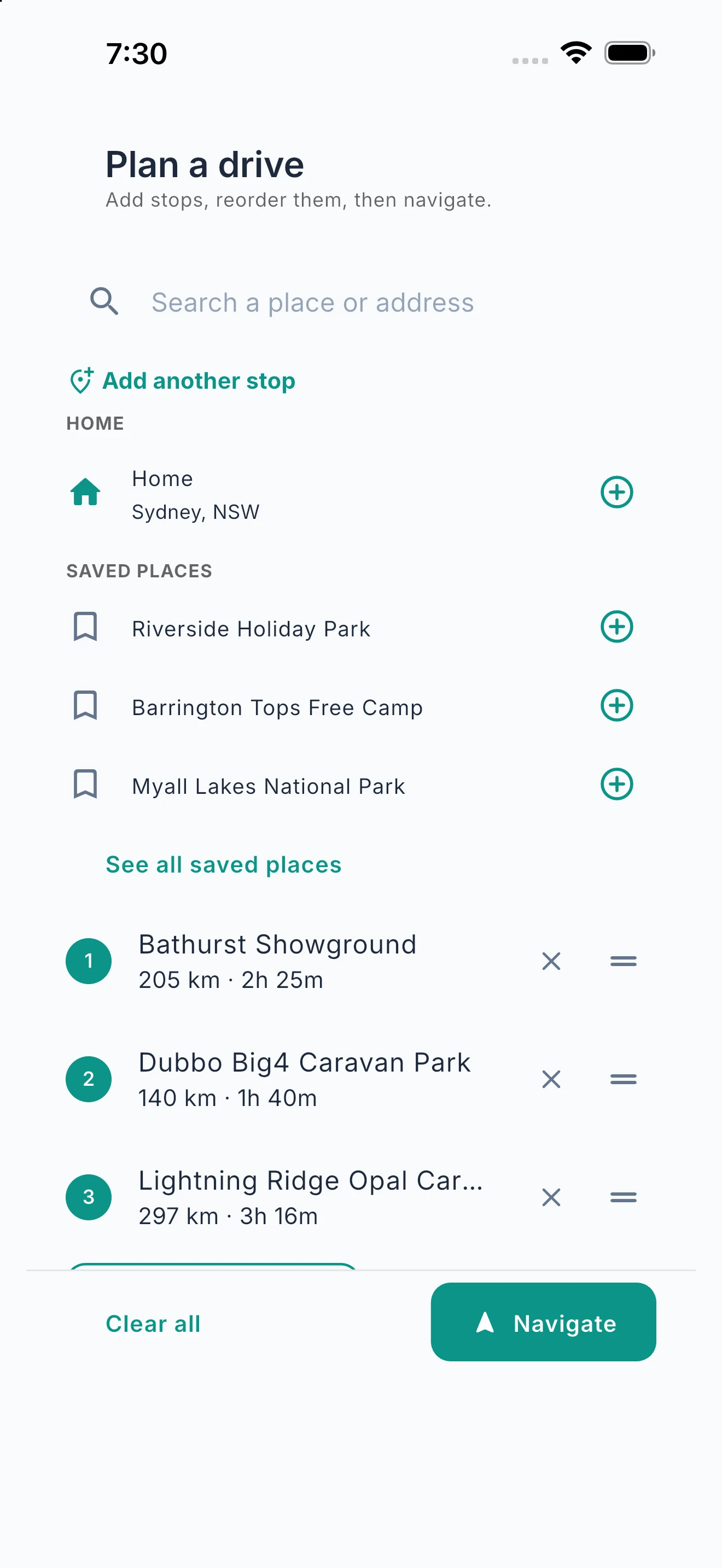
Plan a Drive, Stop by Stop.
Add stops from search, your saved places or recents, then let Optimise put them in the best order.
Build a drive from search, your saved places or your recents, and send it to Apple Maps or Google Maps for free. With Nomad Pro, Optimise puts your stops in the best order and in-app navigation takes you there, with guidance built around your rig.
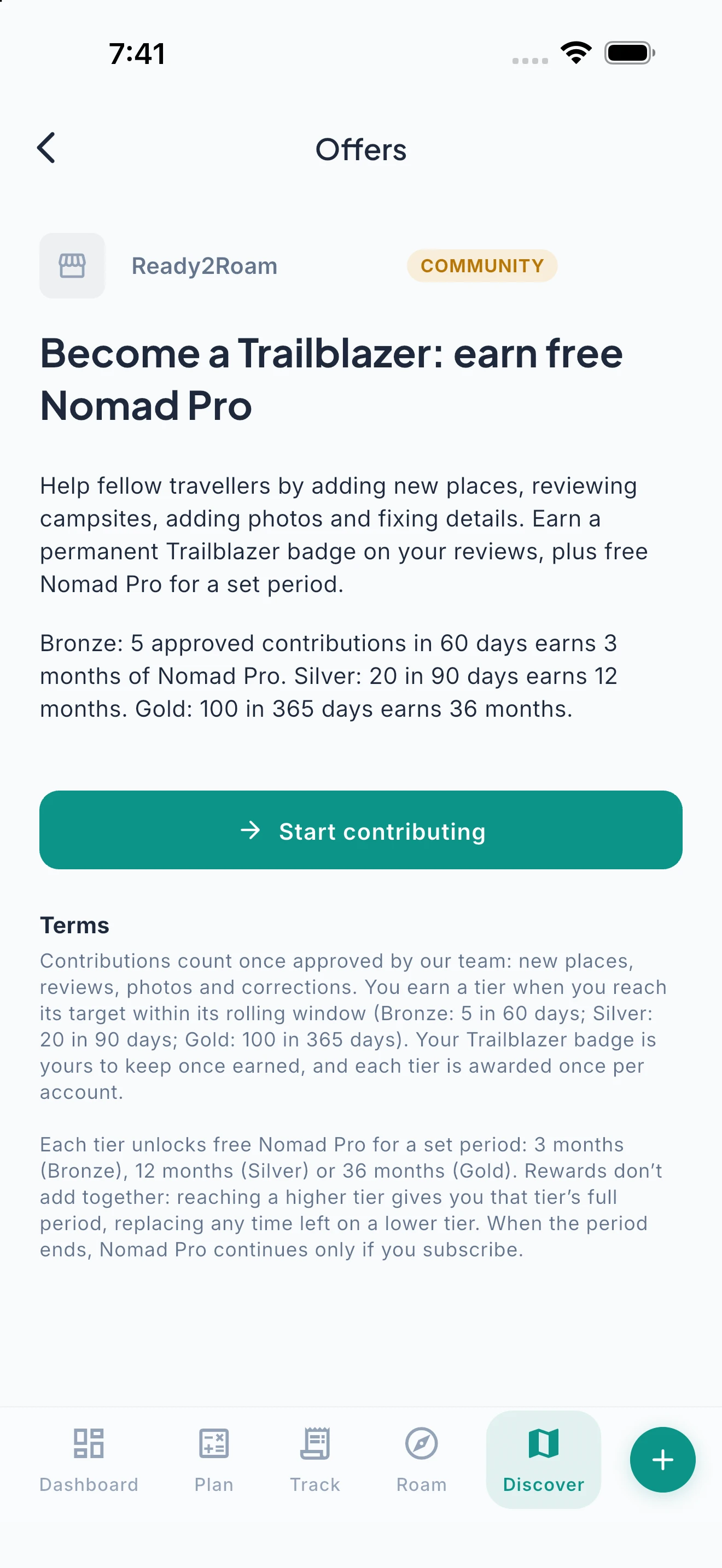
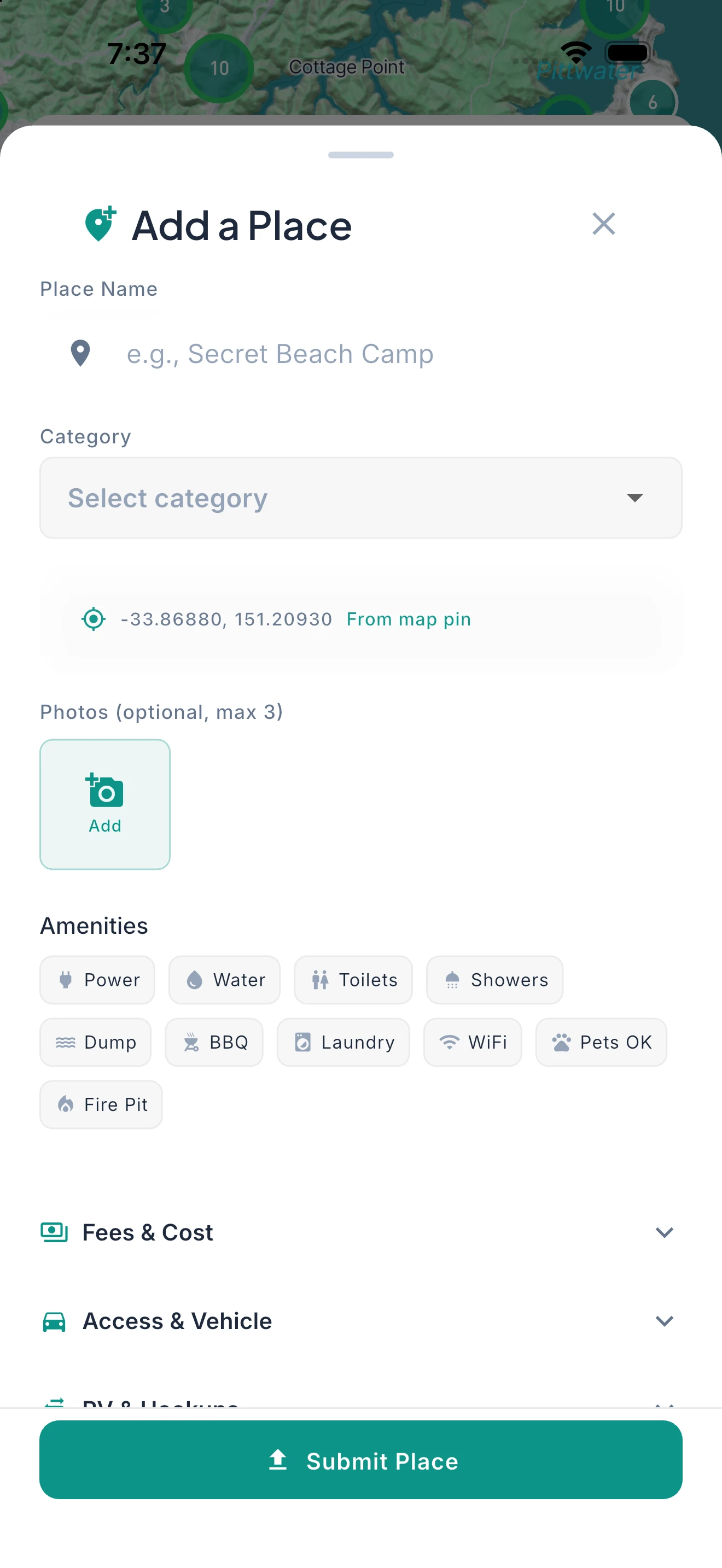
Give Back. Get Rewarded.
Add places, reviews and photos, and earn up to 3 years of Nomad Pro as a Trailblazer.
Help fellow travellers by adding new places, reviewing campsites, adding photos and fixing details, and earn a permanent Trailblazer badge plus free Nomad Pro for a set period. Bronze: 5 approved contributions in 60 days earns 3 months of Nomad Pro. Silver: 20 in 90 days earns 12 months. Gold: 100 in 365 days earns 36 months. Contributions count once our team approves them. Check Discover for member offers too.
Plan It Your Way.
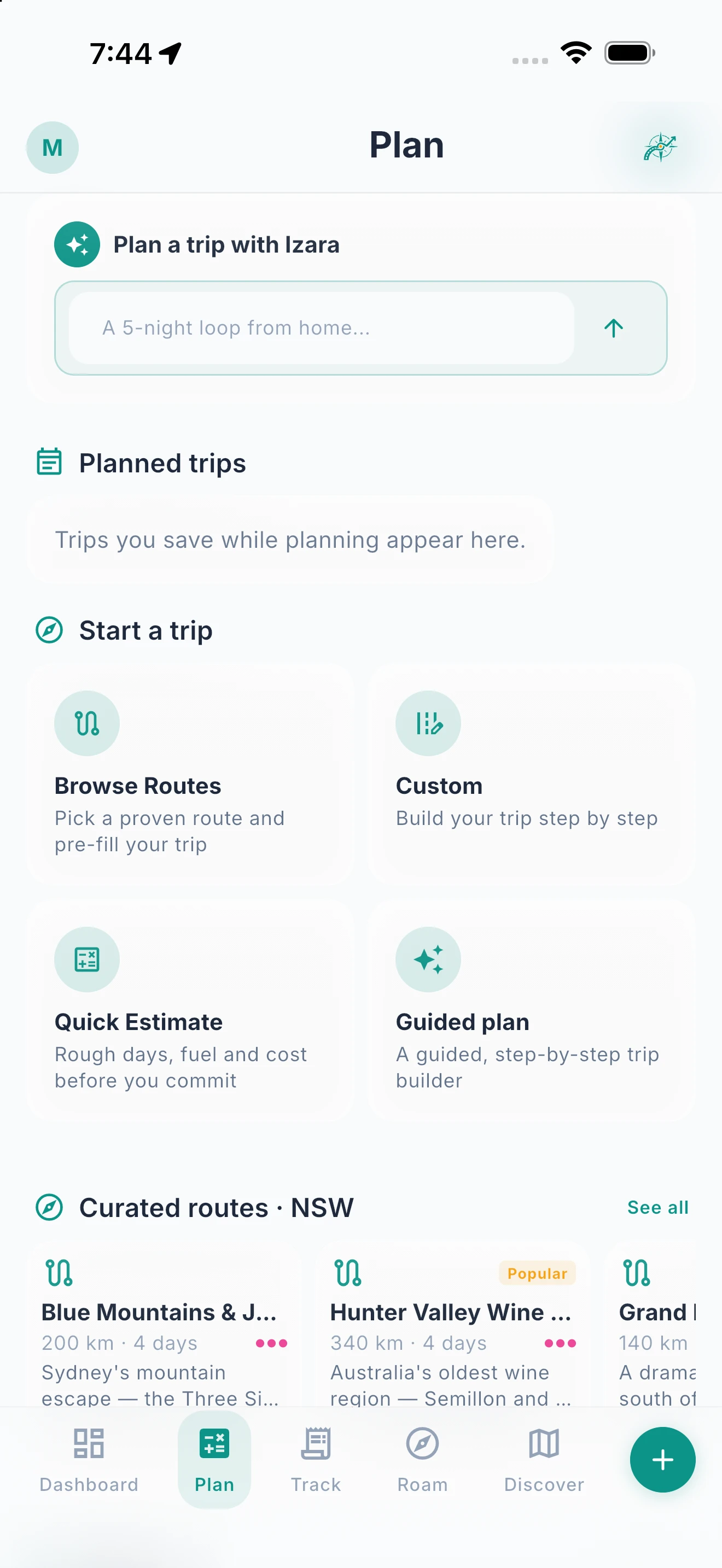
Quick Estimate, a guided plan, stops on the map, or one of 400+ curated routes: start however suits you.
Start the way that suits you. Quick Estimate shows rough days, fuel and cost before you commit. A guided plan walks you through where you’re going, when you’re travelling, the stops along the way, and whether to track spending. Custom lets you drop stops straight onto the map, and Browse Routes starts you from one of 400+ curated routes. Save it to your planned trips and start it when you’re ready, with departure prep and readiness checks to keep you honest. And wherever you are, search is one tap from every screen — type a place, town or category and jump to the camps and stops near you. With Nomad Pro, describe the trip in plain English and Izara builds a complete itinerary with stops, budget, fuel estimates and rig-fit checks.
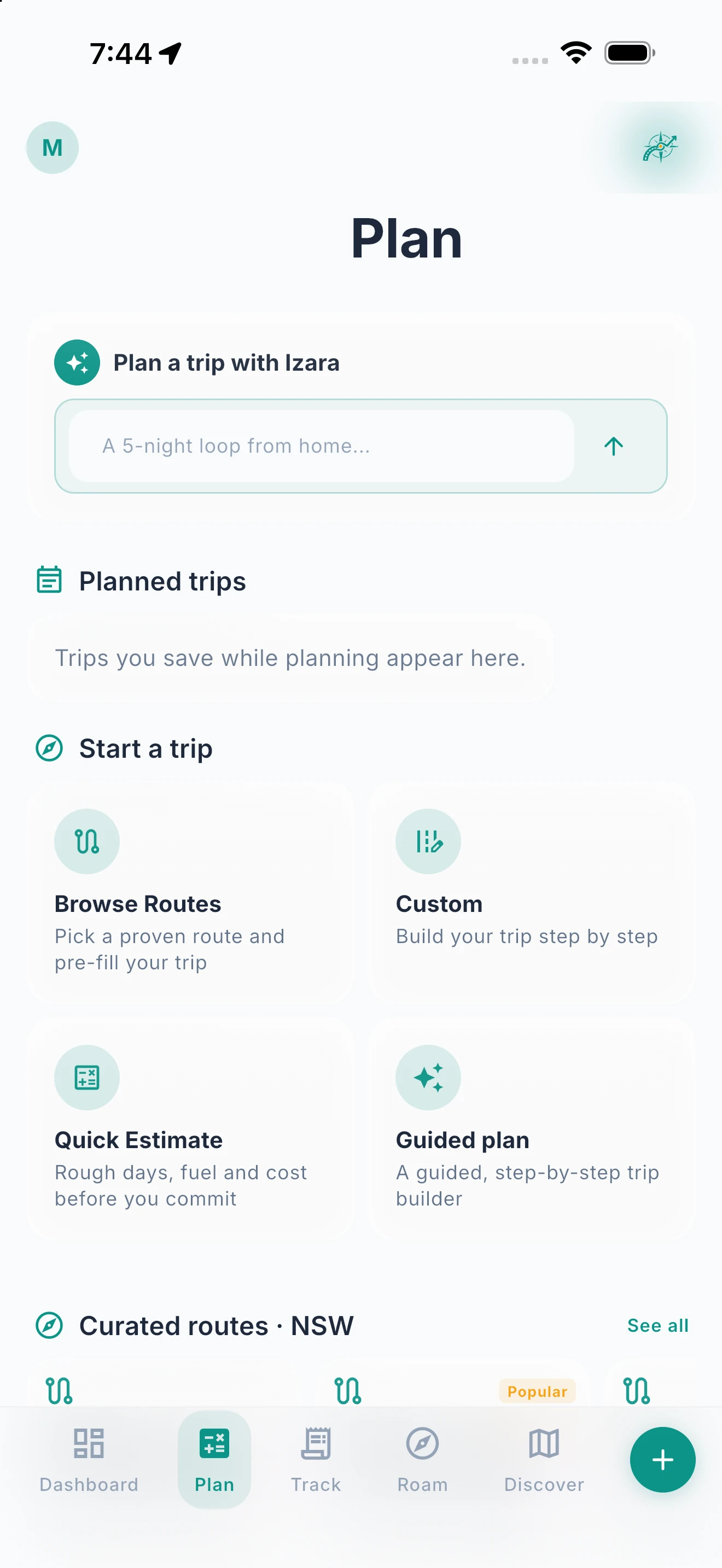
Step 1: Choose how to start
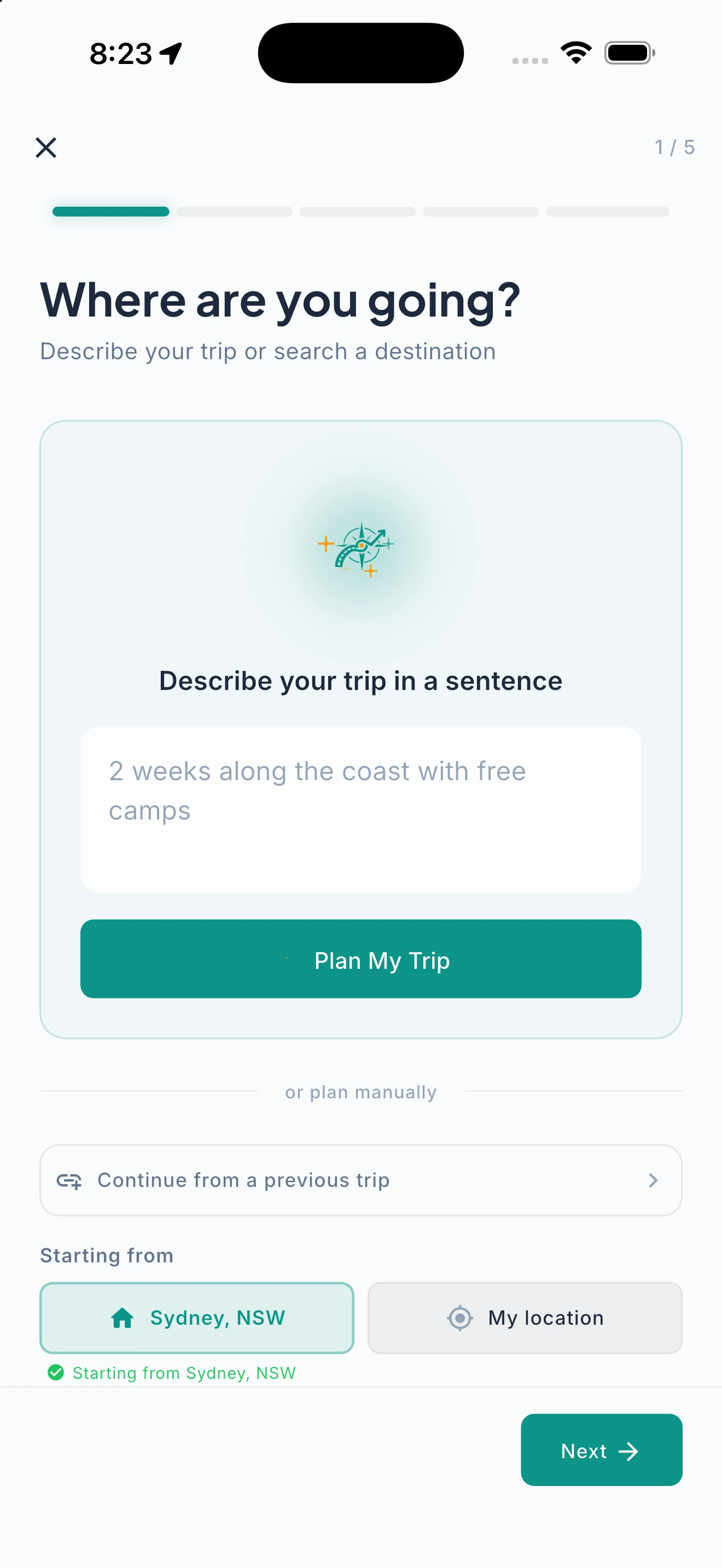
Step 2: A guided plan
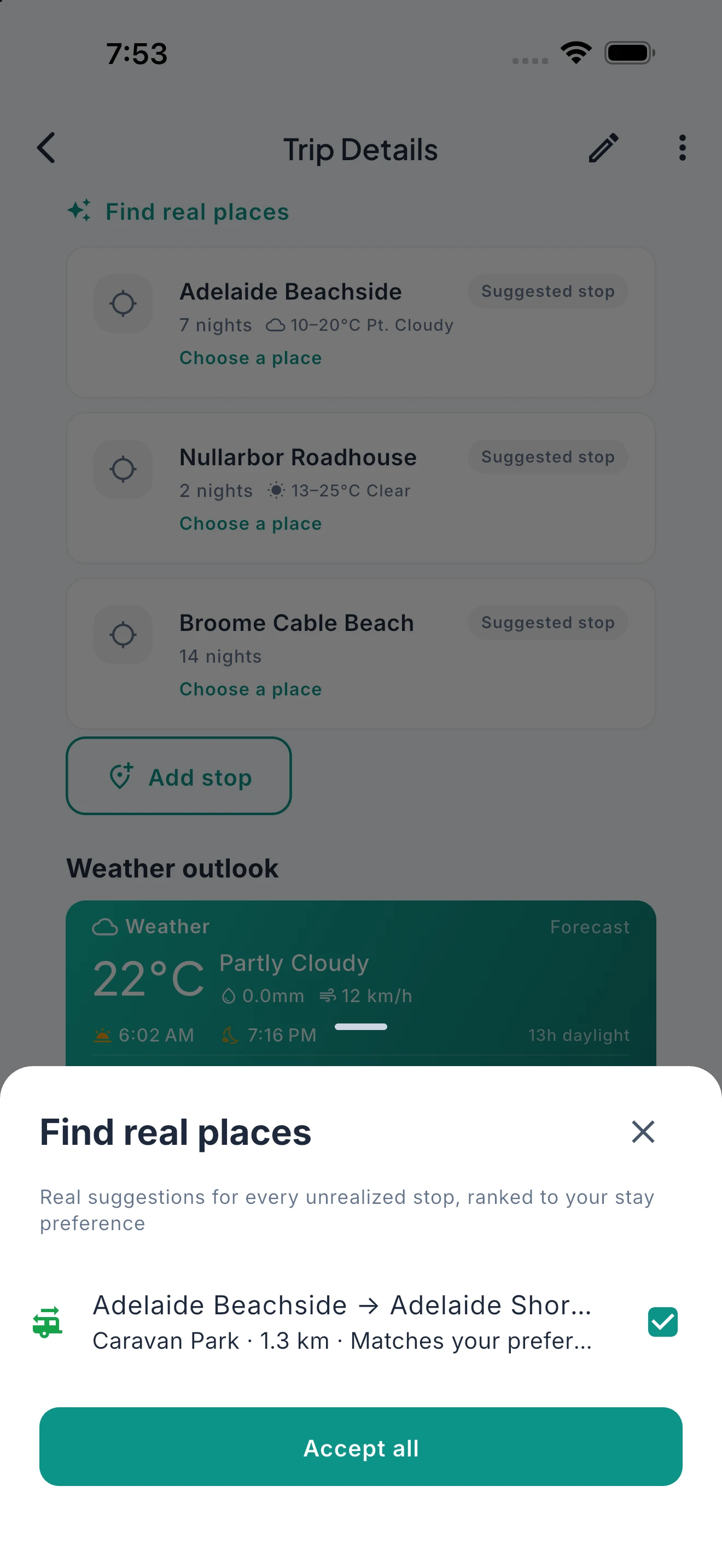
Step 3: Find real places
Step 4: Trip details and signal
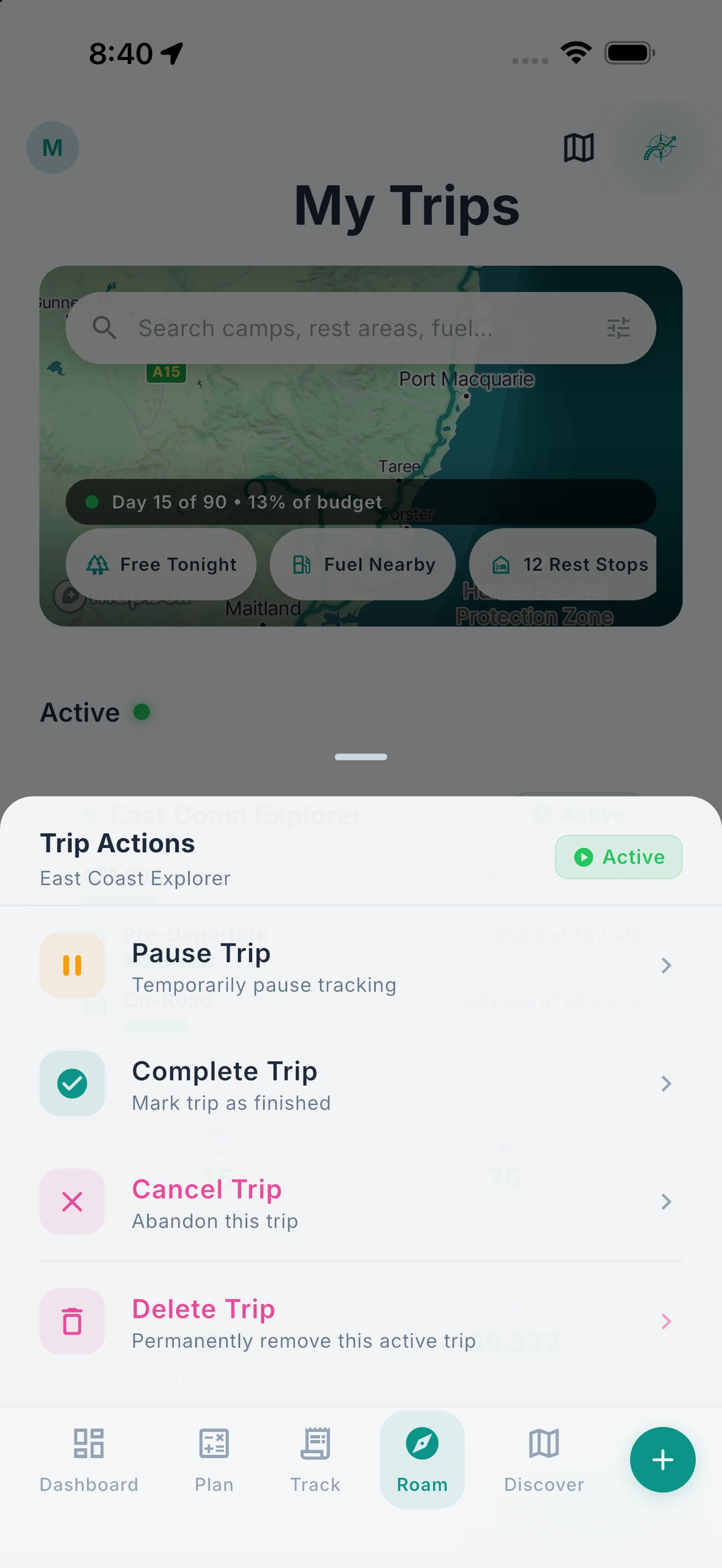
Step 5: Start when you’re ready
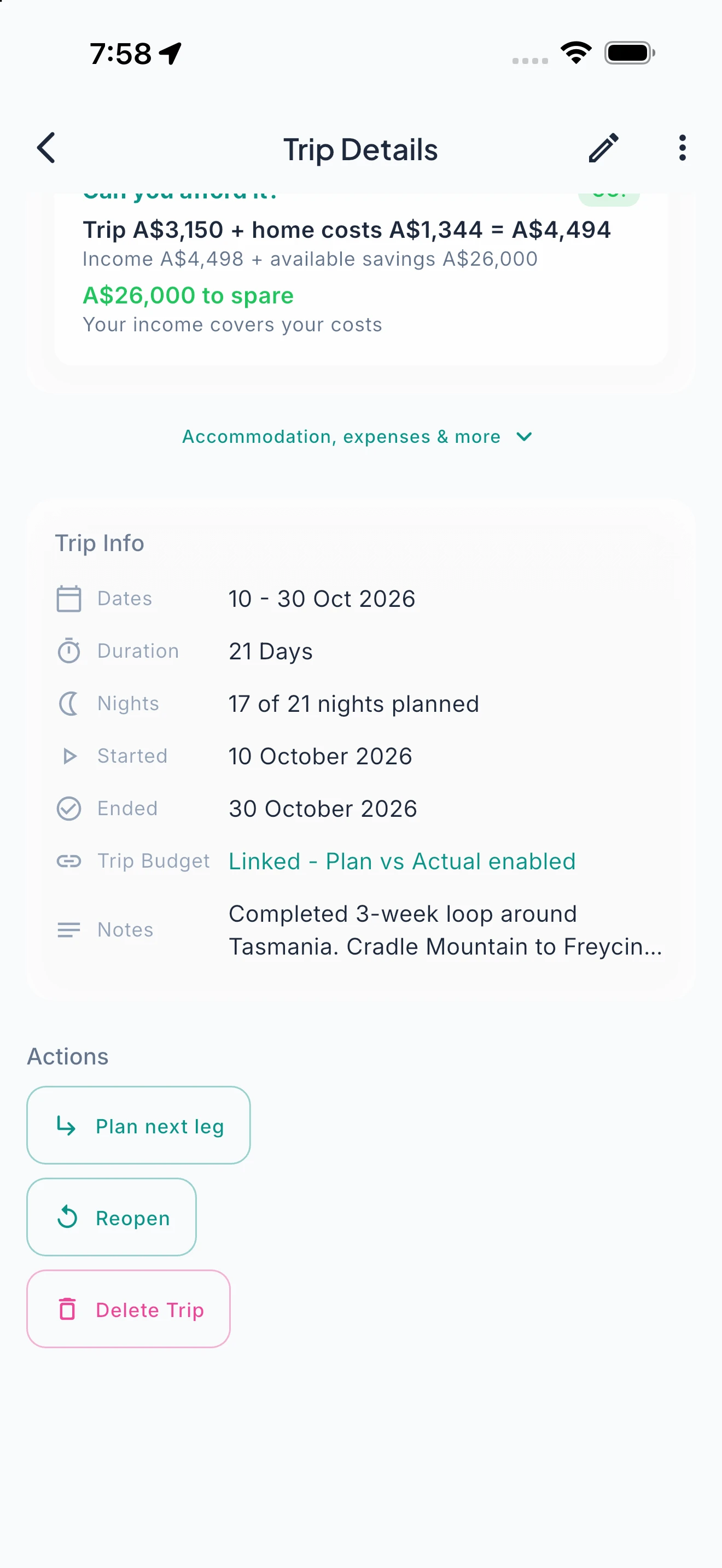
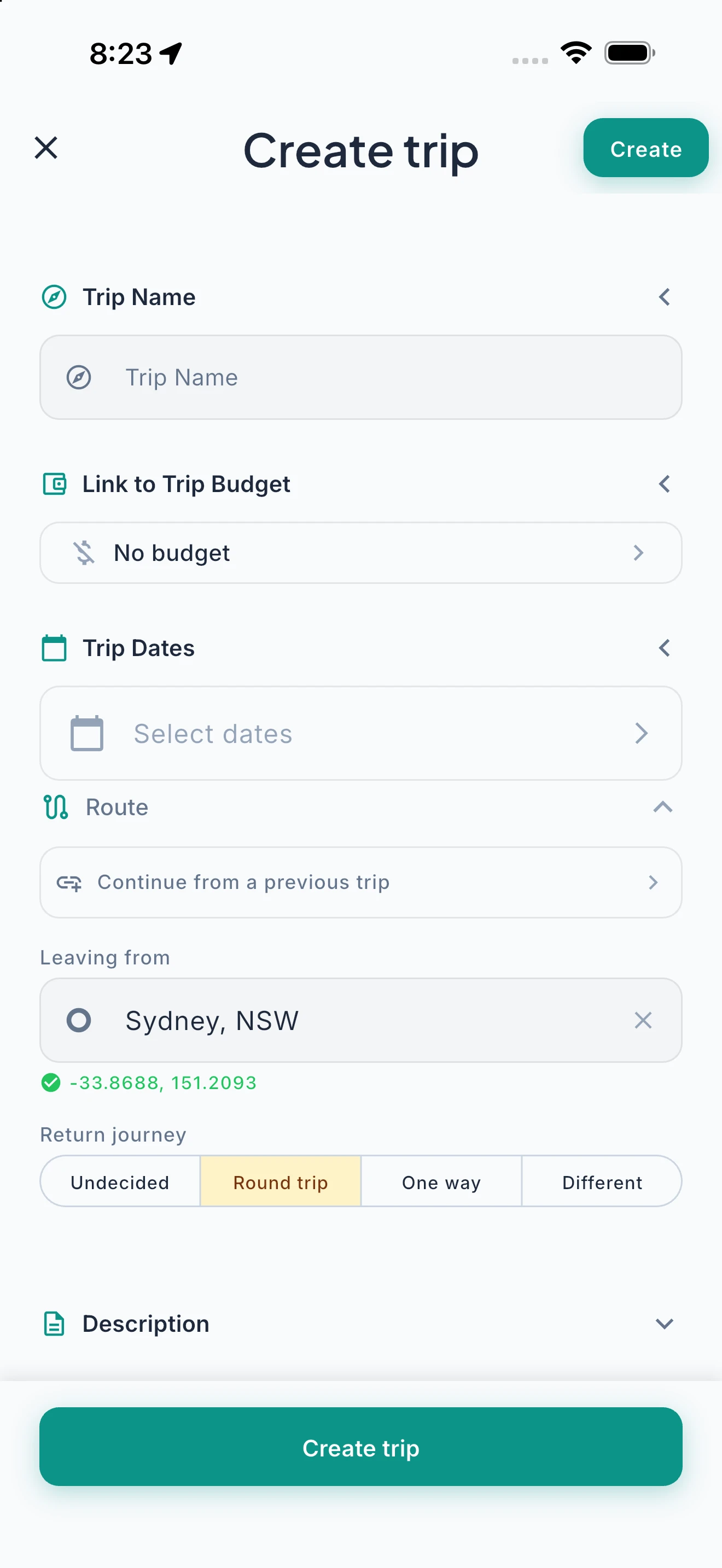
Start Where You Left Off.
Multi-leg journeys made simple. Continue a new trip from where your last one ended — departure pre-filled, Izara plans onward.
Planning a journey in stages? Tap “Continue from a previous trip” and Ready2Roam lists every trip that finished away from home. Pick one and your new trip’s departure is automatically set to where that trip ended. Izara plans your next leg from there — no backtracking, no re-entering coordinates. Trip detail screens link between legs so you can hop through the whole journey. Whether it’s a lap of Australia in three stages or a series of weekend escapes that chain together, each leg keeps its own budget, journal, and timeline while staying connected to the bigger adventure.
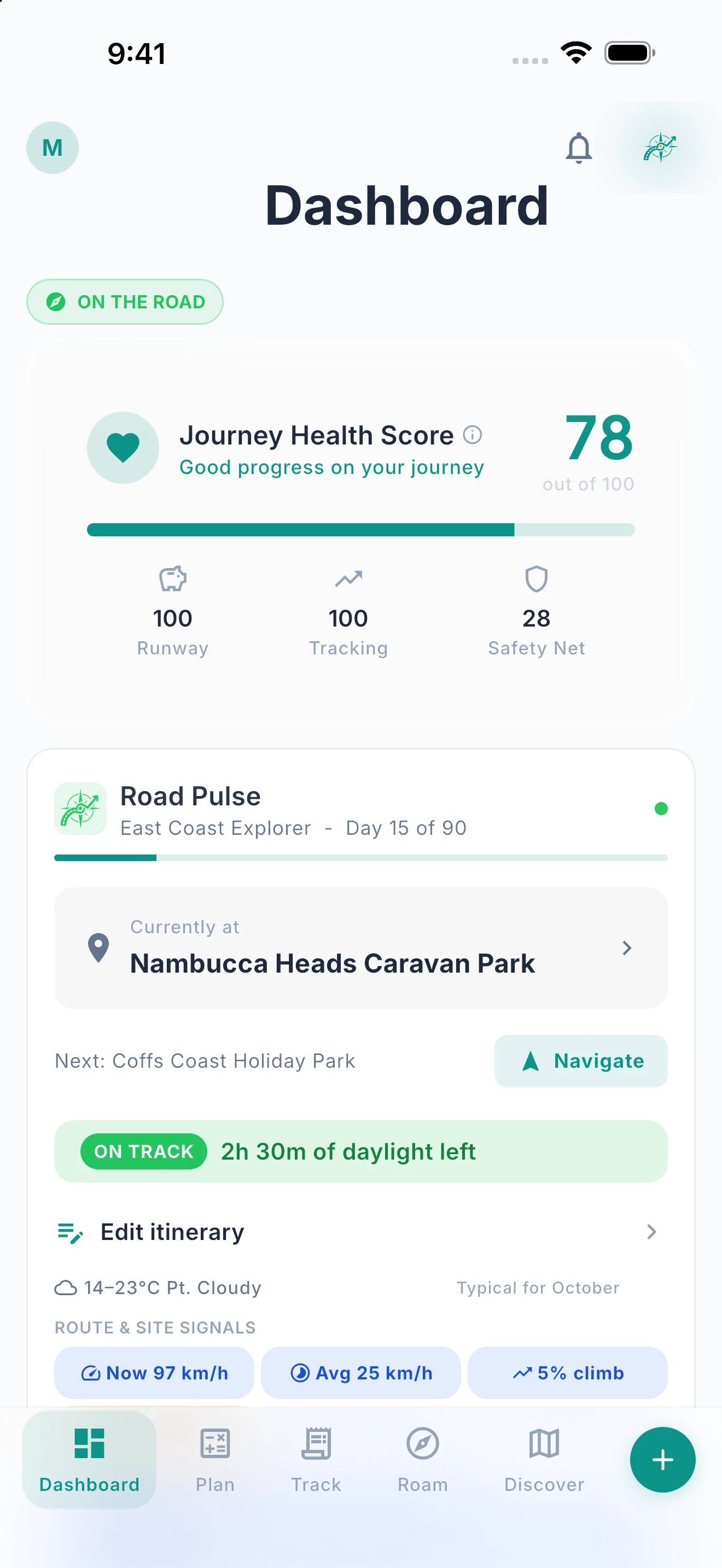
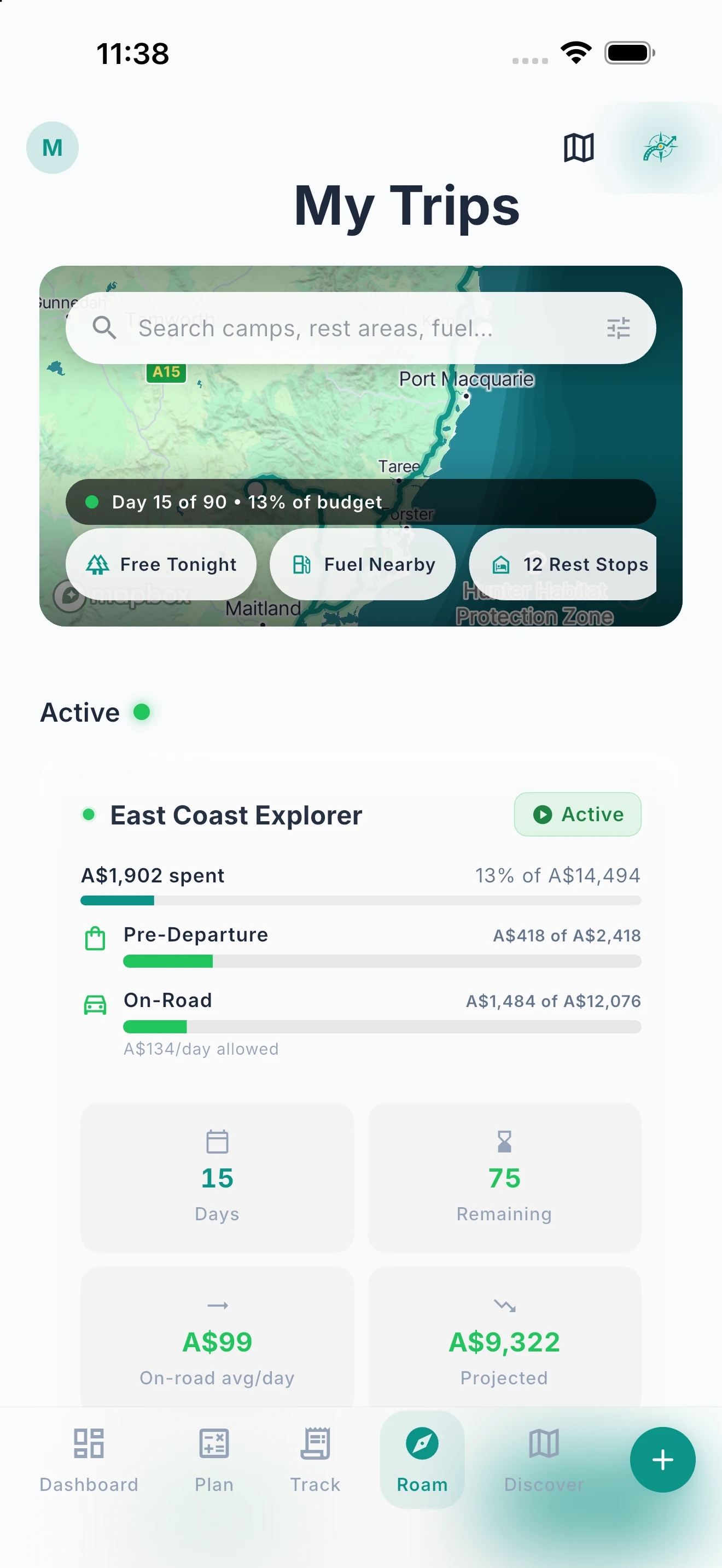
Everything You Need. One Screen.
Your trip’s pulse — budget, stops, weather, and journal — all at a glance.
Ready2Roam’s dashboard adapts to where you are in your journey. Before departure, it shows your countdown timer and readiness and, with Nomad Pro, your Go/No-Go verdict and financial health score. On the road, it shifts to your current stop, daily budget, nearby camps, and road pulse. Quick actions put the most common tasks one tap away: log an expense, add a stop, open Izara, or share your trip. Home-screen widgets (Trip, Today, Budget and Coverage) bring your trip to your phone’s home screen without opening the app, free on iPhone and Android.


Road Pulse — Your Trip’s Pulse, Live.
Daily budget, next stop, fuel, and daylight — at a glance, updating as you roam.
Road Pulse is your live on-the-road status line: daily budget versus actual, your next stop and distance, the fuel to get there, your burn rate, and how much daylight you’ve got left. When something needs your attention — daylight running low, or drifting off-plan — it flags it before it becomes a problem. It looks out for you, so you can keep your eyes on the road.
Roam: Your Trip, Right Now.
Once you’re moving, Roam is the tab you live in — today’s stop, what’s next, and how the trip’s tracking.
Plan is for before you go; Roam is for while you’re going. Once the wheels are turning, the Roam tab keeps the essentials in front of you — where you are on the plan, your current and next stop, and how the trip’s tracking so far. Check in, pick the next stop, and keep moving without digging through menus.
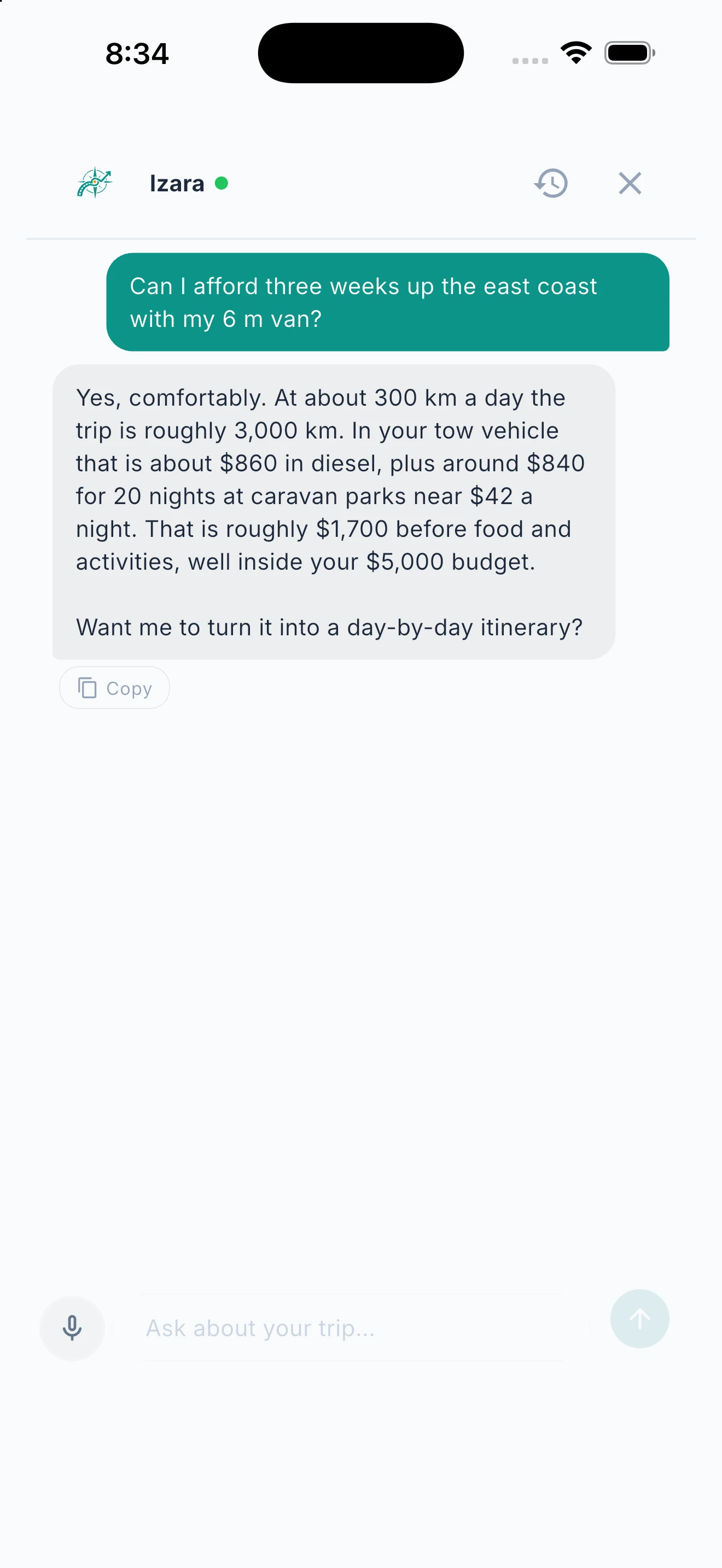
Izara Acts, Not Just Answers.
Hands-free actions — create journal entries, generate checklists, adjust budgets, reorder stops, and more. All confirmed with one tap.
Izara, your trip assistant, understands your entire trip context. Ask about fuel budgets and it checks your actual spending against your plan. Ask for a free camp near your next stop with showers that fits your rig and it searches 2.9M+ POI filtered by your vehicle dimensions. But it doesn’t just talk — it does. Create journal entries, generate packing checklists tailored to your destination, add or remove stops, reorder your route, adjust budget categories, look up vehicle specs, and produce shareable financial reports. Every action is confirmed with a single tap before it saves. Contextual awareness means budget questions get real-time analysis, and follow-up replies stay in conversation. Works with Siri and Google Assistant for voice-first planning on the road. Tell Izara to plan a 10-day trip and it builds the whole itinerary — stops, distances, fuel matched to your rig, rest days and camping sorted by cost — ready to review and load with one tap.
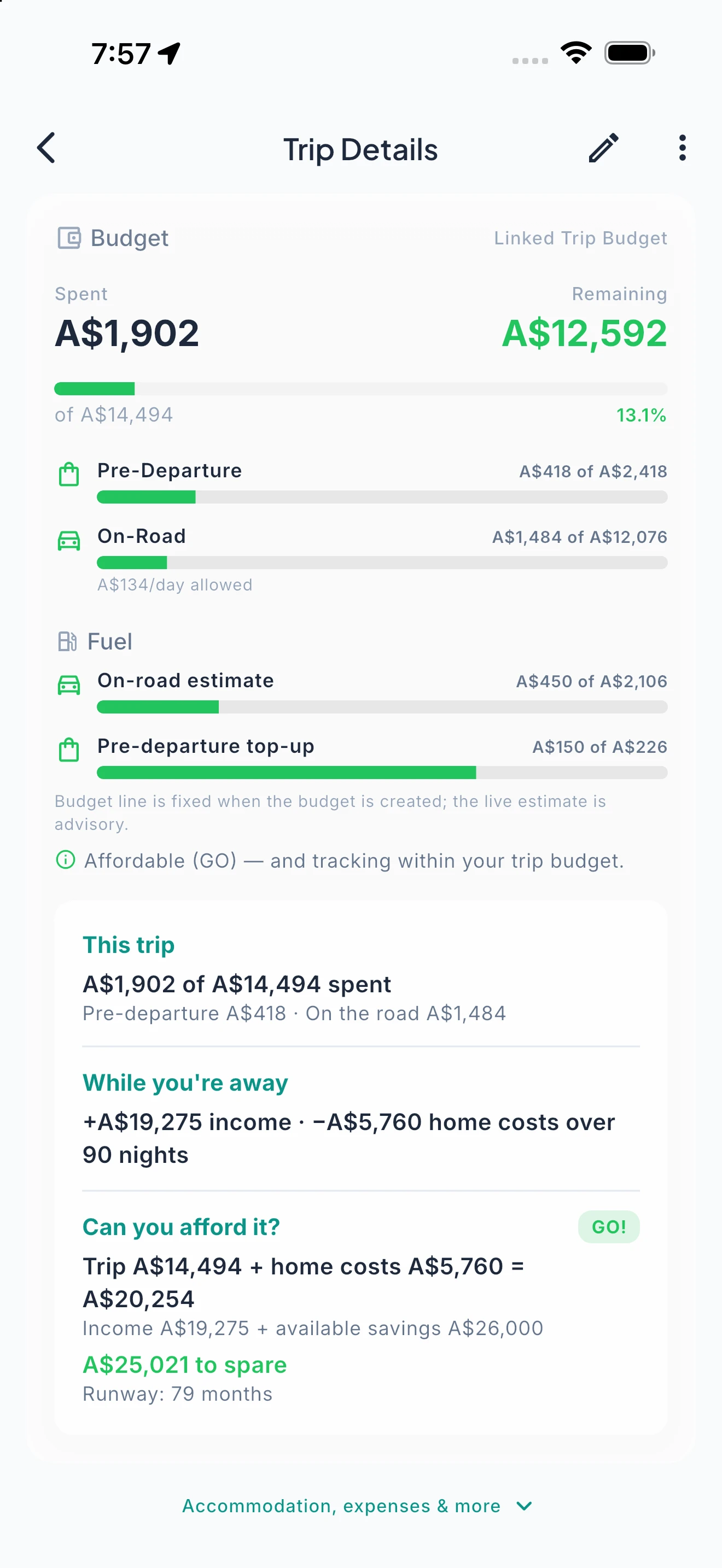
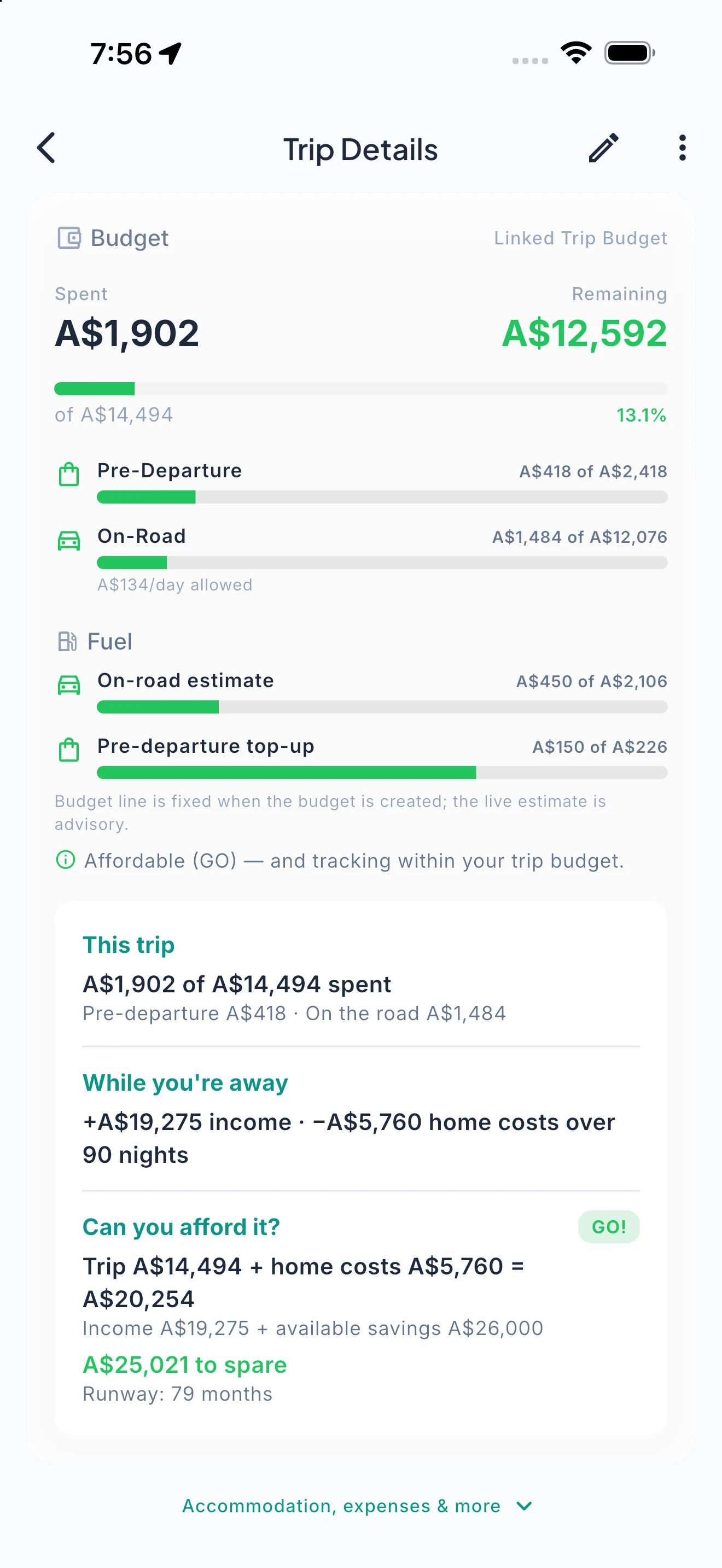
The Only App That Answers “Can We Afford This?”
Build your real budget. Model your income. Compare home costs vs travel. Get a clear Go or Not Yet.
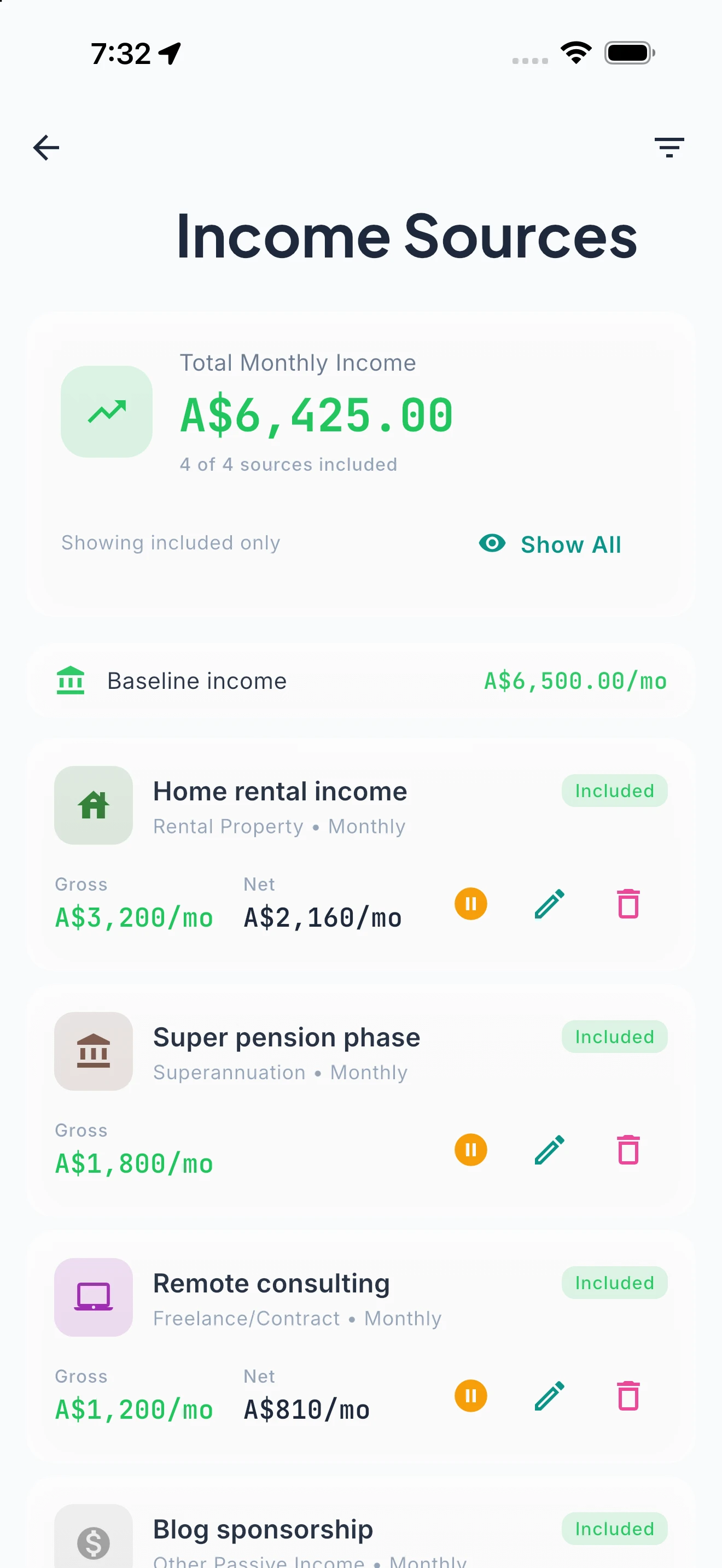
Budget across 14 categories with Frugal, Comfortable, or Luxury templates. Model any income scenario — pension plus drawdown, part-time remote work, or savings only. The baseline comparison shows whether travelling costs more or less than staying home. The Savings Runway calculator shows exactly how many months your money will last. And the Journey Health Score distils your entire financial picture into a single number from 0 to 100. Prefer to skip the forms? Describe your situation in a sentence — “3 months, comfortable, keeping my remote job” — and Izara builds your Baseline and Trip Budget conversationally, pre-filling categories, amounts and income for you to review and confirm.
Real-Time Budget vs Actual. Every Dollar Accounted For.
Log expenses in seconds. See where your money really goes with real-time analytics and AI spending insights.
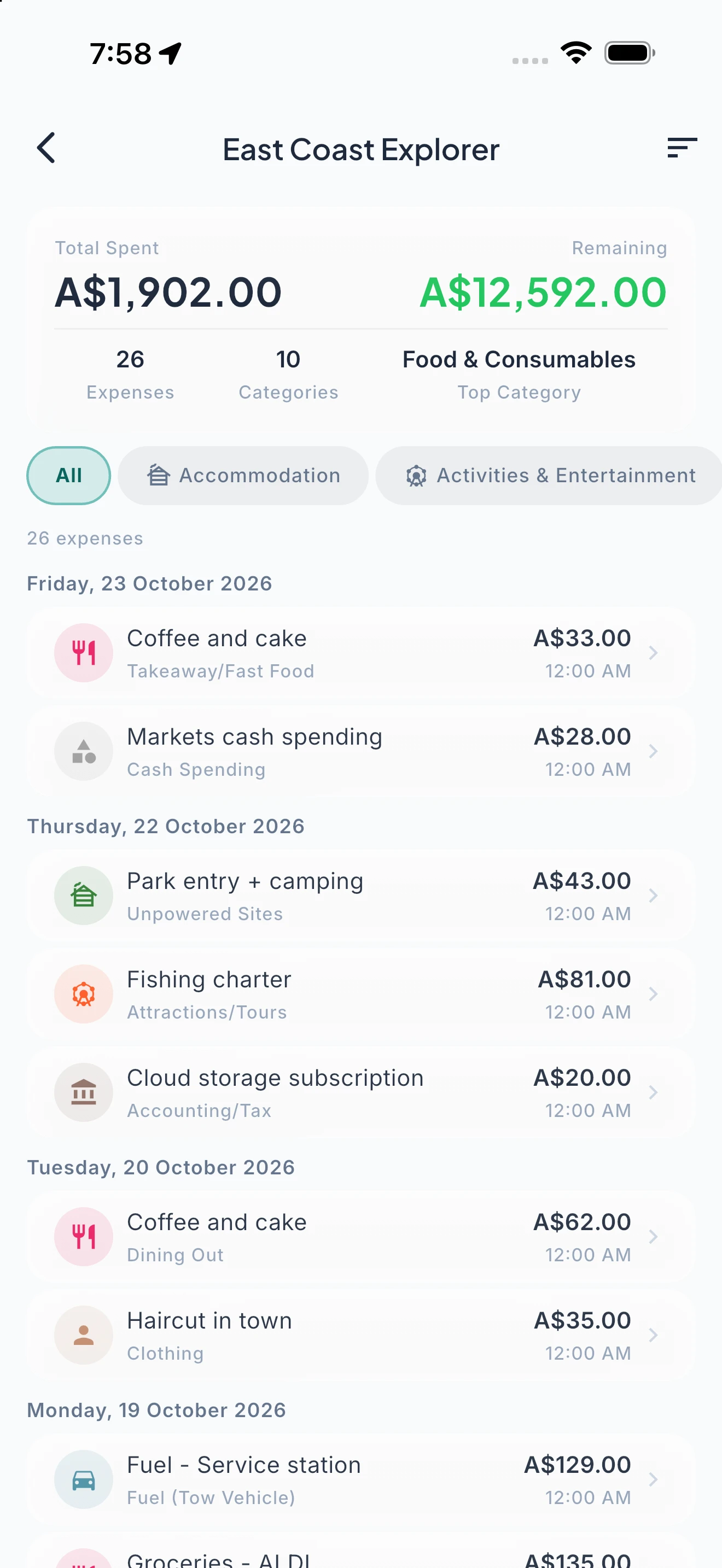
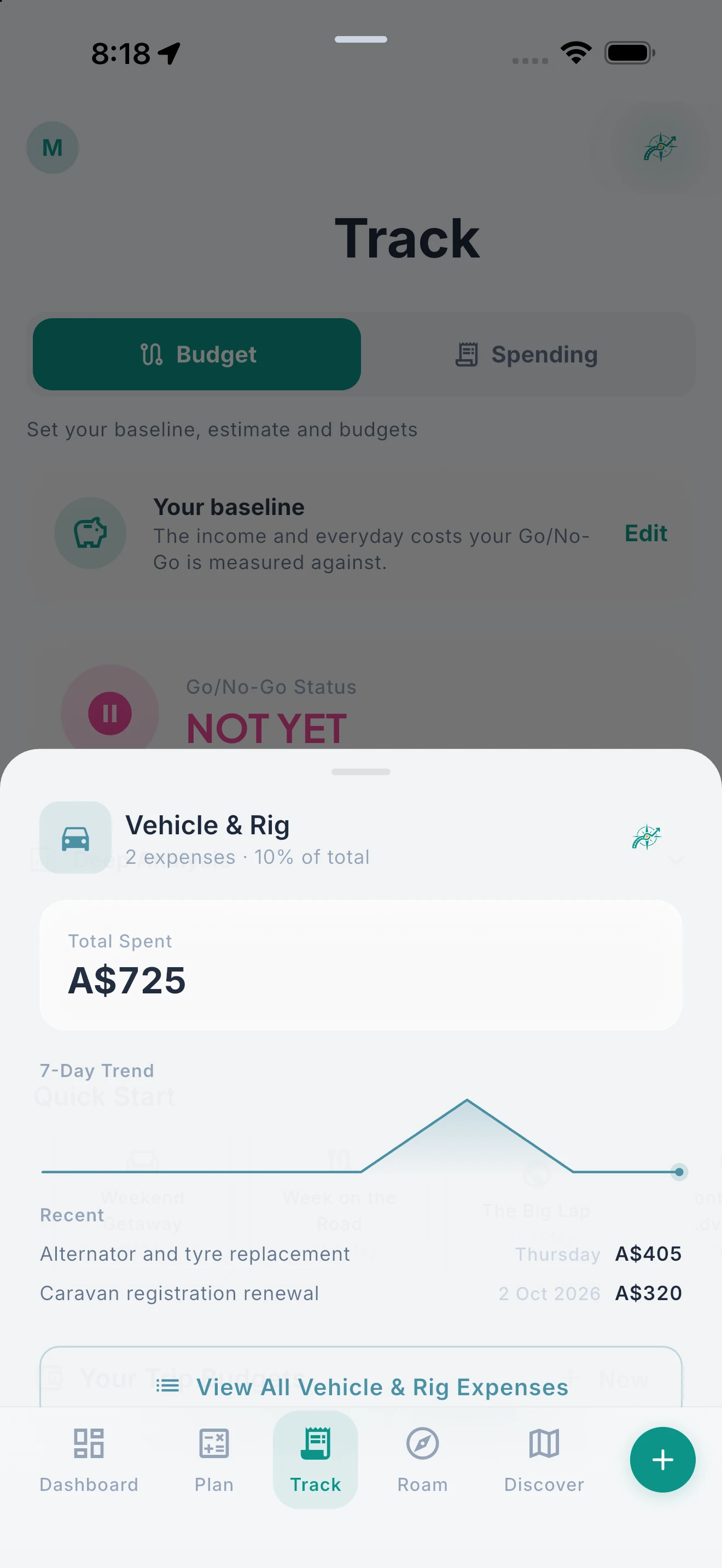
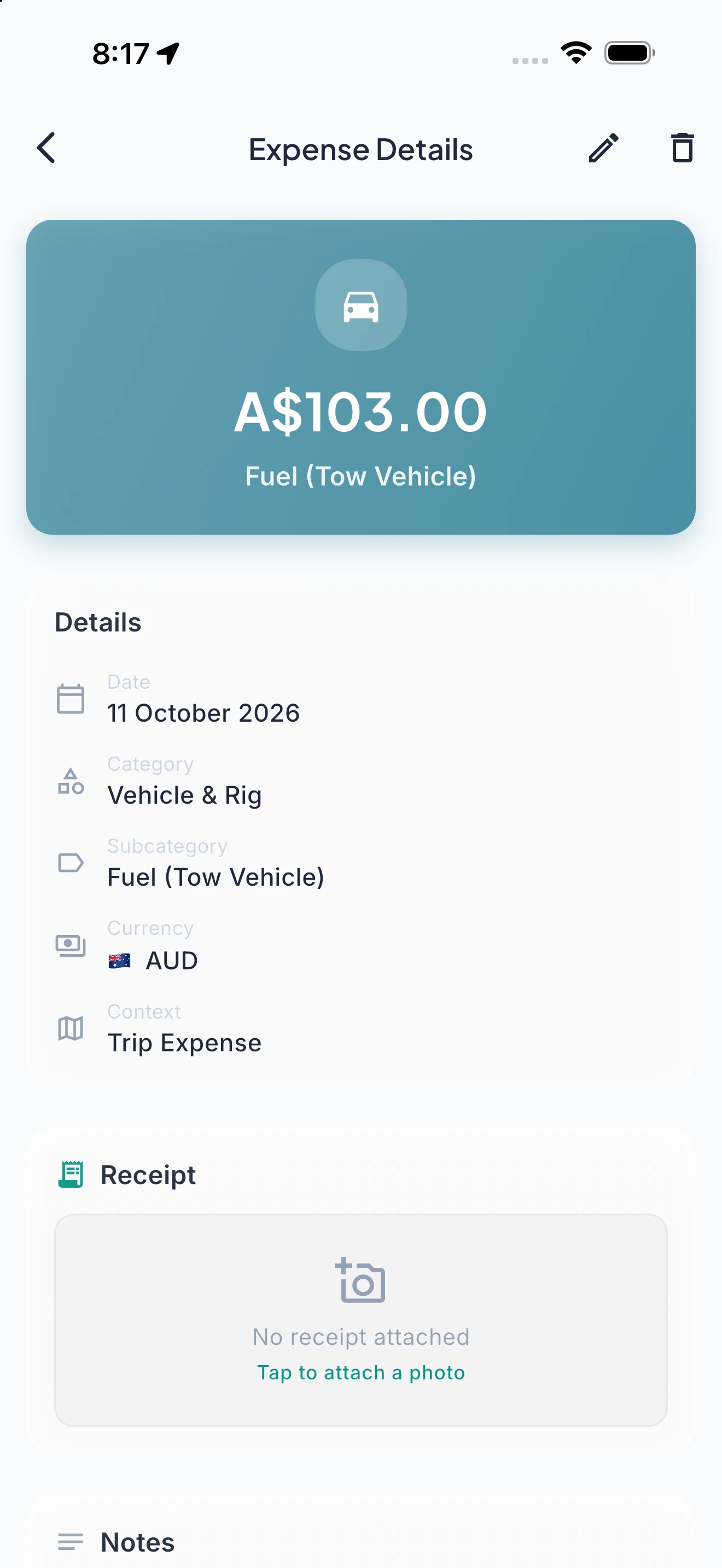
One-handed expense entry designed for speed. See your plan vs actual variance update in real time — per category, per day, per trip. Budget analytics show spending trends, income vs expenses, and per-category utilisation so there are no surprises at the end of the month. Nomad Pro adds receipt OCR scanning (snap a photo and the amount, merchant, and date are extracted automatically), unlimited expenses across all 14 budget categories, and AI-powered spending analysis that spots patterns, flags anomalies, and compares your spending across trips.
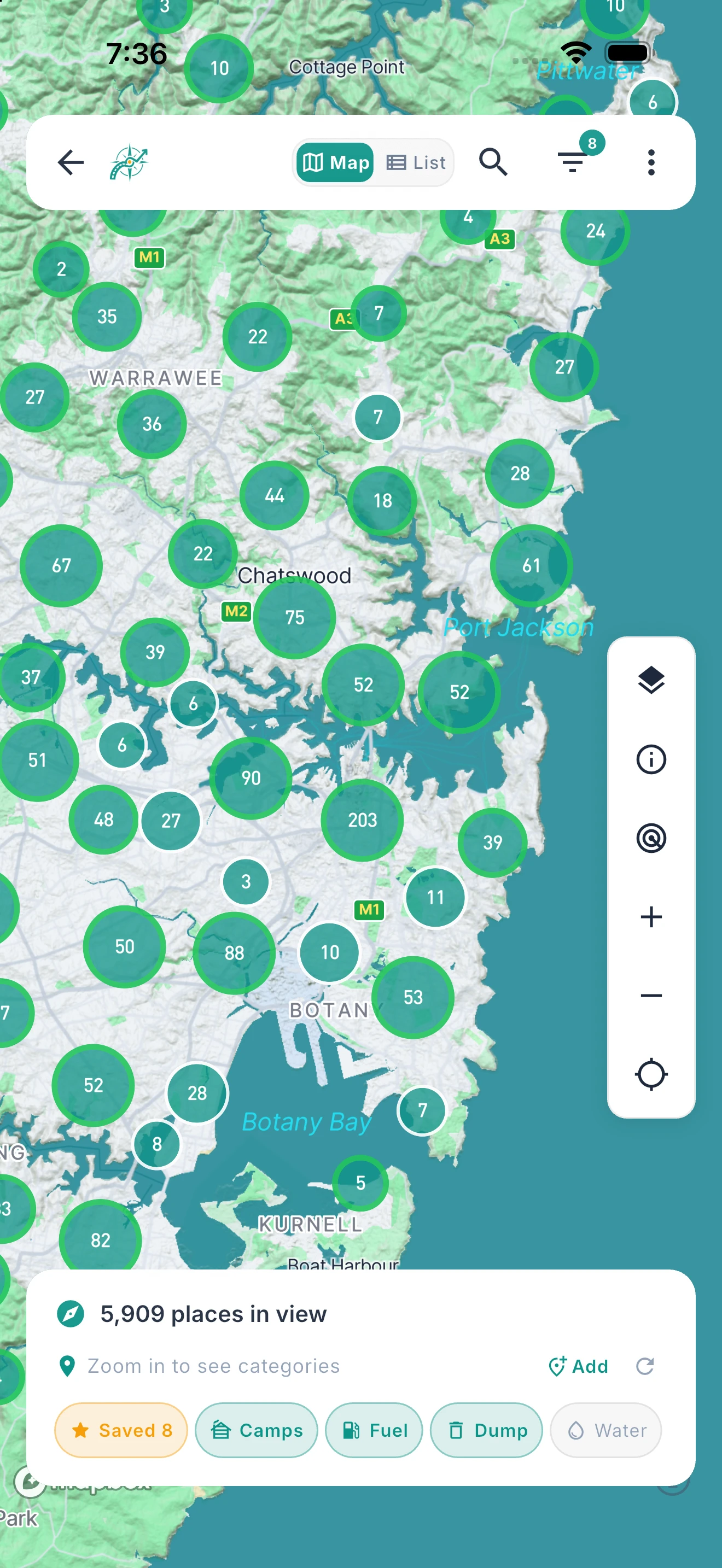
2.9 Million+ Places. Worldwide Coverage.
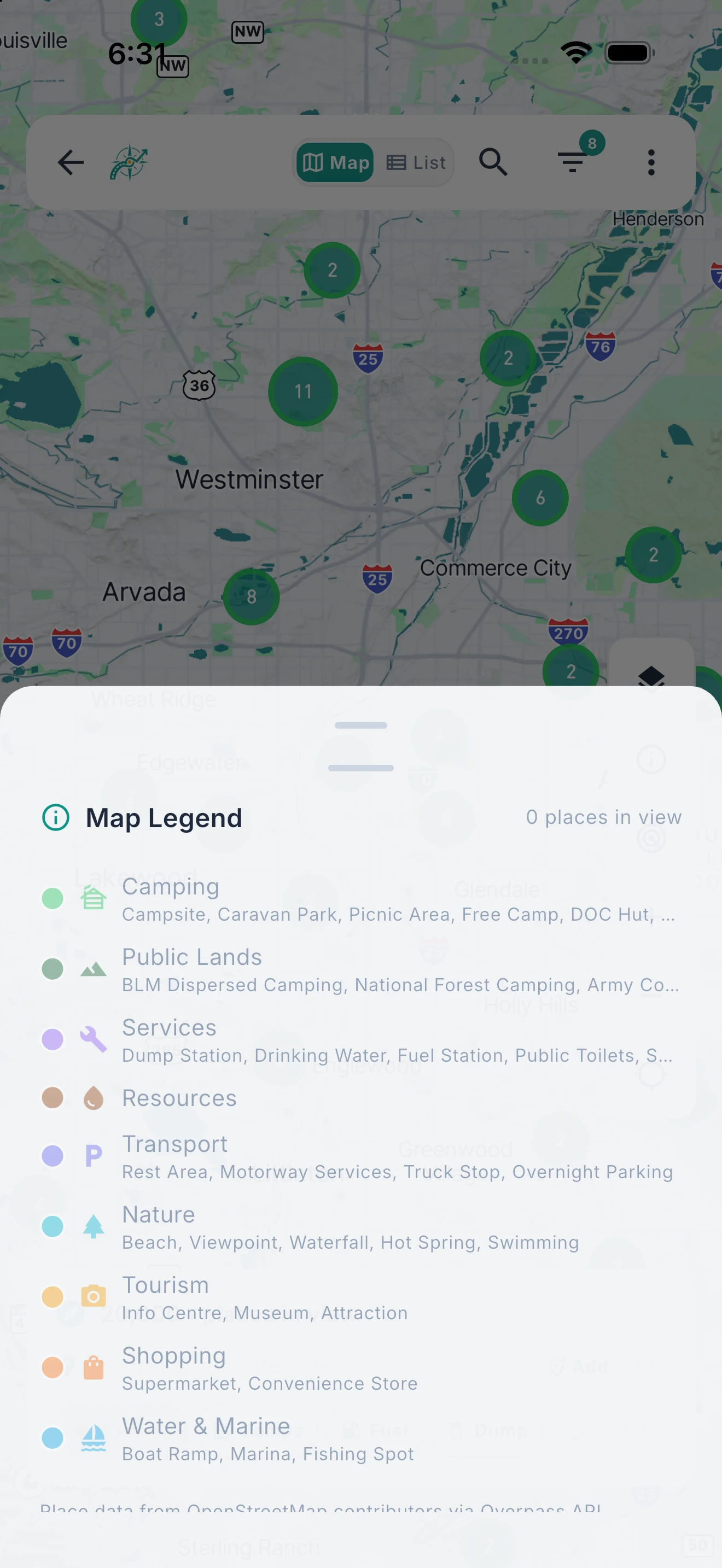
Campsites, fuel, dumps, water, rest areas, and more — worldwide map coverage with up to 55 details per site.
Over 2.9 million points of interest displayed on a GPU-accelerated Mapbox map that works in every country. Switch between satellite, terrain, street, dark, and outdoor map styles. Filter by category, facility type, or cost. Up to 55 details per site, from facilities and fees to rig fit and 4WD access. Thousands of 4WD and unsealed tracks overlay the map worldwide, colour-coded by difficulty so you can plan your route with confidence. Zoom out and places cluster into numbered bubbles; zoom in and they break into colour-coded category pins, then individual facility markers — a three-tier renderer that keeps even the densest regions smooth.
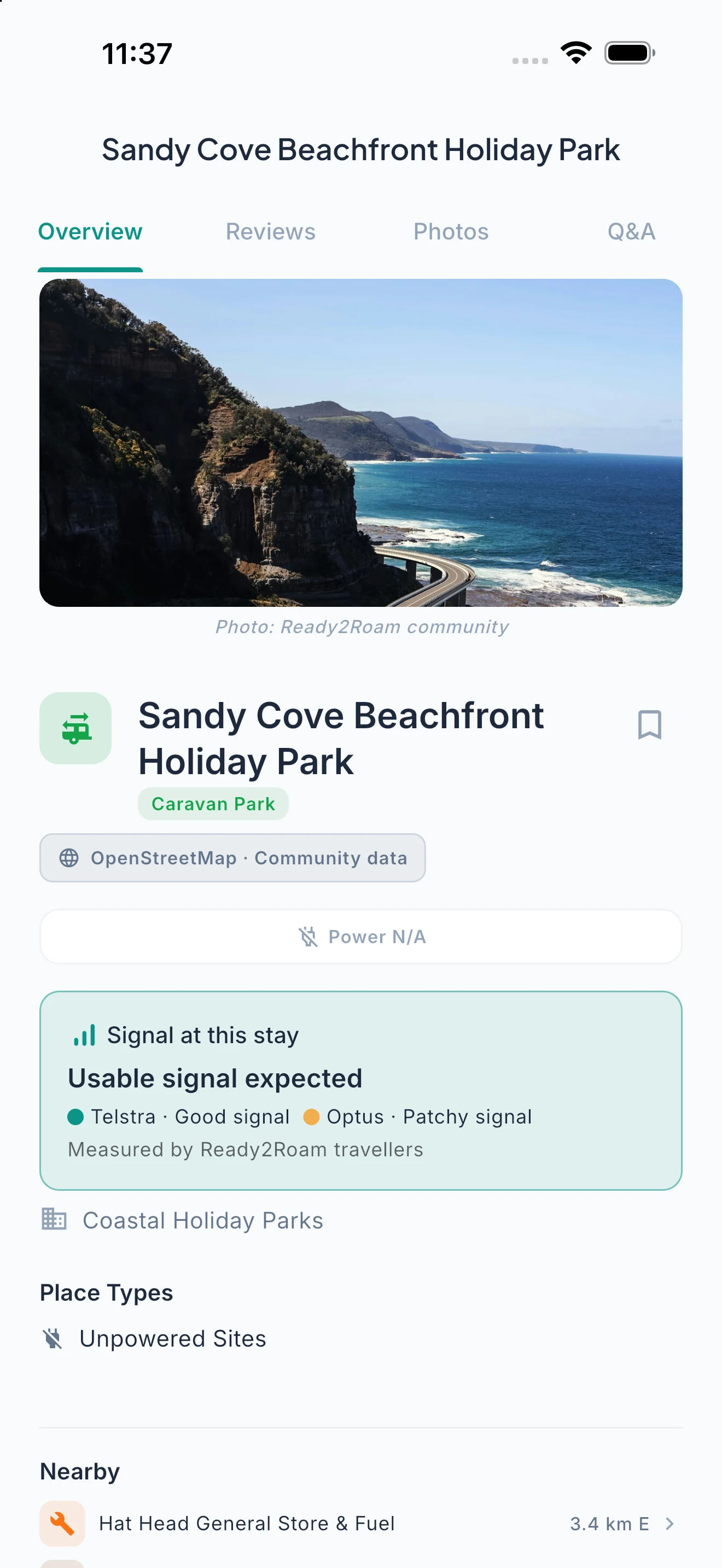
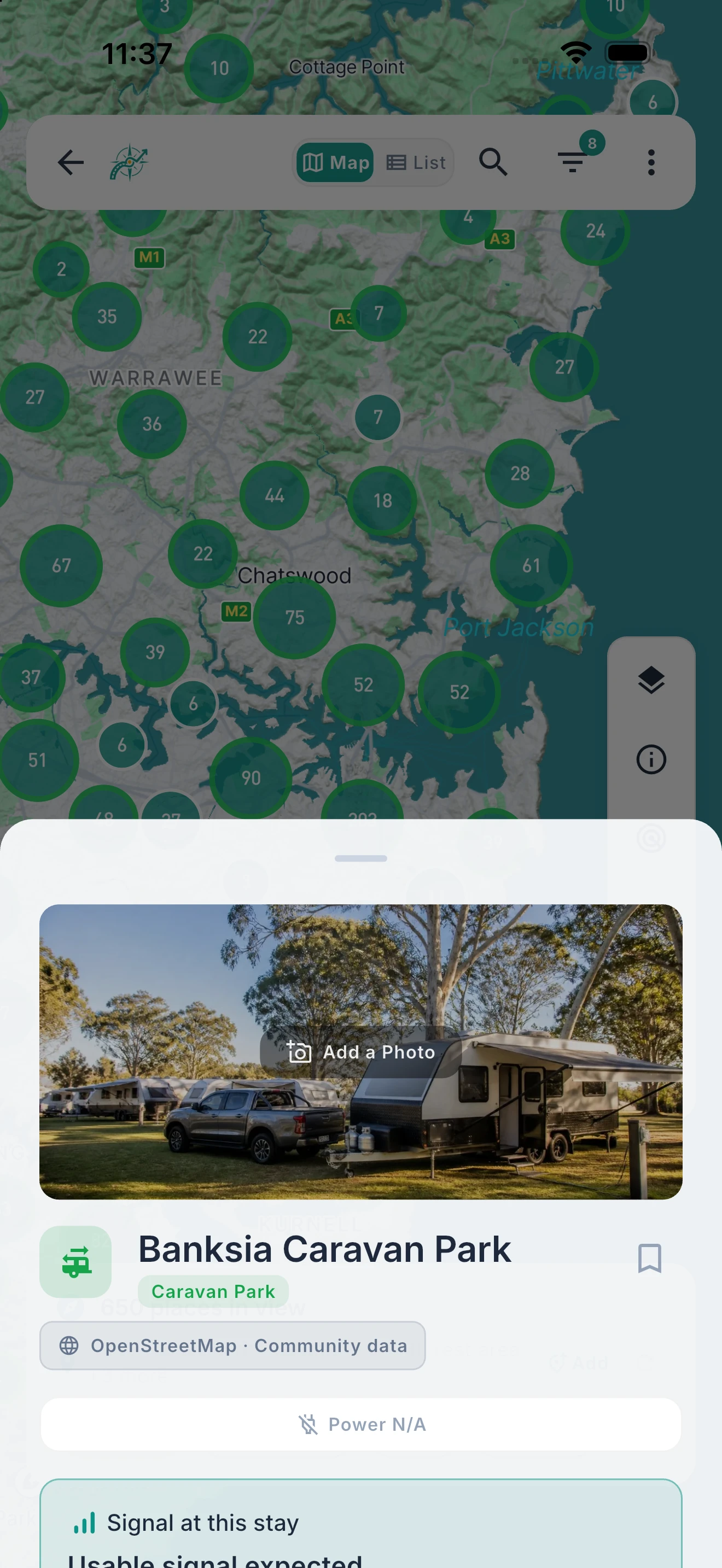
Everything About a Site. One Sheet.
Data source, site type, facilities, RV info, weather, and nearby alternatives — all before you drive there.
Tap any pin and get the full picture: contact details, site type, amenities, rig fit assessment, live weather forecast, sunrise and sunset times, user ratings, and nearby alternatives. The POI detail sheet pulls from multiple data sources to give you the most complete picture available — all in one place, without switching between apps.
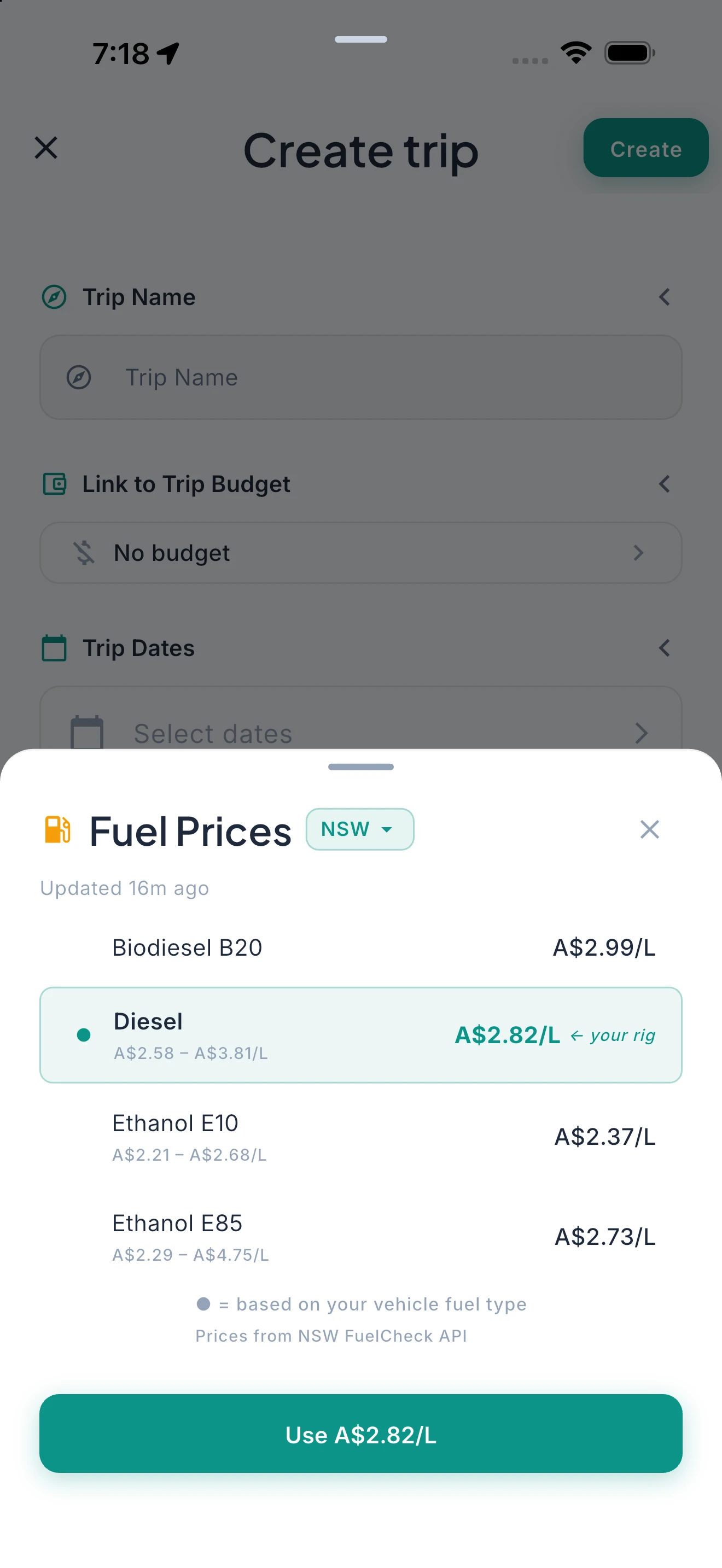
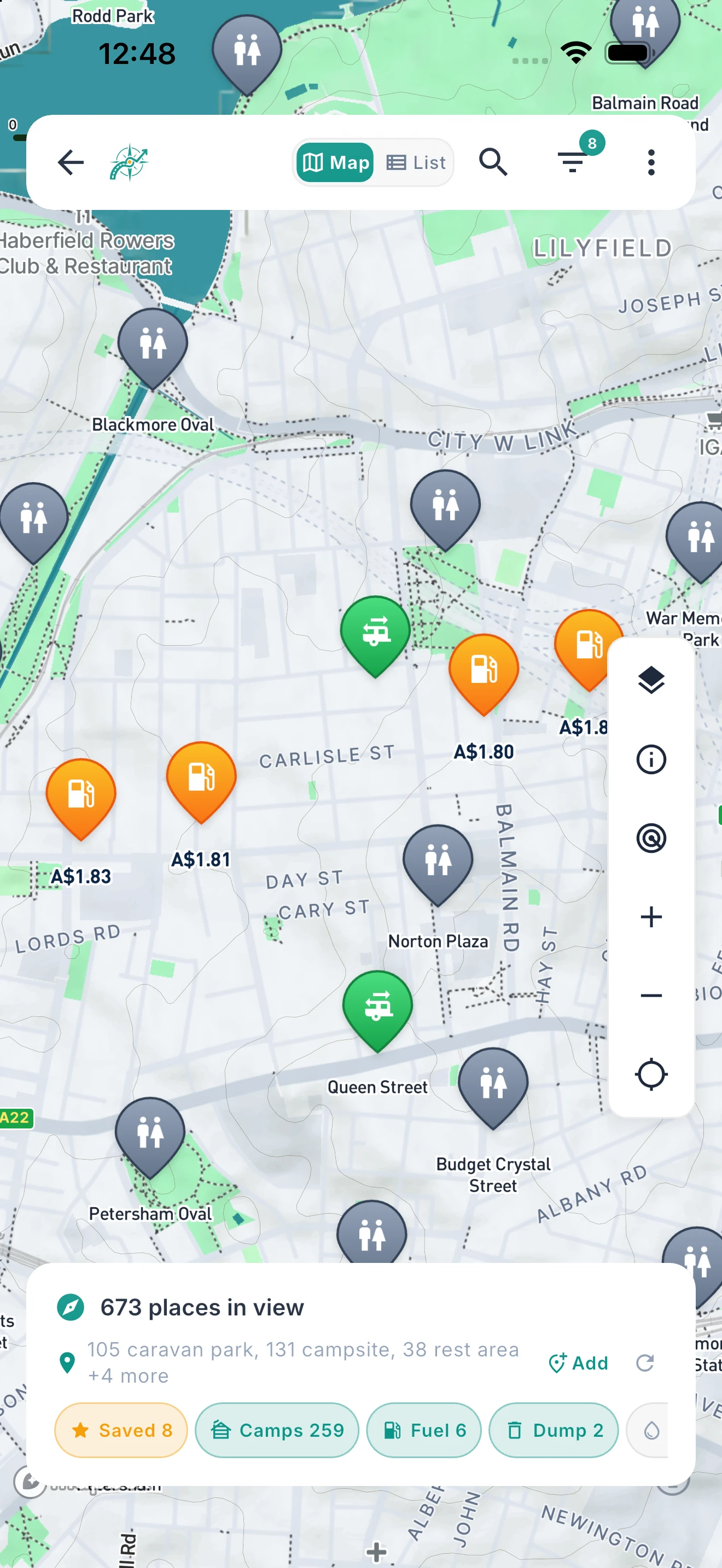
Stop Overpaying at the Pump.
Live fuel prices from official sources, auto-filtered to your fuel type.
Ready2Roam pulls fuel prices from official sources where they’re published. Prices are automatically filtered to your vehicle’s fuel type — diesel, petrol, LPG, or electric. See the cheapest station along your route before you fill up, with no third-party affiliate fees inflating results. In supported regions, live per-station prices appear directly beneath each fuel teardrop on the map whenever the fuel filter is on — and every fuel station’s detail sheet lists its current prices, with your rig’s fuel type highlighted so you know your number at a glance.
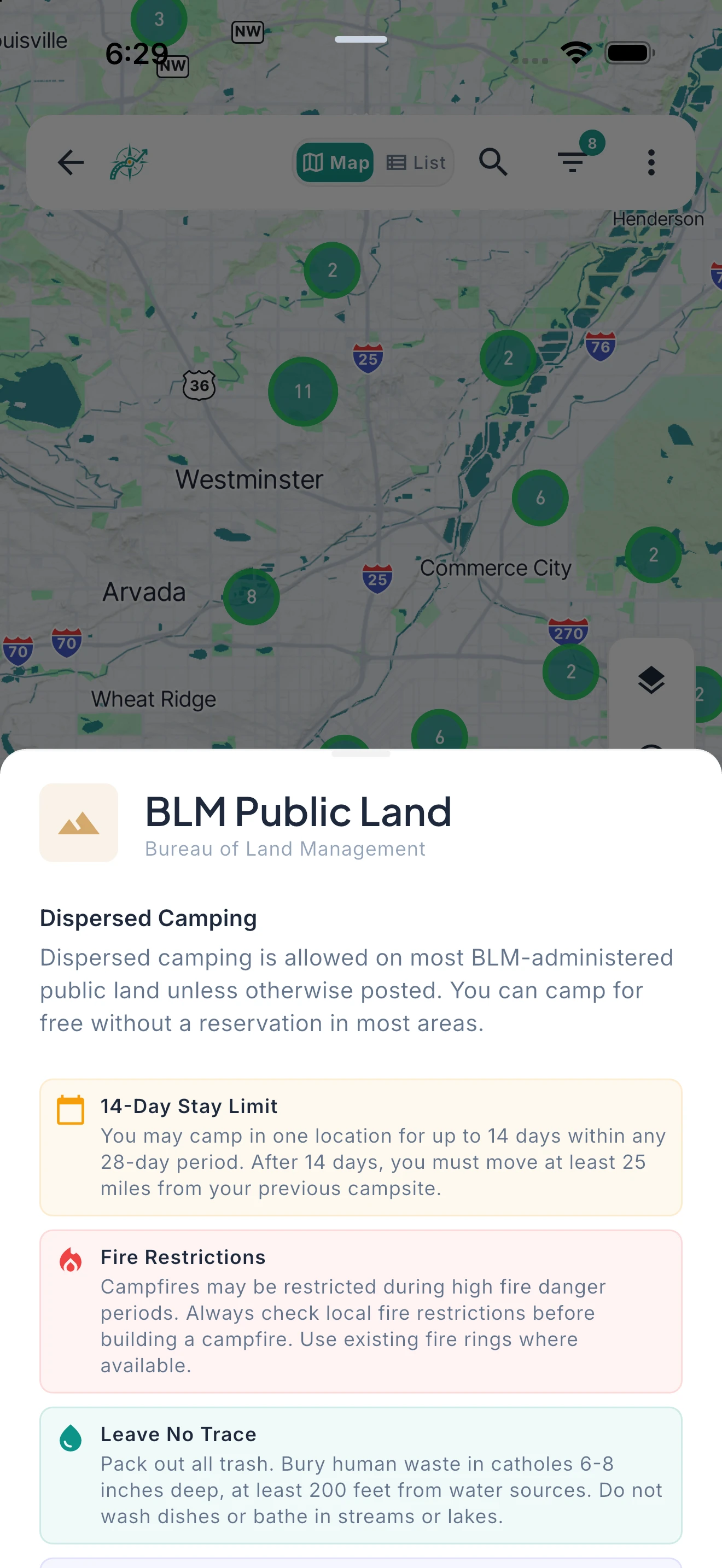
Camp Free on America’s Public Lands.
BLM dispersed camping, National Forest sites, and Army Corps campgrounds — free public land across the American West.
For US travellers, Ready2Roam includes Bureau of Land Management dispersed camping areas, National Forest campgrounds, and Army Corps of Engineers recreation sites. These are free or low-cost public lands that most camping apps either miss entirely or lock behind a subscription. We display them for every user, on every tier.
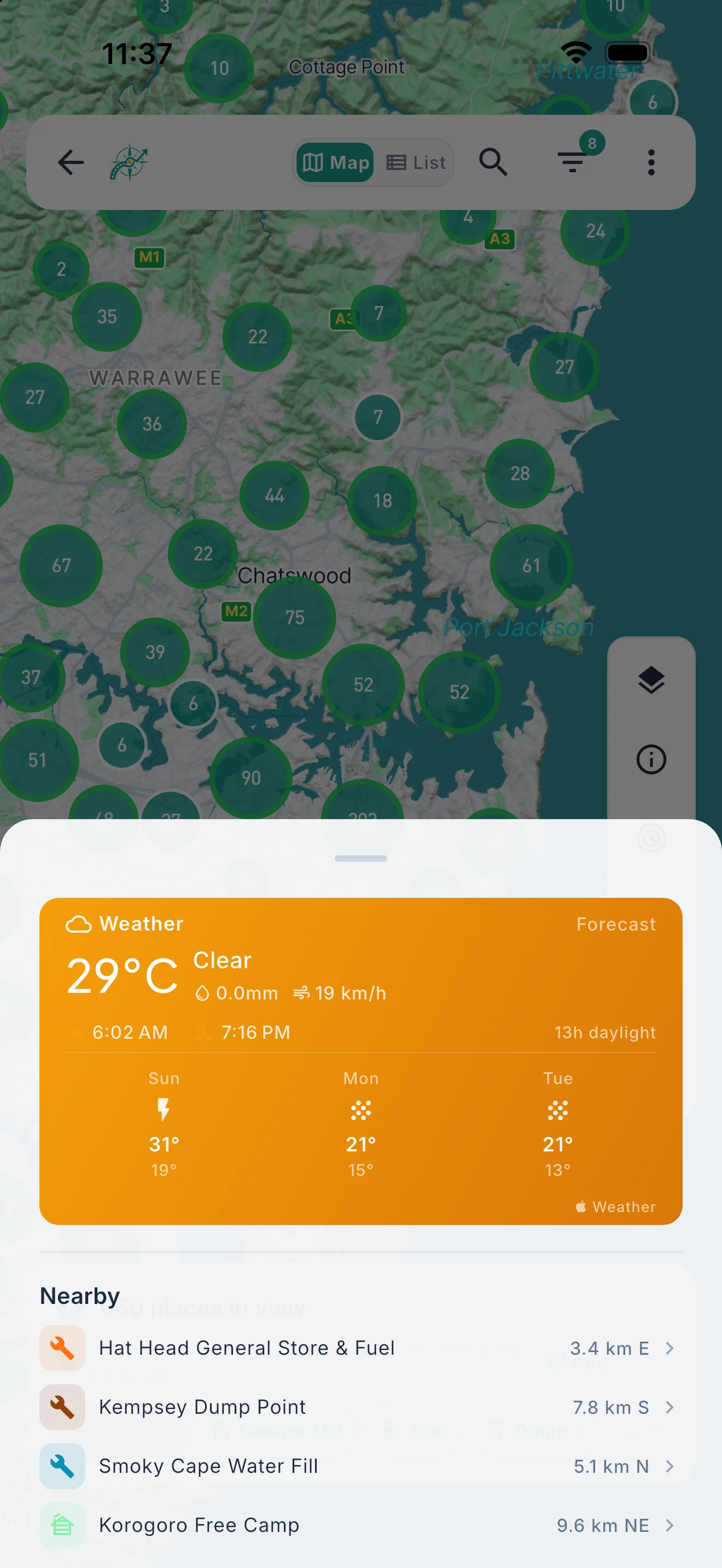
Know the Weather Before You Arrive.
Live conditions and forecasts for every campsite, with automatic failover if the primary source is unavailable.
Every POI detail sheet shows current conditions and a 3-day forecast powered by Apple WeatherKit, with a secondary weather service as automatic fallback to ensure you always have data. Stop cards display climate normals for your arrival month — so you know what to expect before you even plan the route. Journal entries auto-capture the weather when you write them. The solar calculator shows sunrise and sunset to the minute for any location.
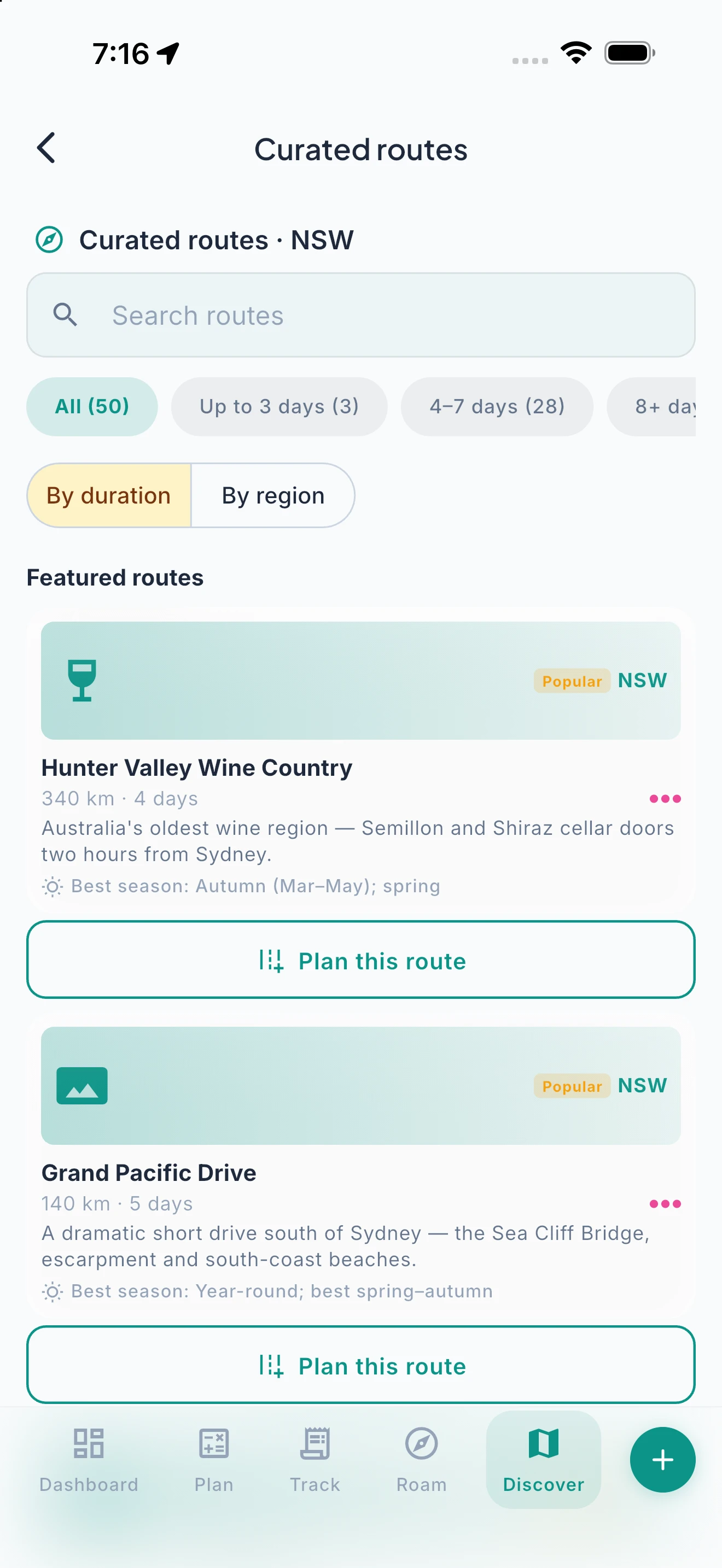
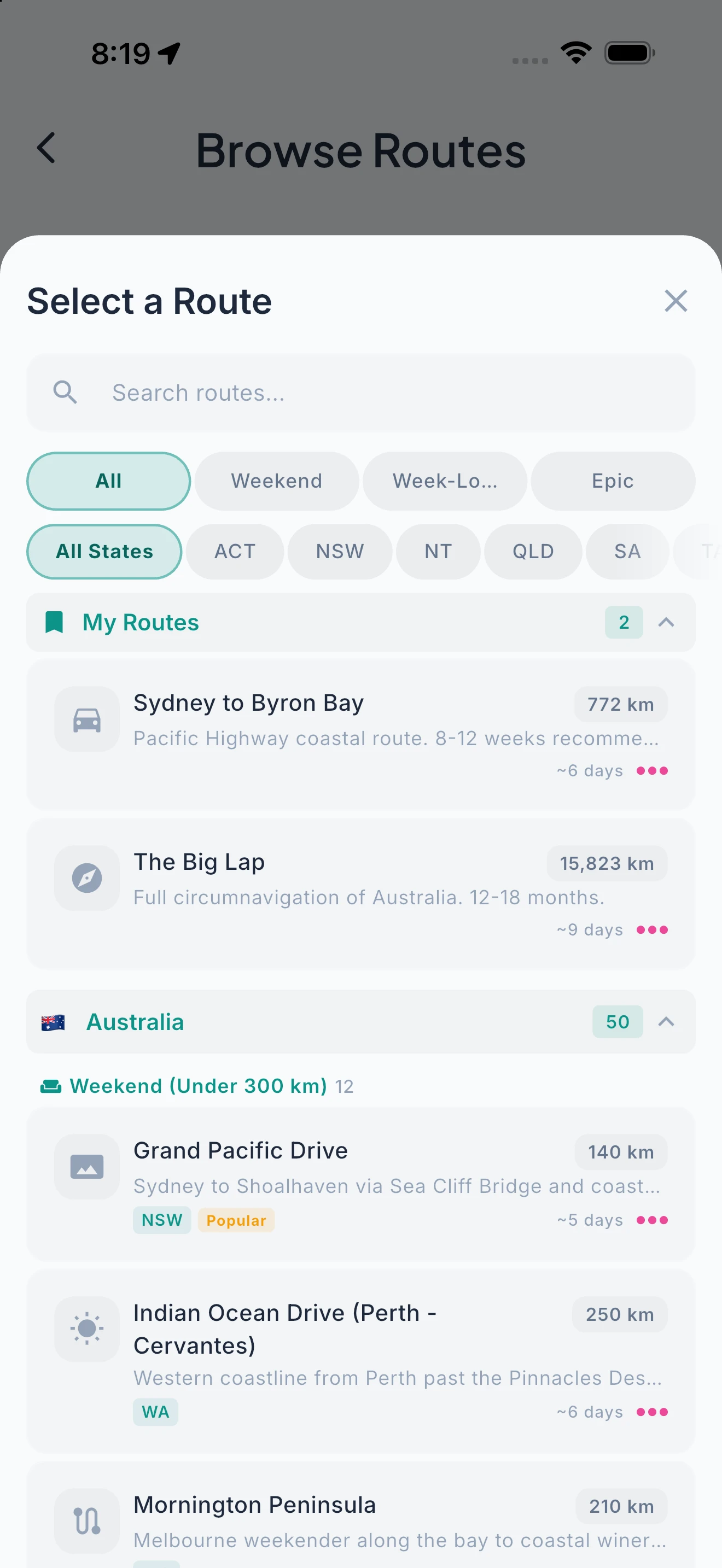
400+ Routes Across 8 Regions. Ready to Go.
Curated routes with waypoints, distances, and fuel cost projections — from the Full Lap of Australia to Route 66, the Rhine Valley to the French Riviera.
Pick from 400+ curated routes and create your trip in one tap. The Full Lap of Australia. Route 66. The Pacific Coast Highway. The North Coast 500. The Rhine Valley. The French Riviera to the Alps. Each route comes with curated waypoints, leg distances, estimated driving times, and fuel cost projections based on your vehicle profile. Covers Australia, New Zealand, the US, Canada, the UK, and Europe. Use them as-is or as a starting point for your own adventure.
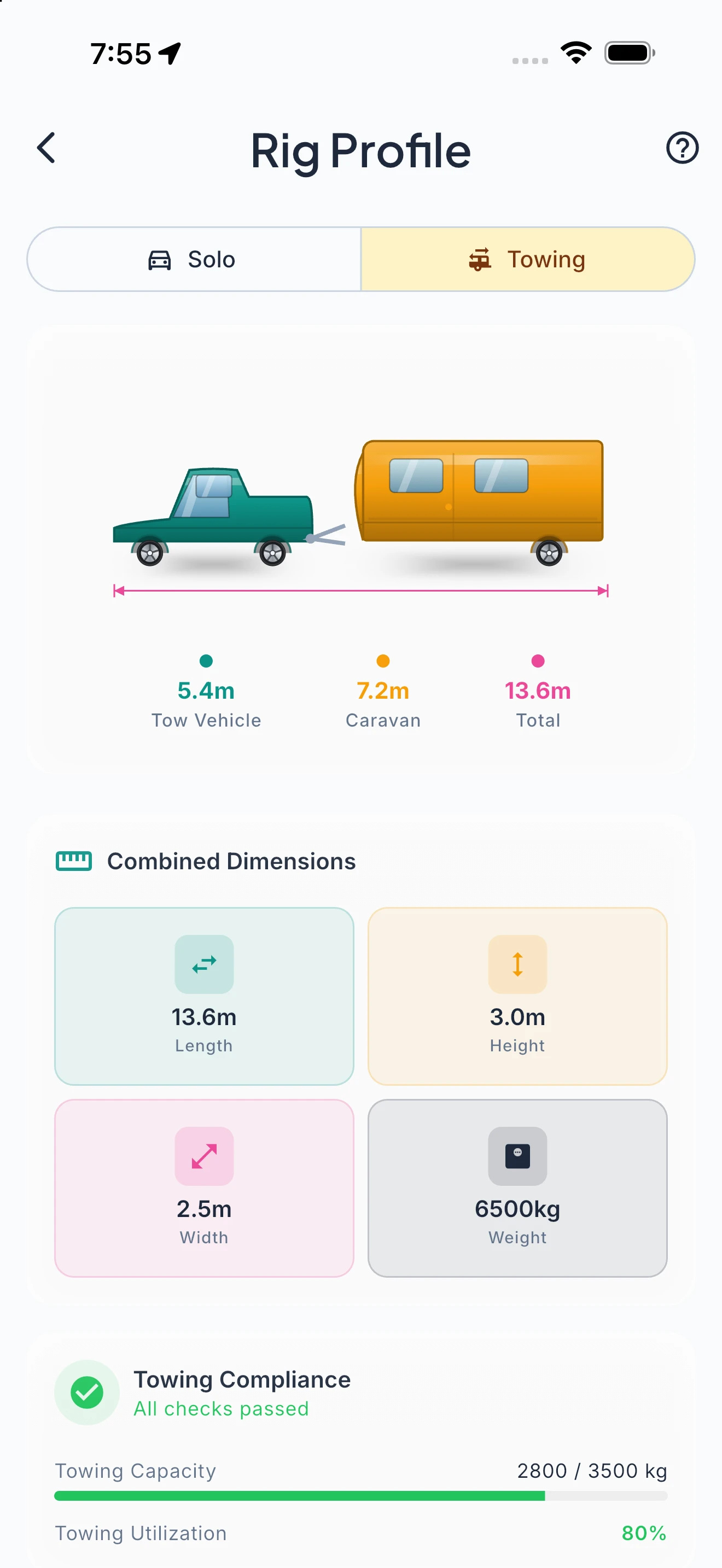
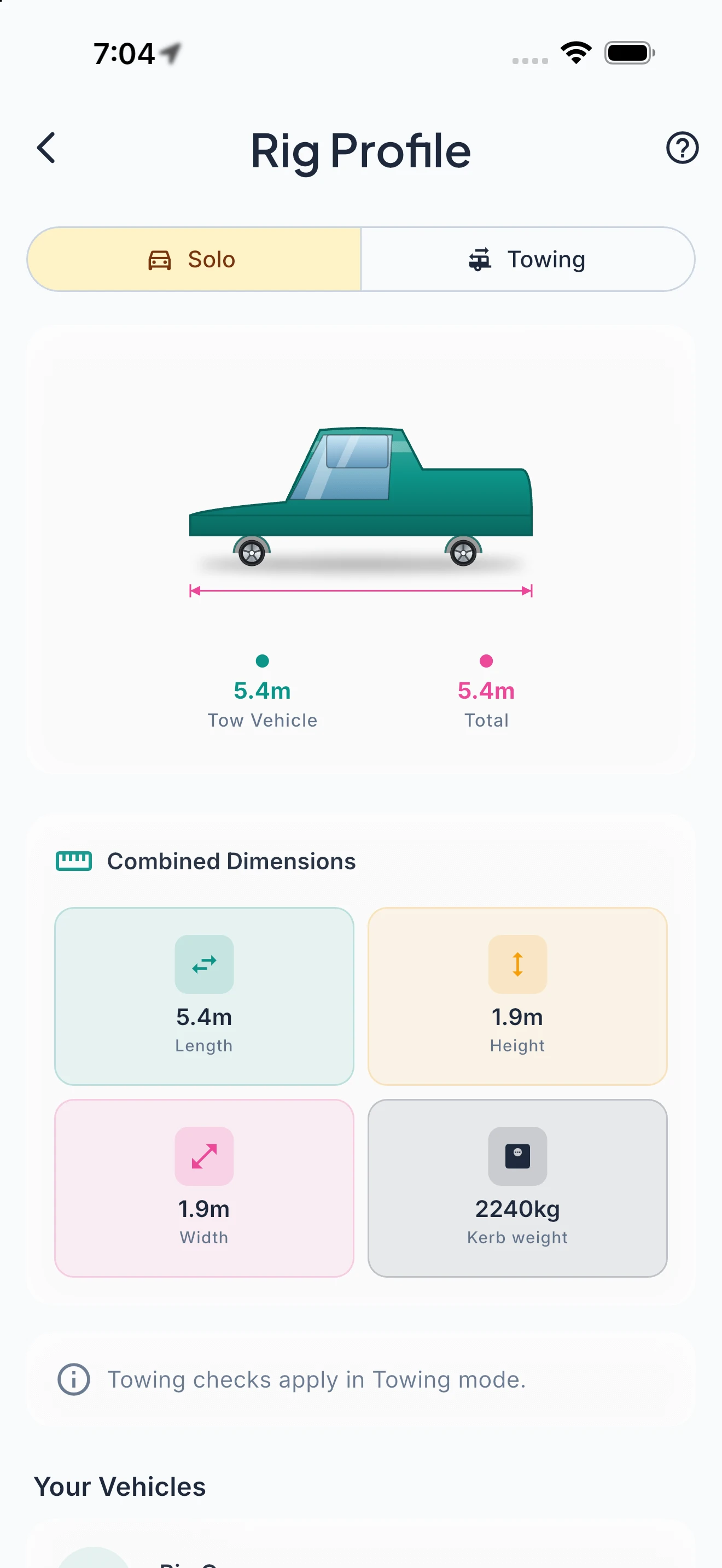
Your Fleet. One View. Always Current.
Manage multiple vehicles with at-a-glance status — registration warnings, maintenance badges, and rig specs that power every calculation.
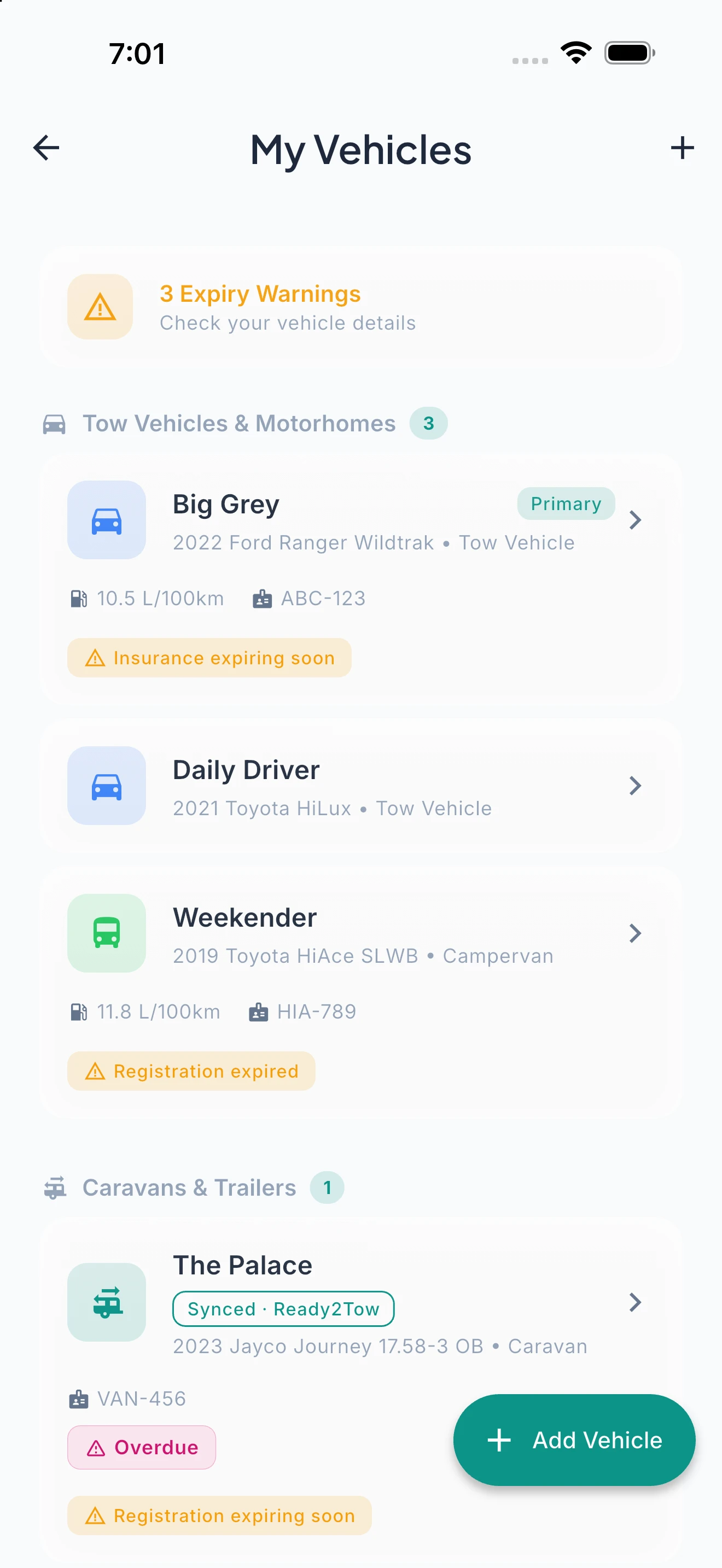
The My Vehicles screen gives you a fleet overview: tow vehicles, caravans, motorhomes, and campervans in a single list. Each vehicle card shows its type, fuel economy, registration plate, and compliance status — with amber warning badges when registration or insurance has expired. Nomad Pro subscribers see GVM, tare weight, payload, and tow ball calculations displayed alongside their vehicle specs. Every feature in the app draws from your vehicle data: fuel cost estimates use your actual consumption, the isochrone respects your driving speed, Izara won’t suggest roads your rig can’t handle, and POI detail sheets show whether you’ll physically fit. Free users get 1 vehicle profile; Nomad Pro supports up to 5.
Your Trip Story, Preserved.
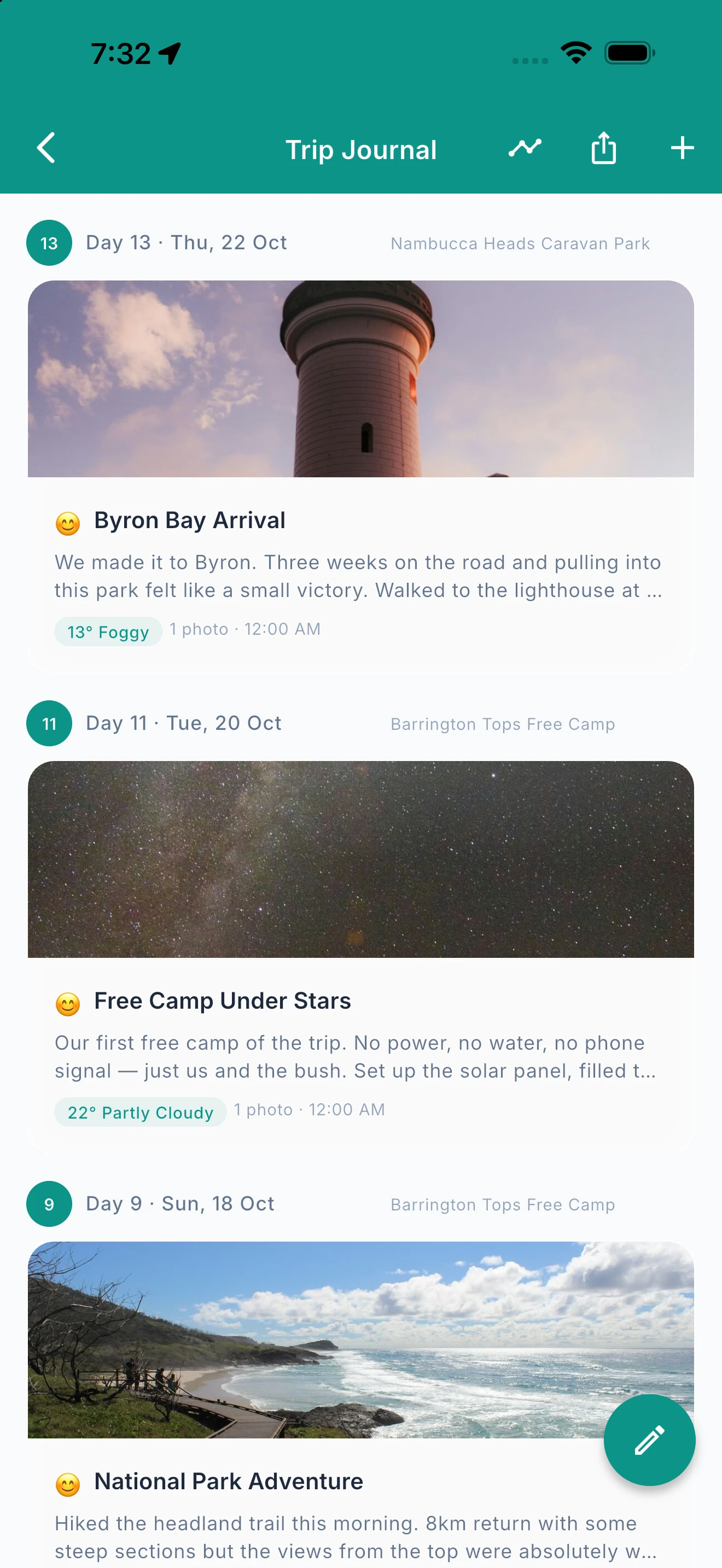
Rich text entries at every stop. Add photos, mood, and weather. Let Izara polish your words.
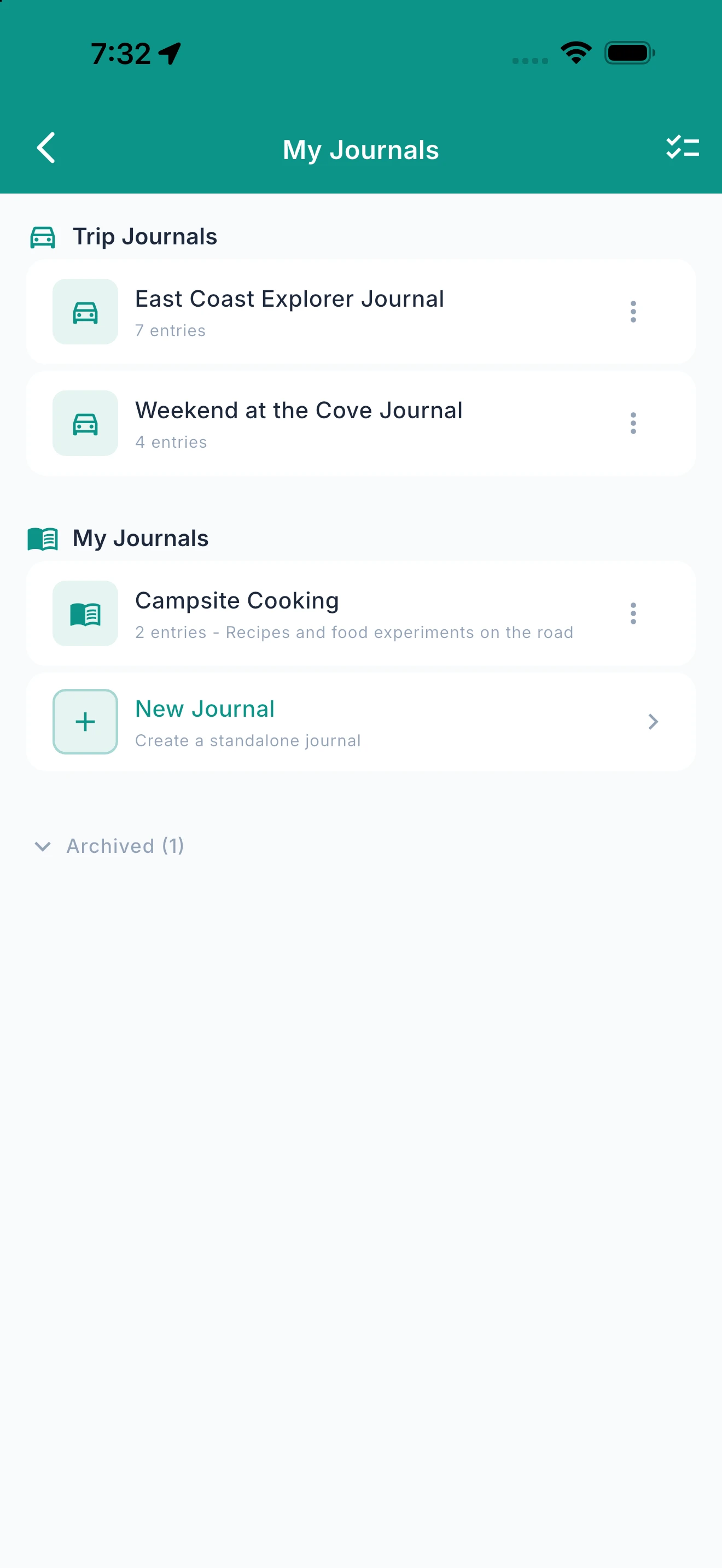
The trip journal captures more than text. Write with full rich text formatting — bold, italic, headings, and bullet lists — and add photos from your camera roll, tag your mood with five-state tracking, and let Ready2Roam auto-capture the weather and location. Not a confident writer? Izara can take your rough notes and transform them into polished, evocative journal entries — keeping your voice but adding the detail. Export any journal as a branded PDF photo book with maps, mood badges, and trip stats. Browse your journal across all trips in the library view. Voice input lets you dictate entries while your hands are busy.
Every Trip Deserves a Proper Send-Off.
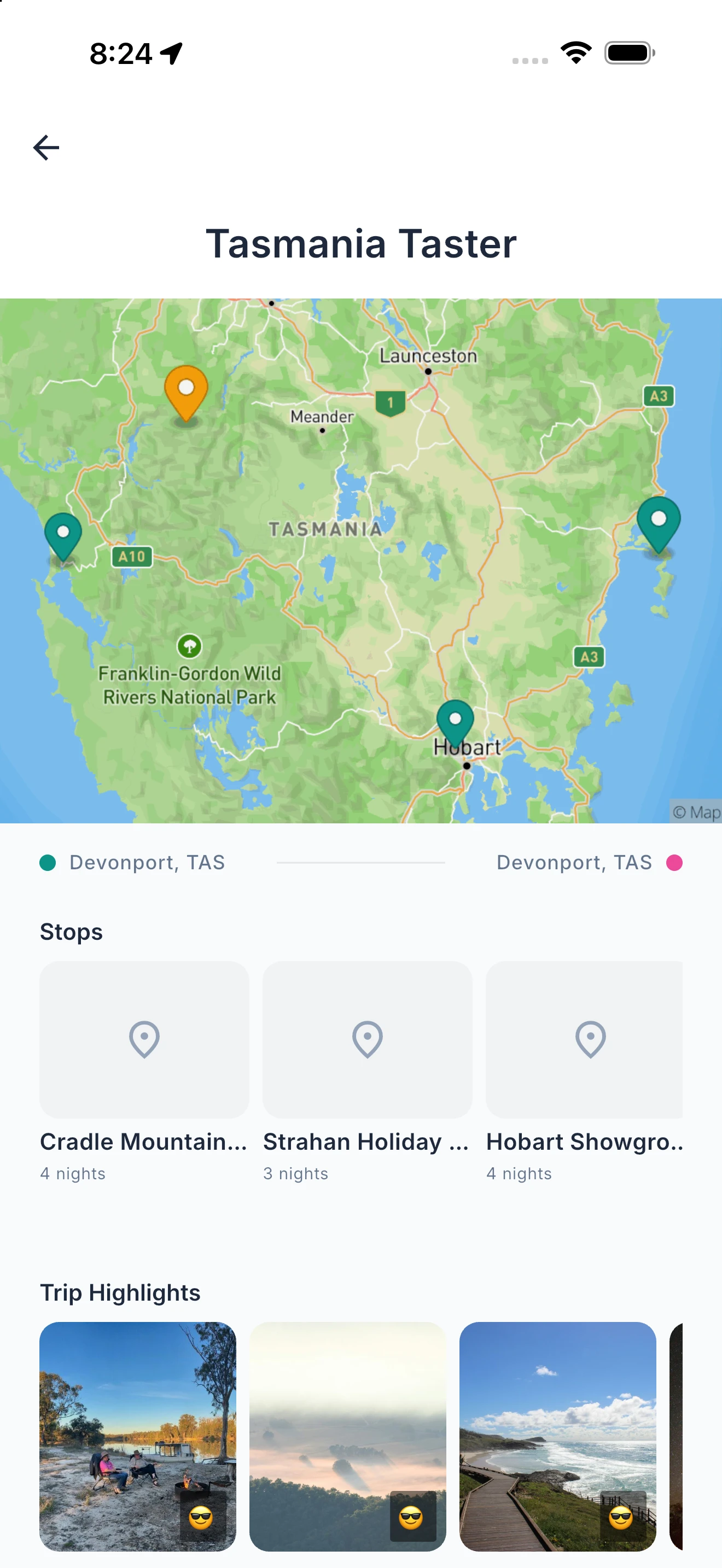
A debrief with spending breakdown, photo highlights, mood arc and animated stats.
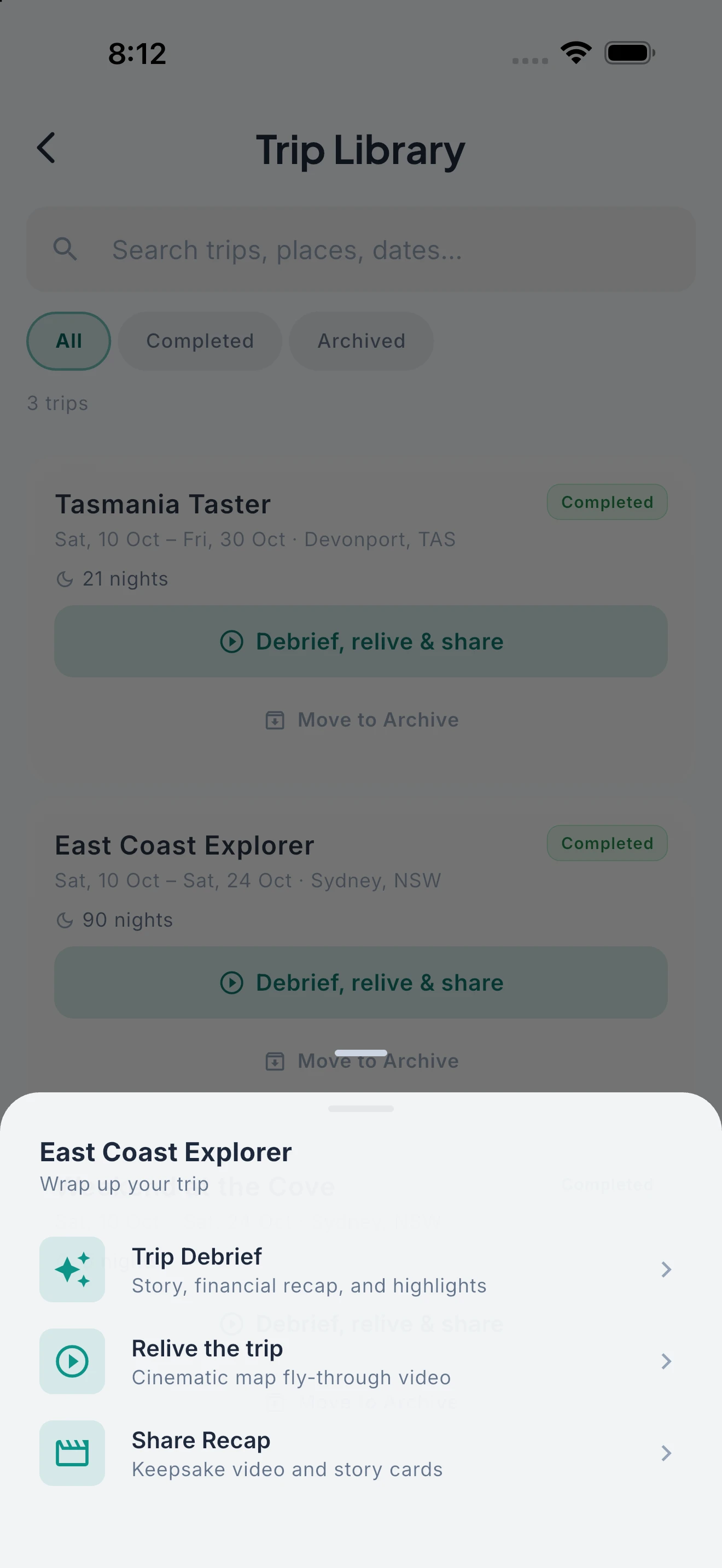
When your trip ends, Ready2Roam wraps it up properly. The Trip Debrief assembles your highlights — best photos from each stop, a financial recap showing total spend, daily average, and budget variance by category, and a mood journey chart tracking how you felt across the trip. With Nomad Pro, AI writes a narrative summary of your adventure. Animated stats bring the numbers to life, and text-to-speech reads your debrief aloud. Share it with friends or keep it as a personal milestone. Because a trip that ends with a spreadsheet deserves better.
Watch Your Trip Come Alive on the Map.
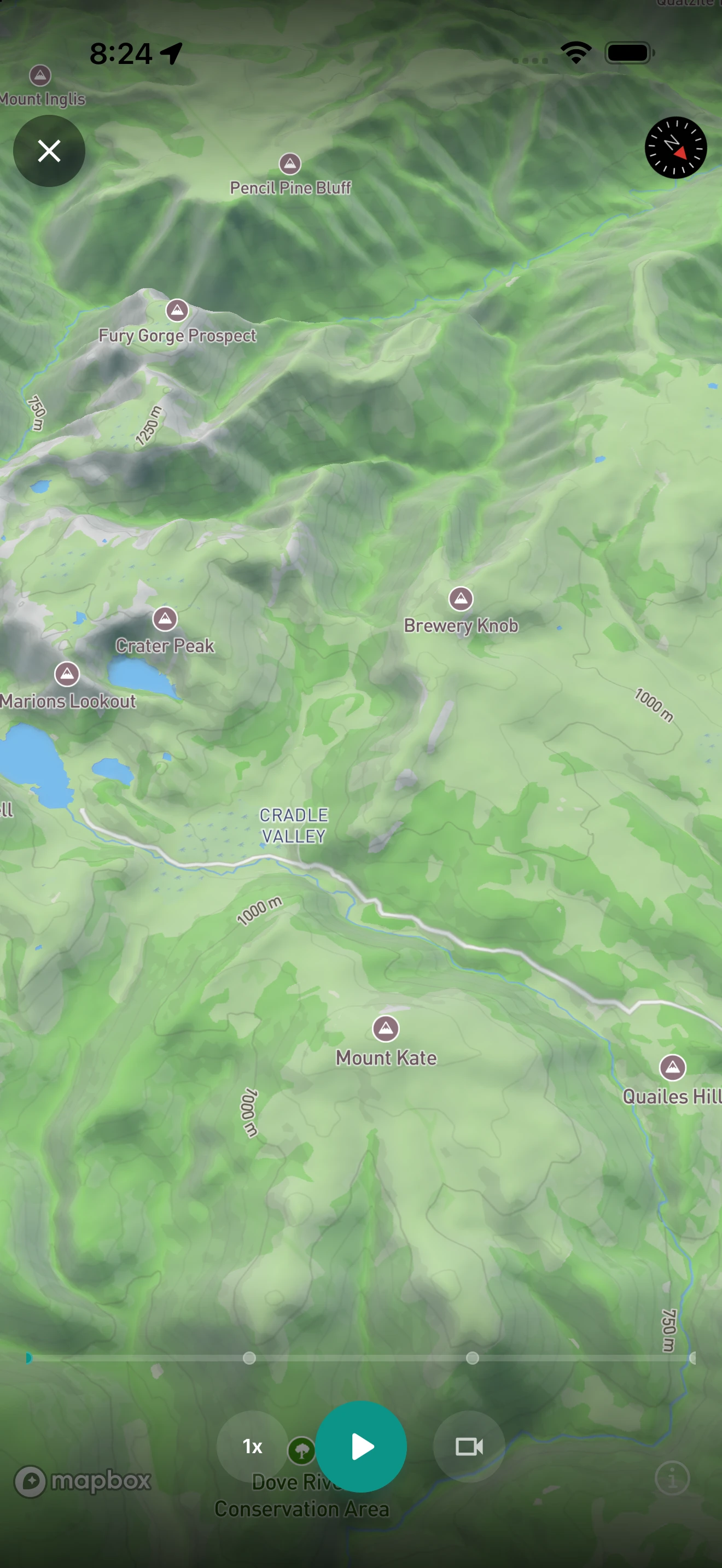
An animated 3D flythrough of your entire route — every stop, every kilometre, with your photos and journal entries.
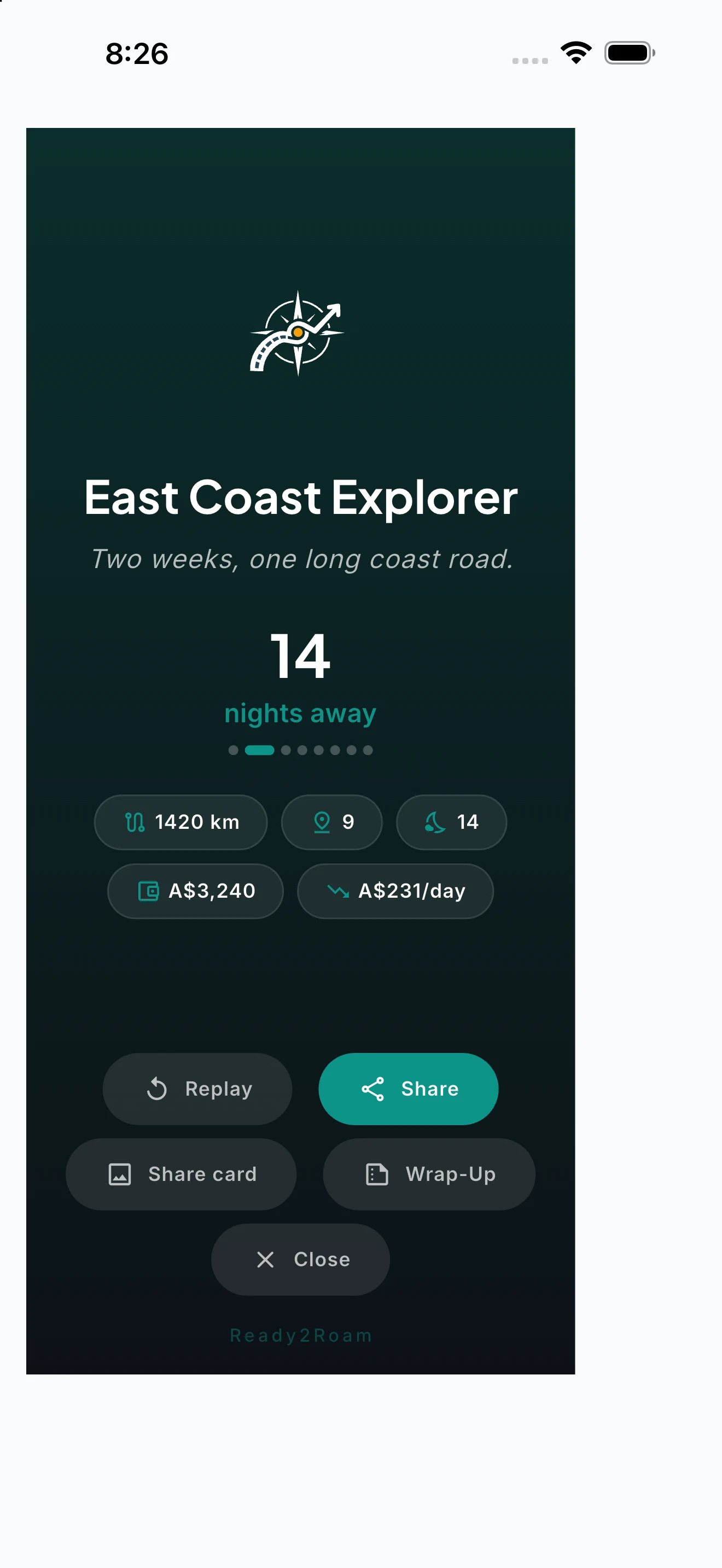
Trip Story renders your completed journey as a cinematic 3D map animation. Watch the camera follow your route from stop to stop, with context cards showing your journal entries, daily spending, weather, and photos at each location. Export the replay as a video and share it on YouTube, Instagram, or with family — recipients watch in their browser without needing the app.
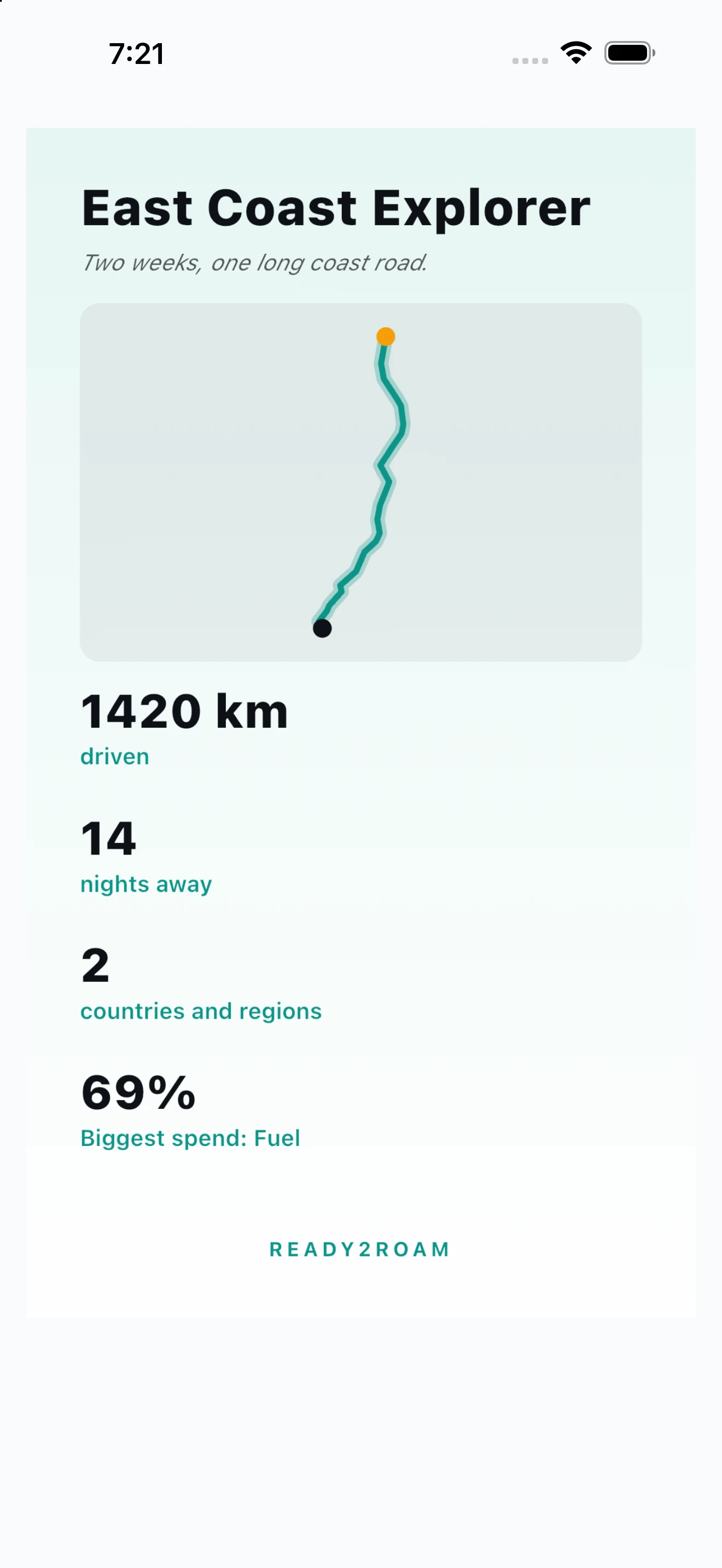
Share Your Trip, Your Way.
A web link anyone can open, a scrollytelling story, or a keepsake video — your trip, your call.
Share any trip as a web page with a unique link: your route on an interactive map, your stops with dates and notes, and your trip stats — all in a browser, no app needed, with road polylines showing your actual path. Or turn it into a scrollytelling story — your places, journal highlights and, if you choose, your spending — told as a scroll anyone can open, or saved as a keepsake video for socials. You pick what’s included, and your spending stays private unless you switch it on. Built on the same secure share links across all your trips; Nomad Pro adds the full interactive experience with budget summary and journal excerpts.
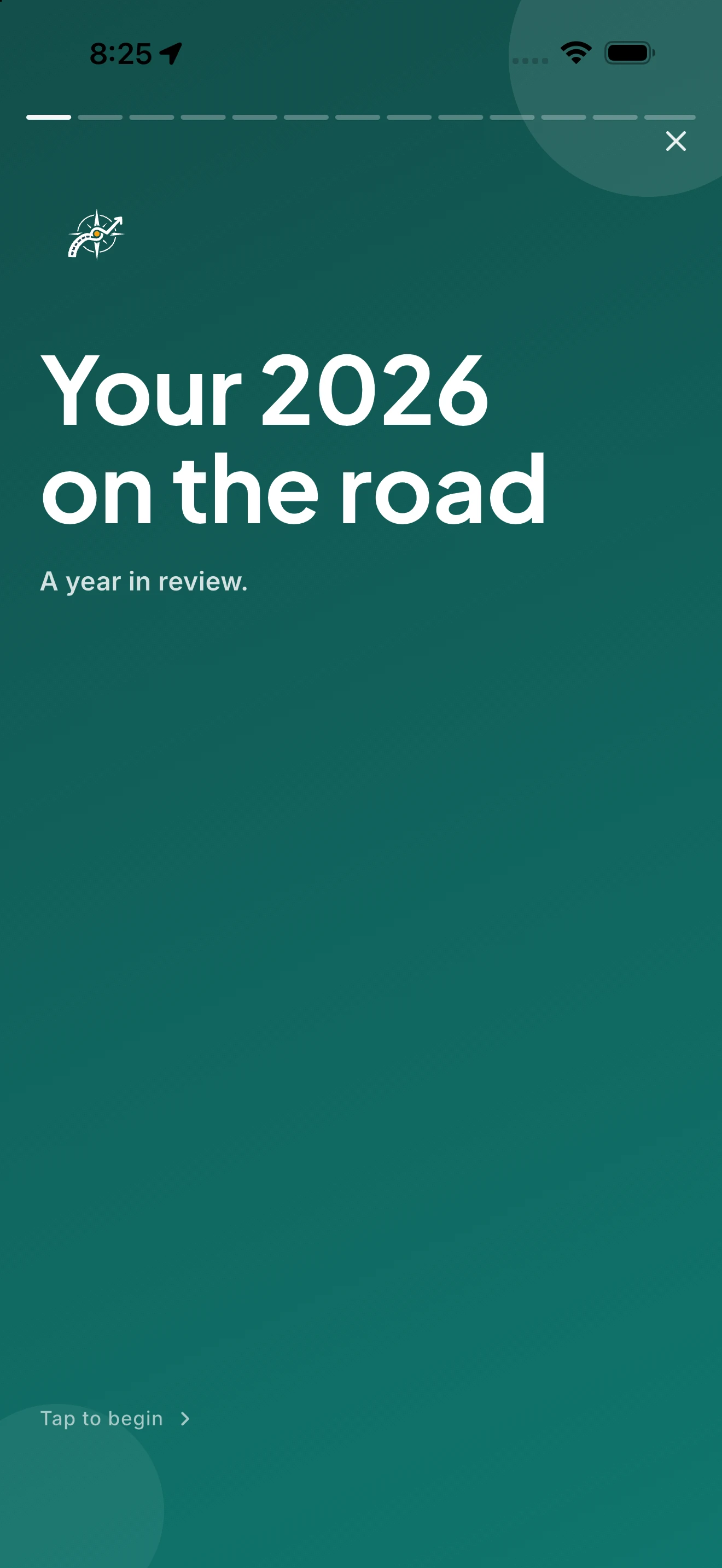
Your Whole Year on the Road.
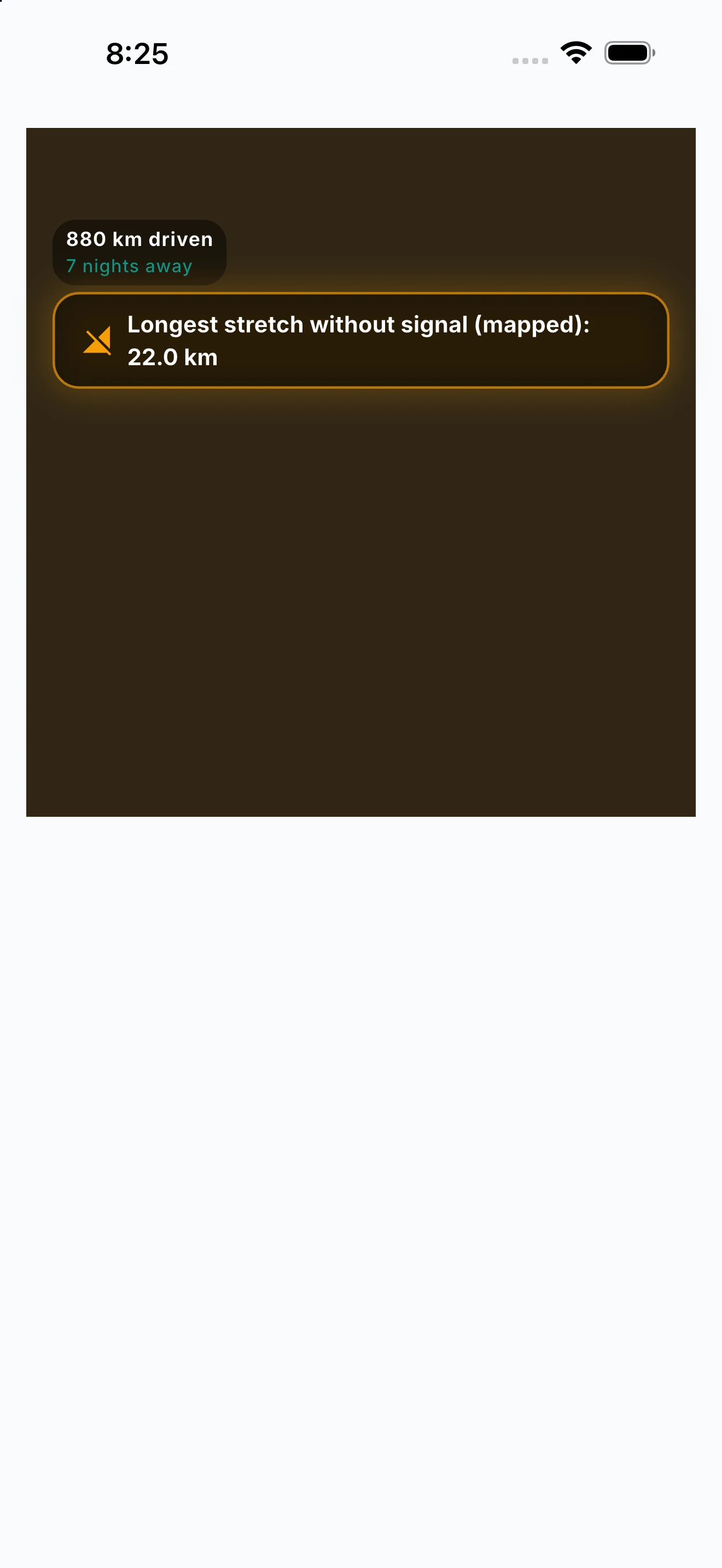
Every trip, every night, every mile — the places you woke up, the kilometres you covered, and what you spent, gathered into one recap you can share with anyone.
Year in Review turns your travels into a set of beautiful cards: nights under the stars, kilometres driven and your longest single leg, every place you woke up mapped out, and where your money actually went. It runs year-round — not just in December — so you can open it any time to see your journey so far. Share the whole thing as a scrolling web story that friends and family open in any browser with no app needed, or save it as a keepsake video for socials. Nomad Pro adds an AI “Wrapped” narrative that reads your year back to you: your travel style, your standout stretch, and the story behind the numbers.
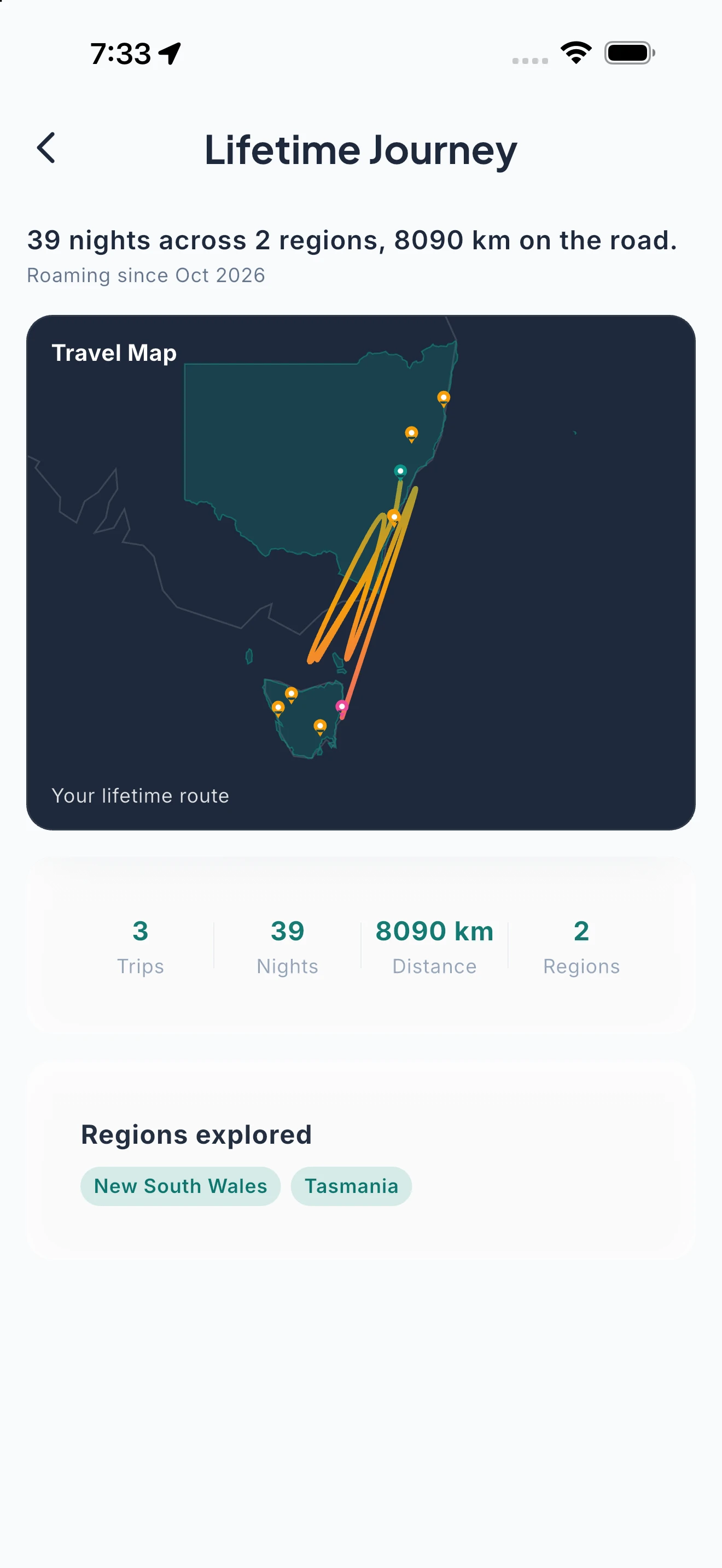
Every Trip You’ve Ever Taken, On One Map.
A living map of your whole roaming life — every route, every region, and your lifetime totals.
Lifetime Journey is the big-picture view of everywhere you’ve been. Every trip’s route is plotted together on one Travel Map, the regions you’ve explored fill in as you roam, and your lifetime totals — trips, nights, distance, regions — sit alongside. It’s the all-time companion to Year in Review’s single-year recap: open it any time to see how far you’ve come. Free for everyone.
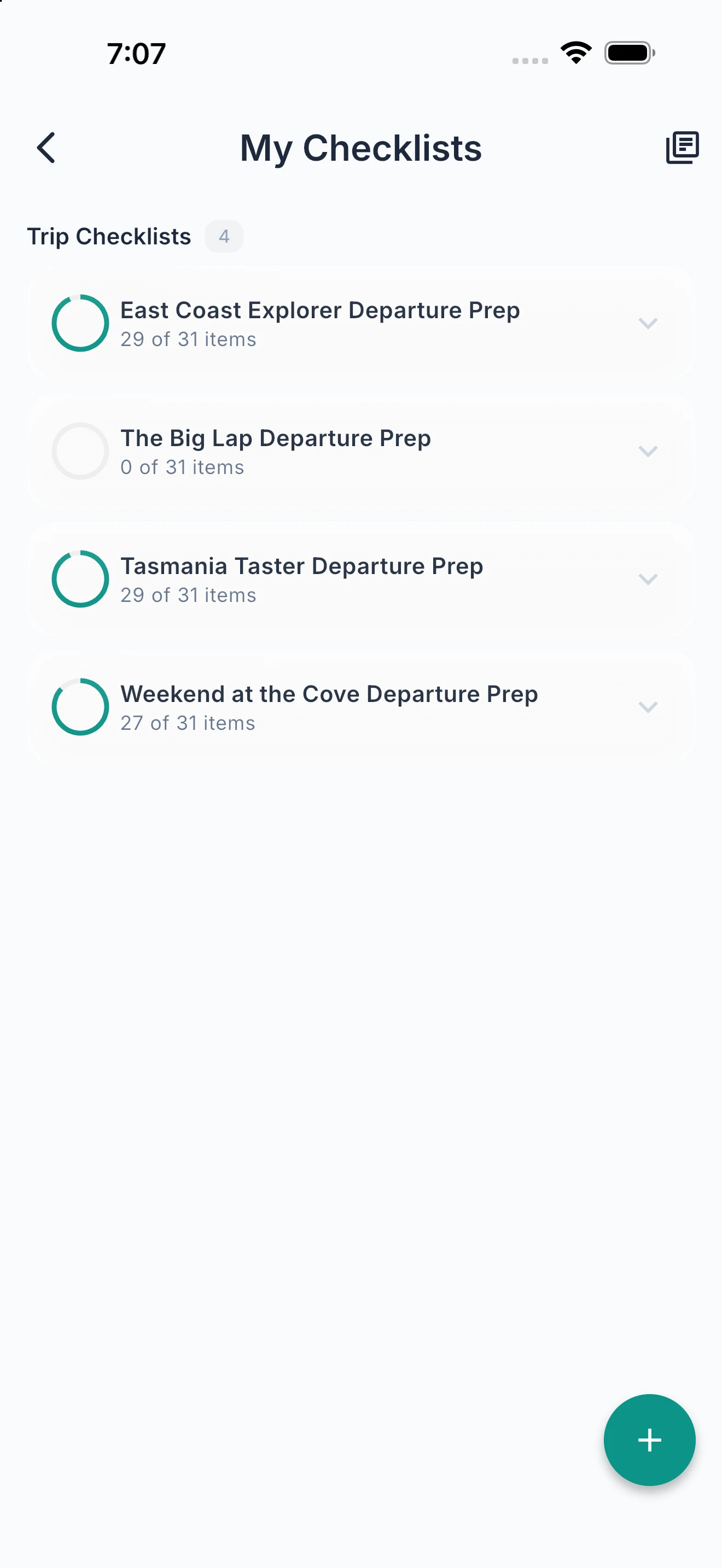
Never Leave Camp Without Checking.
Pre-loaded departure checklists with expert items. Track progress. Create your own or let AI build one for you.
Built-in regional checklist templates cover Vehicle, Water and Waste, Electrical, Safety, and Security — with items drawn from real touring experience. Track your completion percentage and create custom checklists for your specific rig and routine. Nomad Pro unlocks unlimited checklists, AI-generated checklists tailored to your destination, rig type, route conditions, and weather forecast, and a readiness score that tells you when you’re truly ready to roll.
Know What You’ve Got Left.
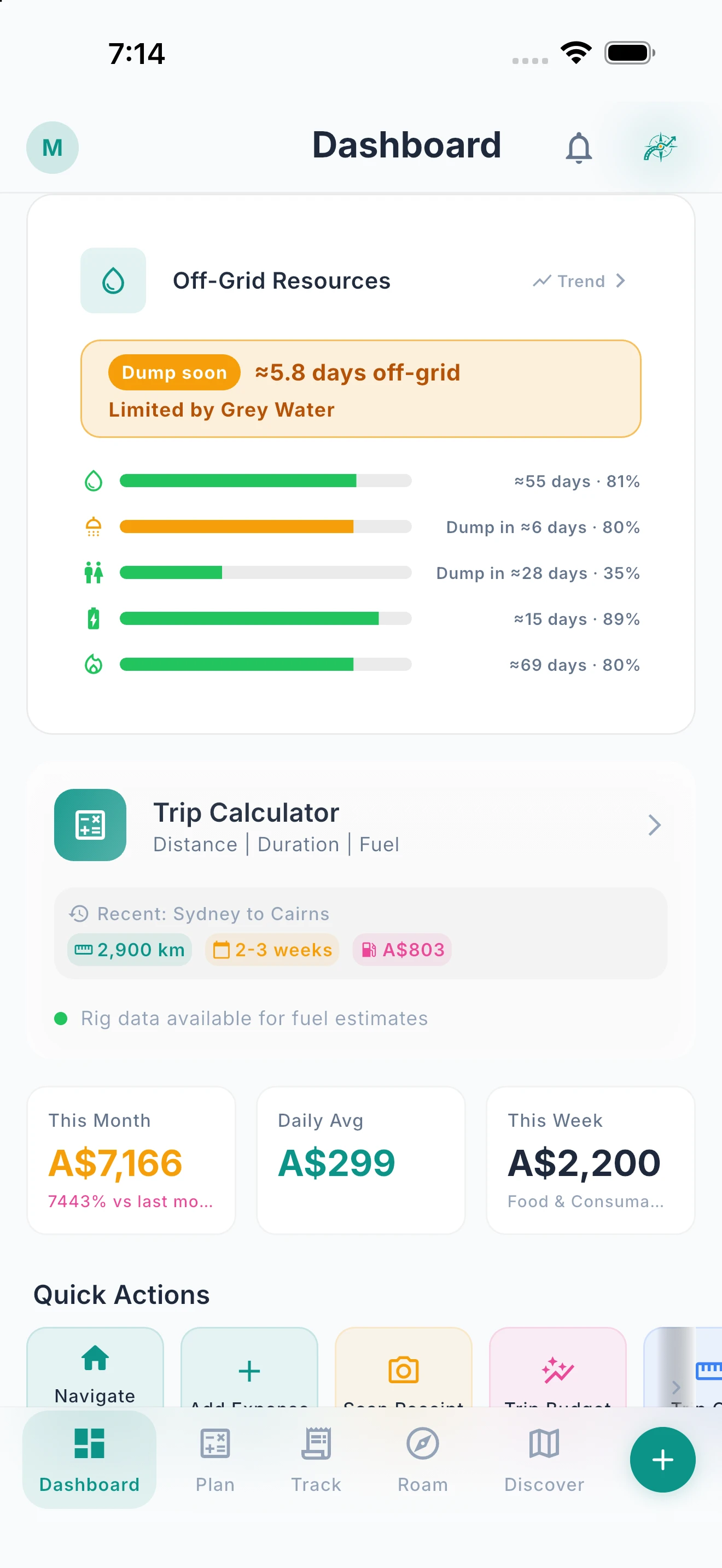
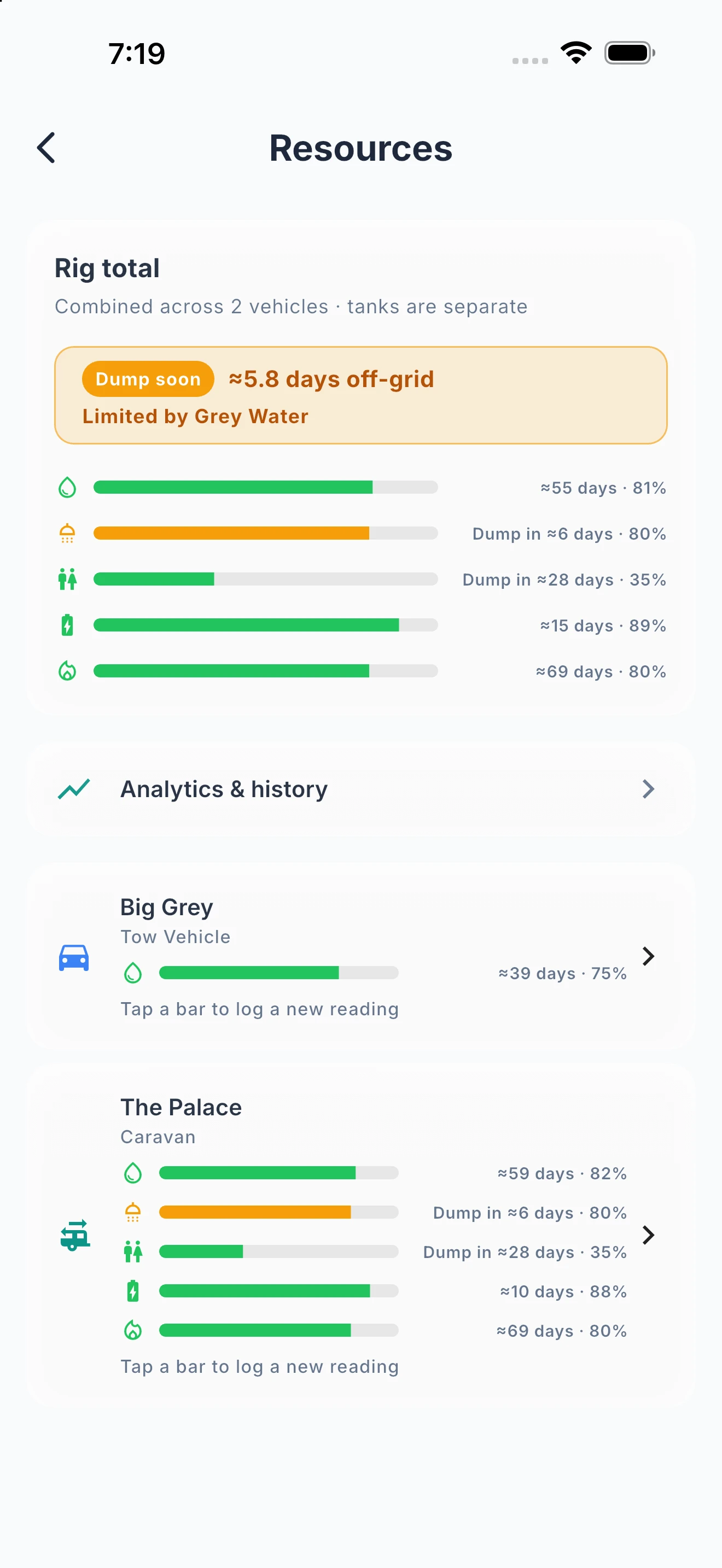
Live water, battery, and gas estimates — how many days before you top up, from your rig’s specs and real usage.
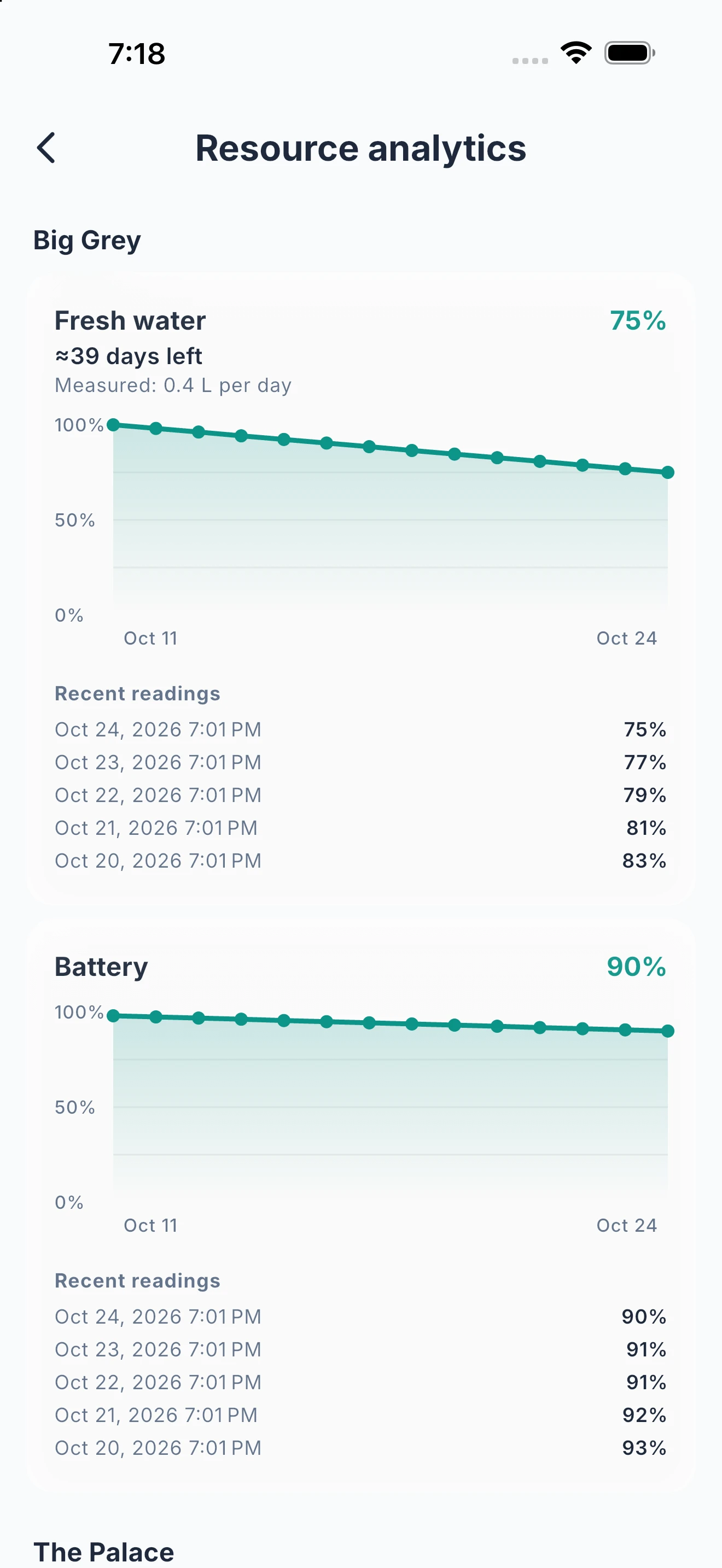
The Off-Grid Resources card on your dashboard shows days-remaining for water, battery, and gas at a glance — leading with whatever's most worth knowing right now. With Nomad Pro, open the detail view for usage trends and forecast-based range, so you can see whether you're burning through faster than usual, and get alerts when something runs low. Battery estimates factor in your solar setup and typical sun hours, not just raw capacity. Set it up once with a quick wizard — tank and battery capacities, solar wattage, gas bottles — and every estimate updates automatically from there. The wizard and each resource’s days-remaining figure are free.
Every Service, Reminder, and Record.
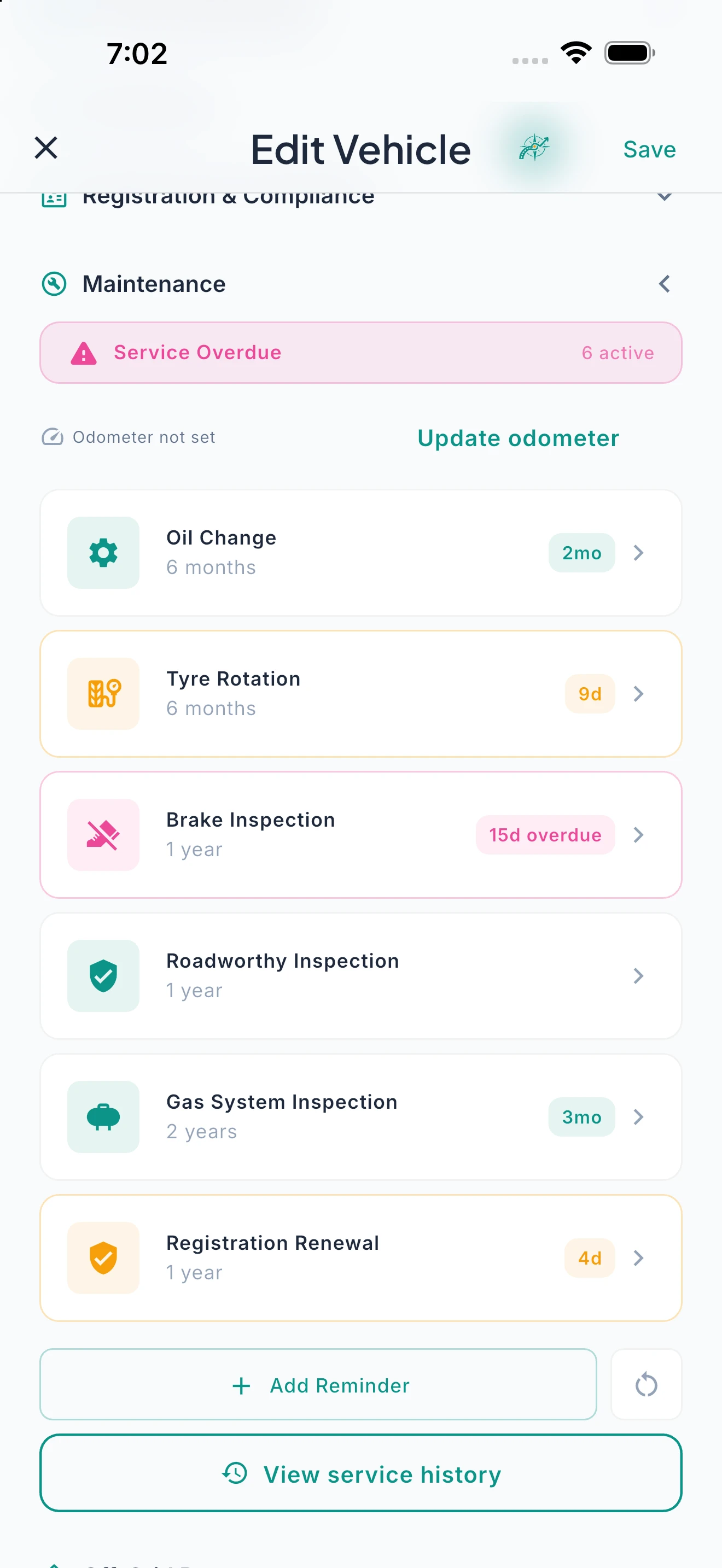
Maintenance reminders, registration, insurance, and roadside assist tracking — plus a permanent service history synced across both apps.
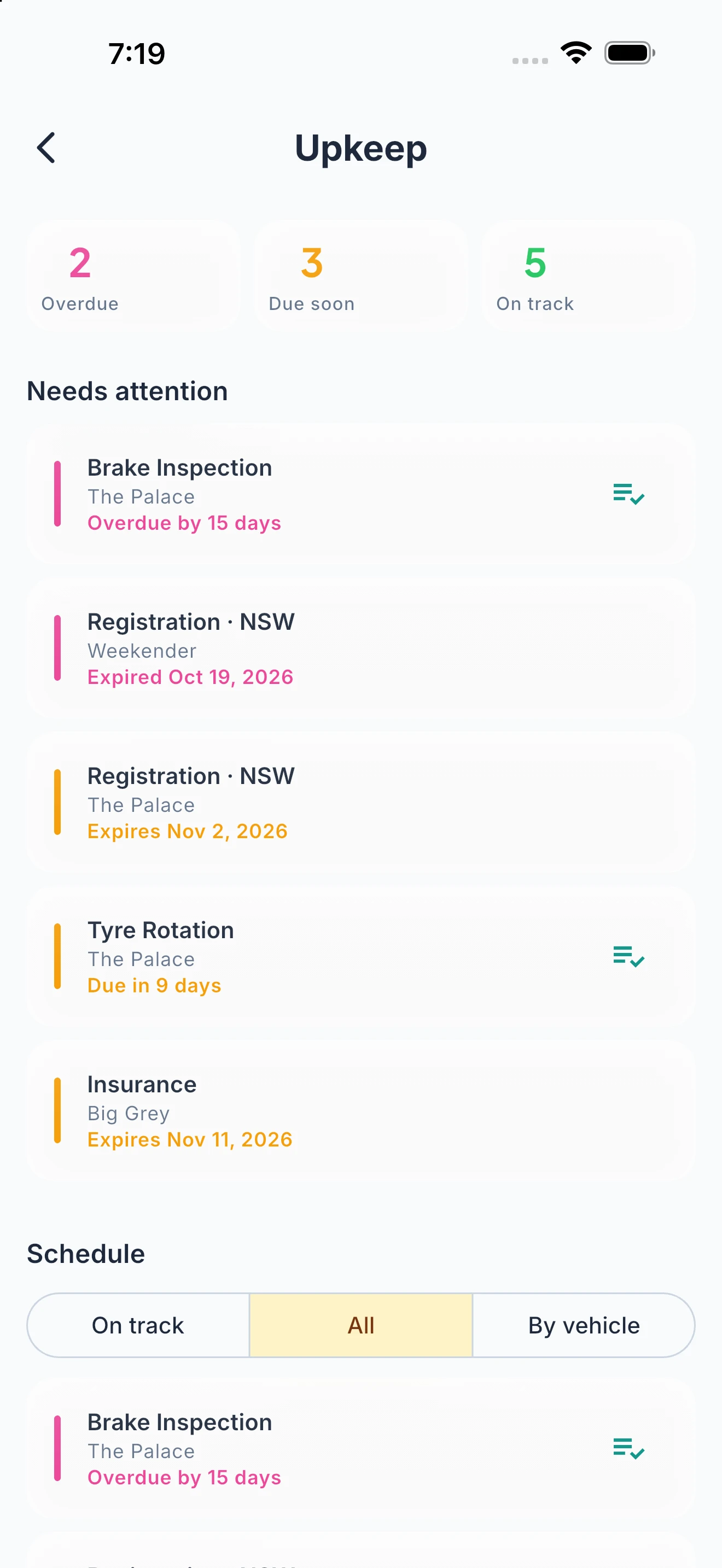
Ready2Roam switches on a tailored set of service reminders for your rig type — oil changes, tyre rotations, brake inspections, wheel-bearing repacks, safety-chain checks, and more — and with Nomad Pro you can add your own. Beyond servicing, the system tracks registration, insurance, and roadside assist expiry dates with status badges on your dashboard and vehicle cards. Each reminder tracks time and distance intervals — whichever triggers first. Overdue items surface as amber warning badges across the app. A permanent service history log keeps every record — including services logged in Ready2Tow, shown right alongside your Ready2Roam entries. Turn any reminder category on or off individually in settings. The tailored set, badges and service history are free for all users.
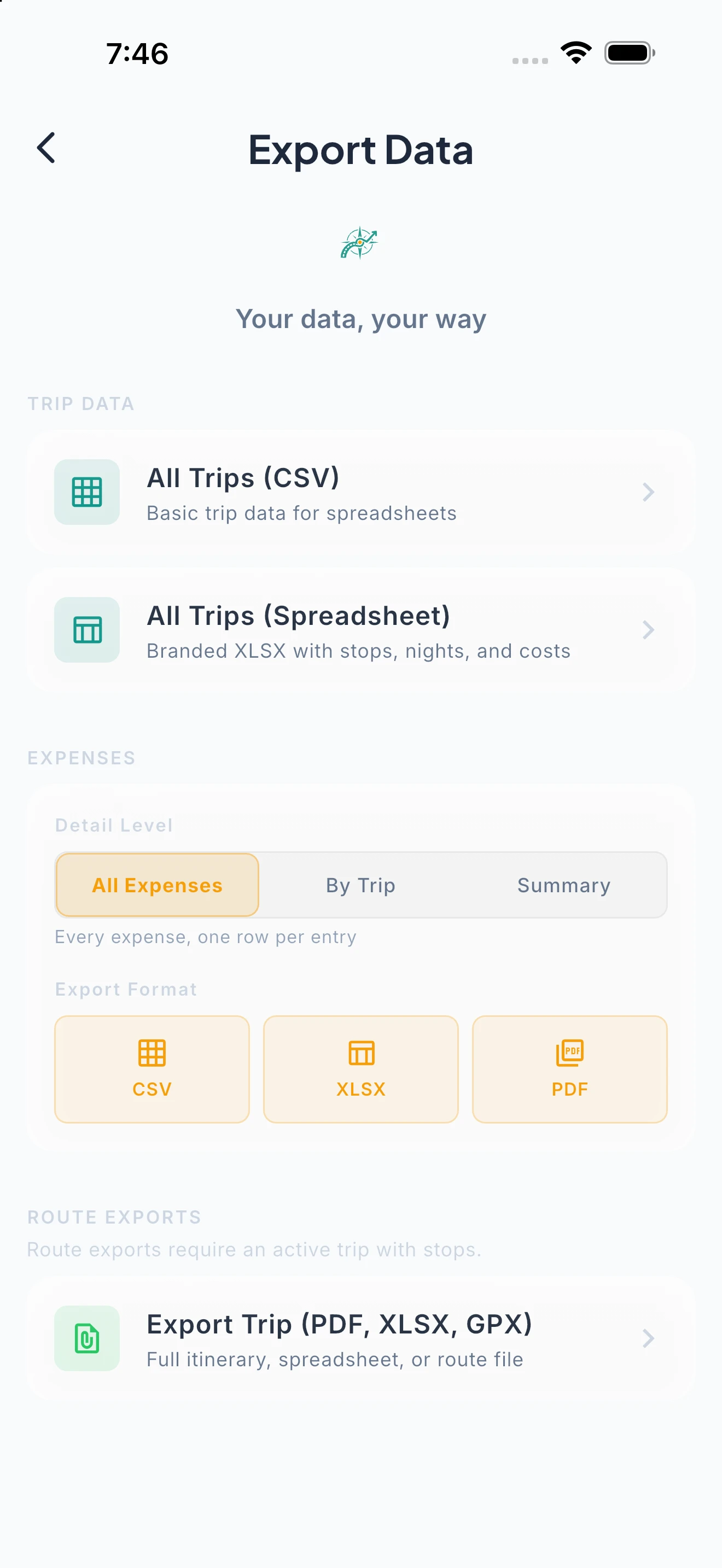
Your Data. Your Formats. Your Navigation.
CSV, XLSX, branded PDF, and GPX — plus a hand-off to Apple Maps or Google Maps, or navigate in Ready2Roam.
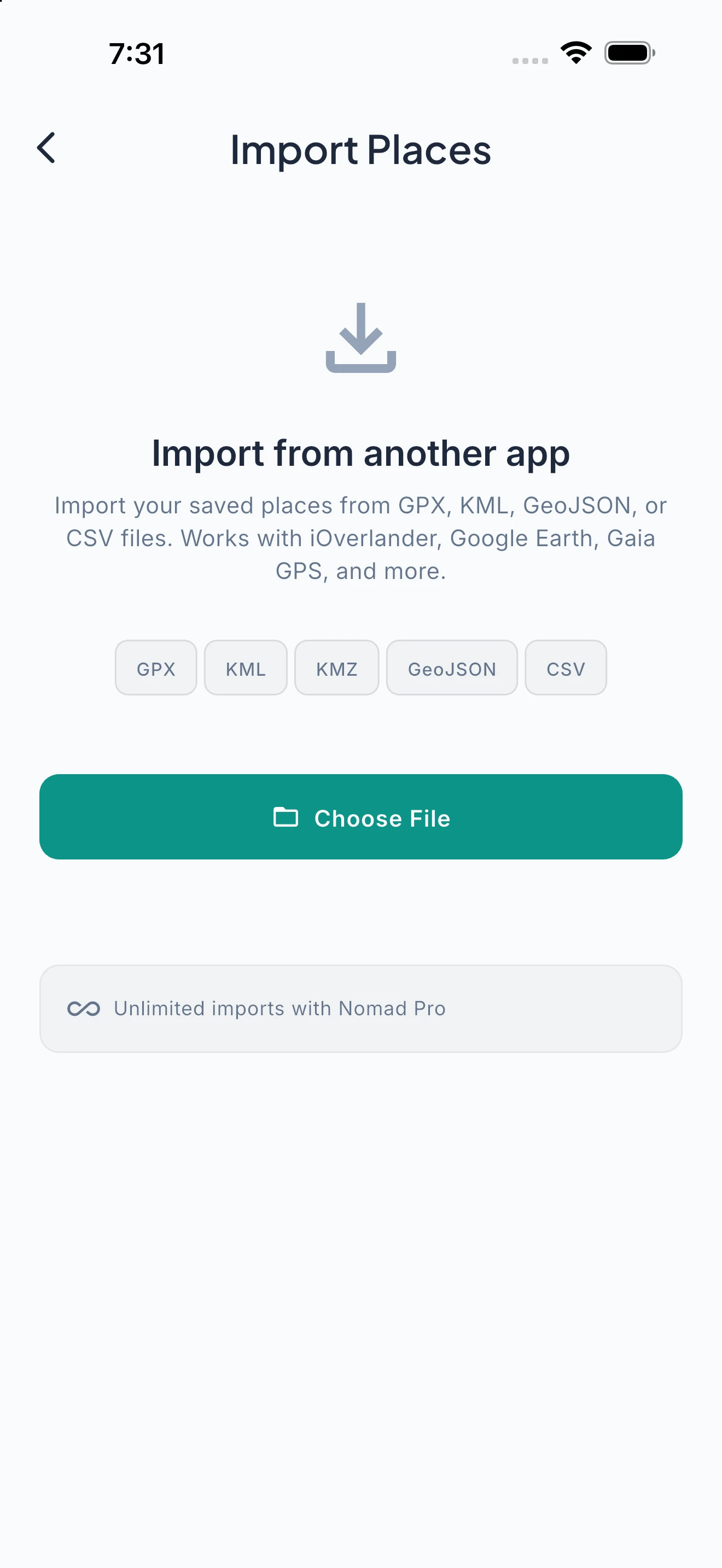
Export your trip data in the format you need: CSV for analysis, XLSX for detailed breakdowns, branded PDF for printing or sharing, summary PDF for a one-page overview, or GPX for importing into navigation devices. Copy all stop coordinates for manual entry. Navigate in Ready2Roam (Nomad Pro), or hand off to Apple Maps or Google Maps.
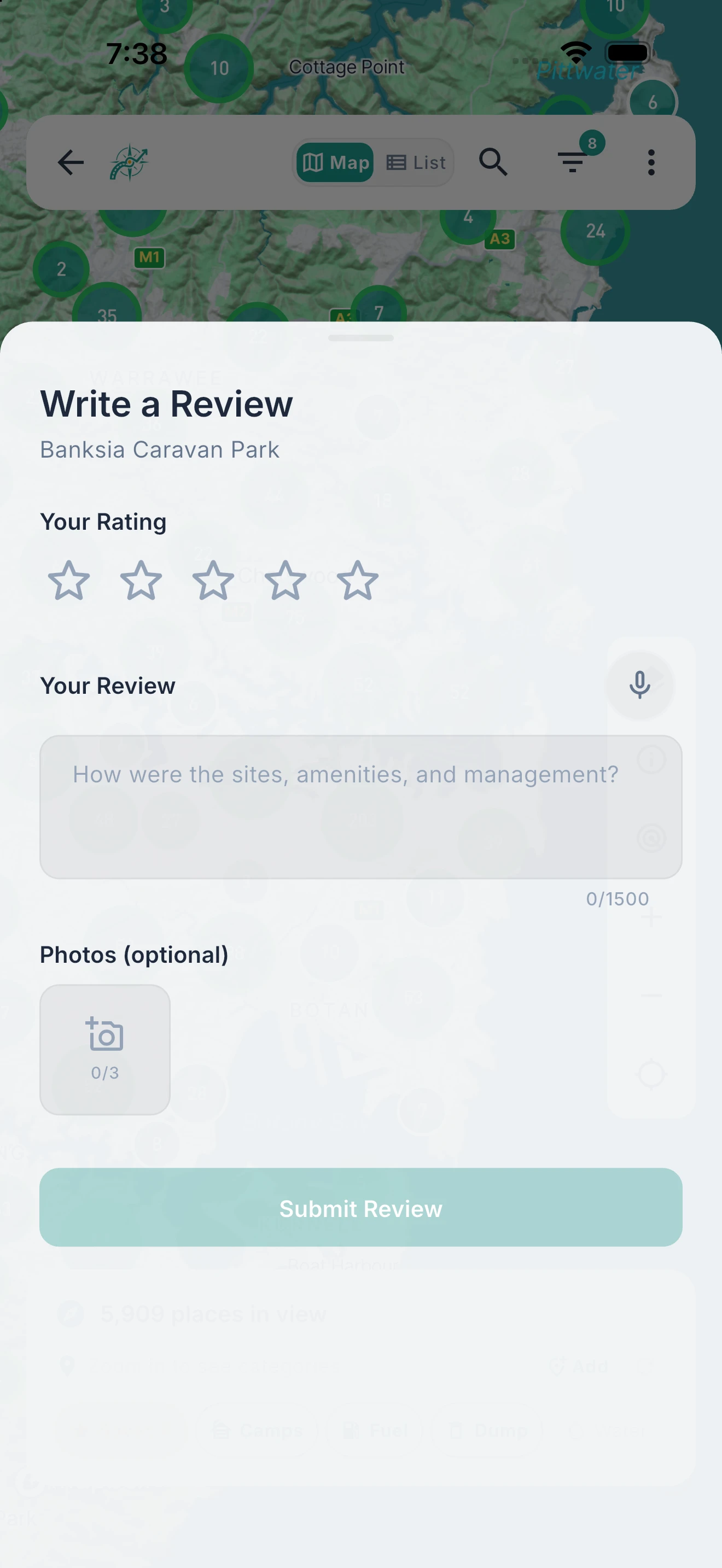
Every Traveller Makes the Map Better.
Submit new sites, rate existing ones, edit details — no paywall on giving back.
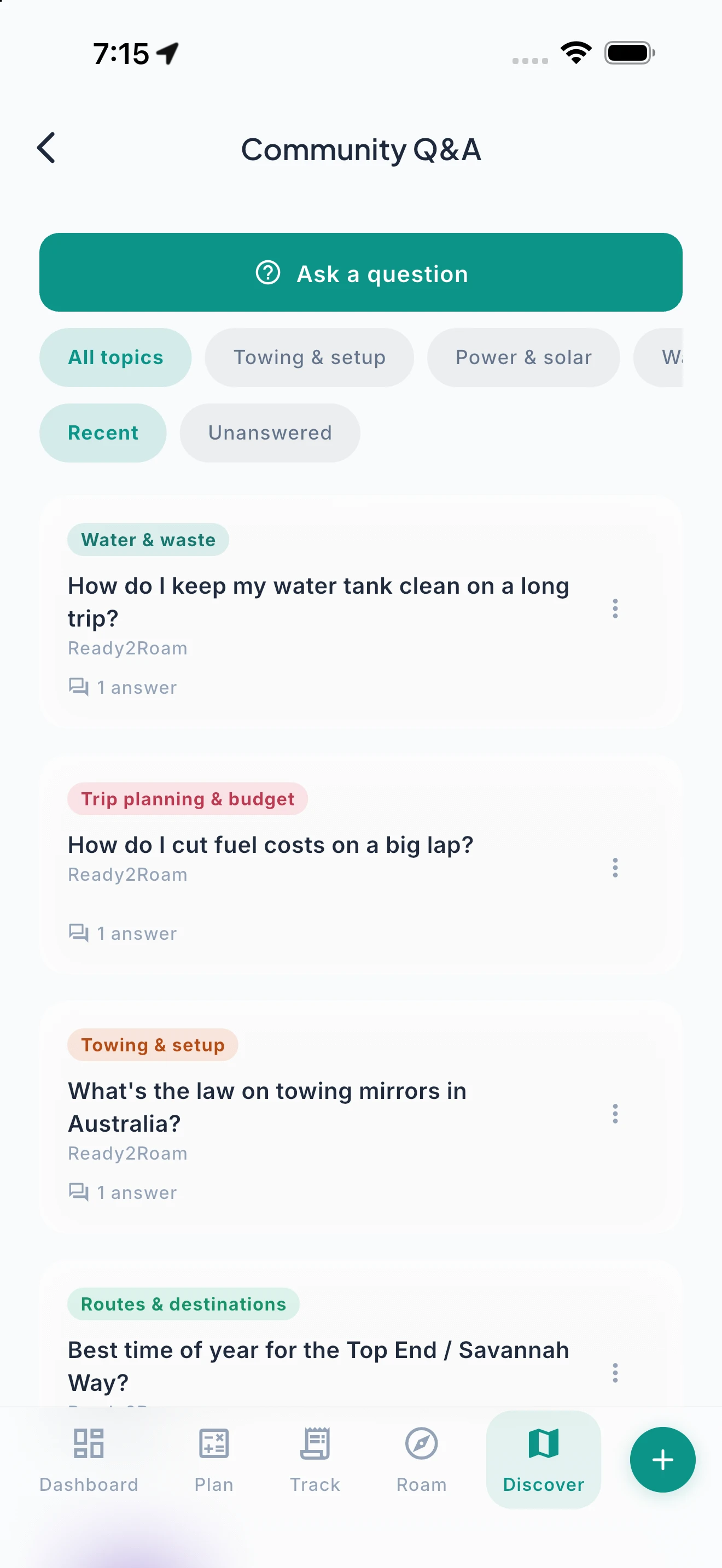
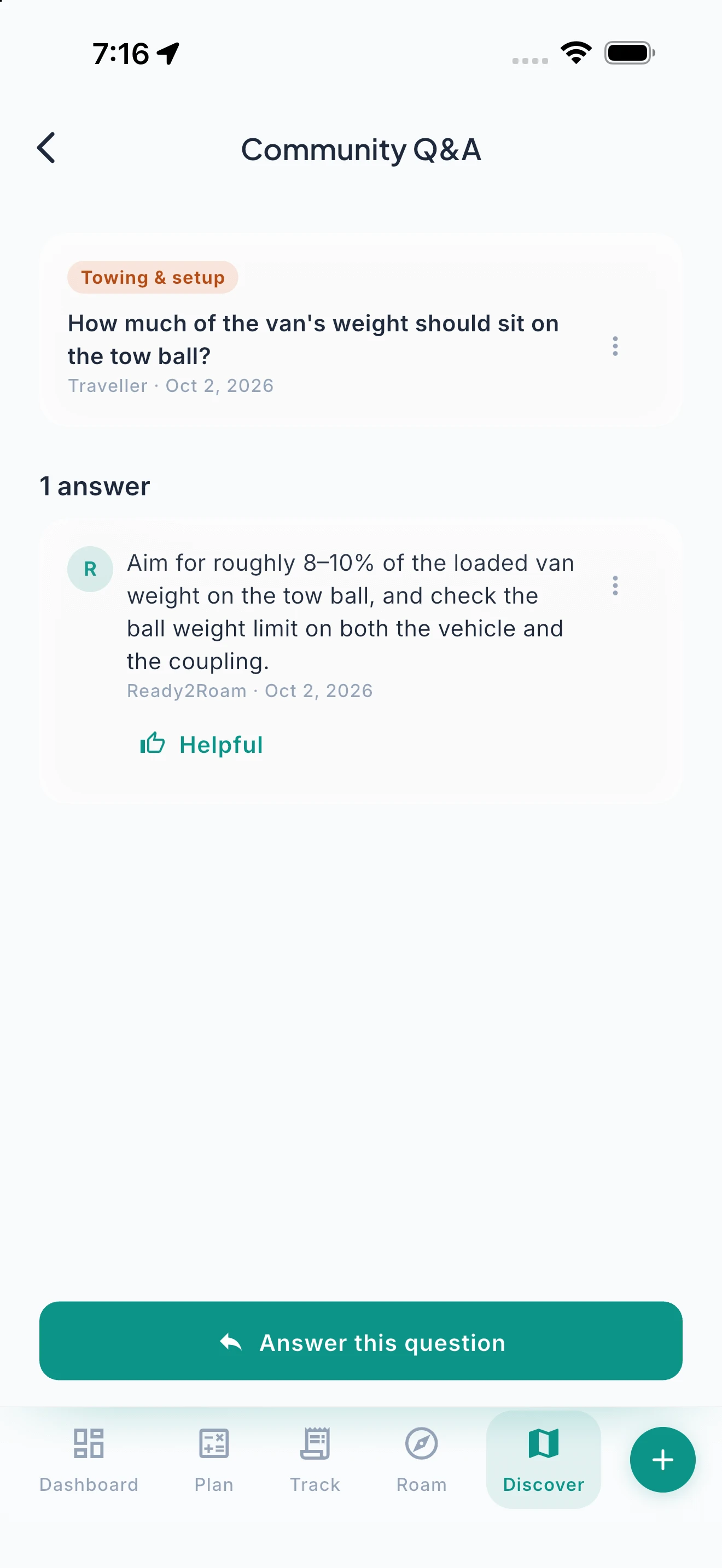
Found a hidden gem? Submit it to the community with photos, amenity details, and pricing. Already visited a listed site? Rate it and add details. See incorrect information? Suggest an edit. Community contributions are available to every user on every tier — we never lock the ability to give back behind a subscription. Ask other travellers about a place or a topic in Community Q&A, and answer theirs. Verified contributors earn Trailblazer status: Bronze, Silver, and Gold tiers that unlock free Nomad Pro access. Approved submissions only — quality matters.
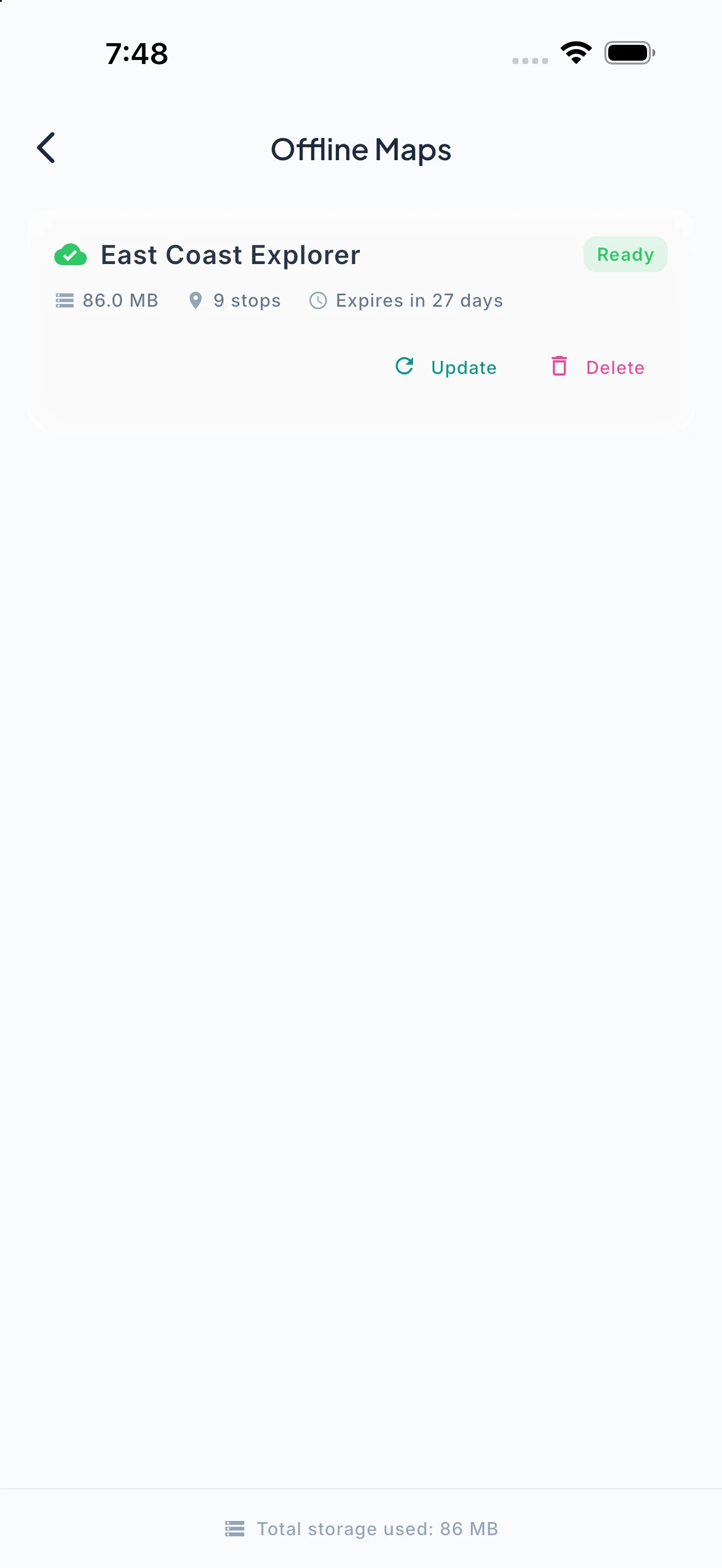
No Signal? No Problem.
Your entire trip — stops, budget, journal, checklists — is available without a connection. Always.
Ready2Roam is built offline-first. Your trip data, expense records, journal entries, checklists, and saved routes live on your device — everything syncs when you find a connection, but nothing requires one. With Nomad Pro, download offline maps and nav packs for a planned trip: the detailed corridor and stop-level tiles, cached end to end, so guidance keeps working through the gap.
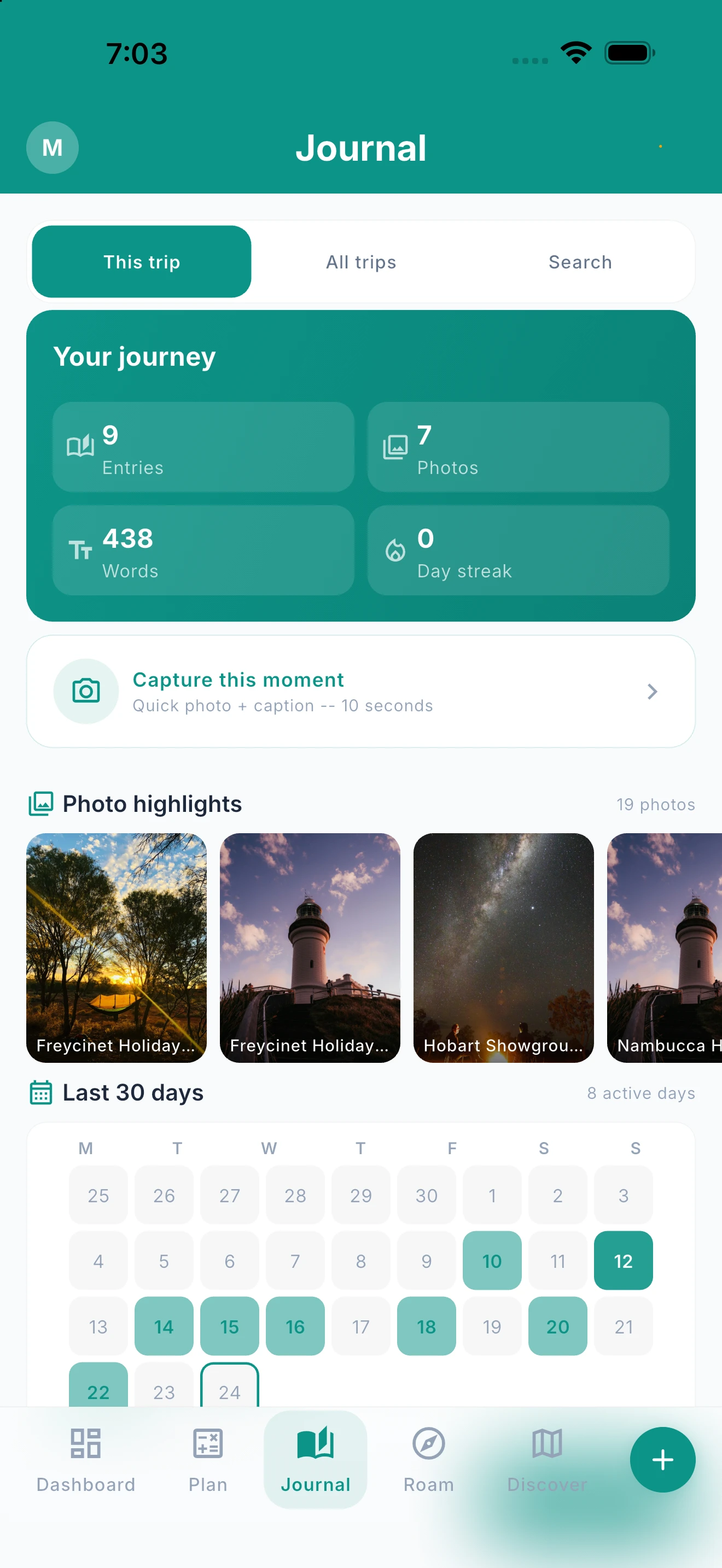
Make It Yours — or Just the Trip.
Turn features on or off to match how you travel. Switch budgeting off entirely if you just want the road.
Not everyone needs every feature. Turn budget tracking, expense logging, rig-fit checks or departure checklists on or off individually — the app adapts, screens simplify, and Izara adjusts its suggestions. Switch budgeting off entirely and the money screens step aside: no plan-versus-actual, no savings prompts, no baseline nagging, and Road Pulse reframes around your fuel, consumption and travel. Switch anything back on any time and your numbers are right where you left them.
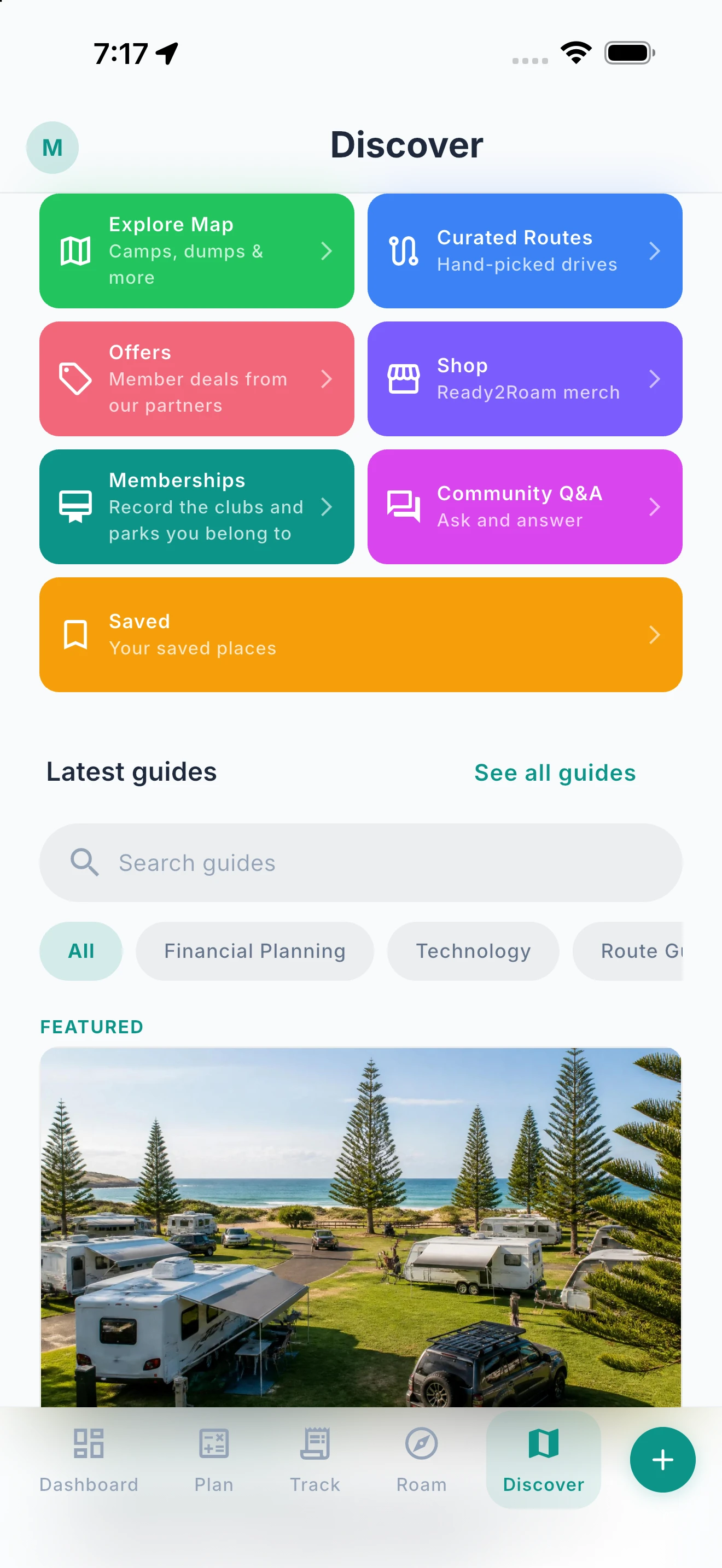
Everywhere to Look, in One Place.
Explore the map, hand-picked routes, your saved places, Community Q&A and member offers from one Discover tab.
Discover is your starting point when you don’t yet know where you’re going. Jump into the map for camps, dump points and more, browse hand-picked drives, open your saved places, read the latest community questions and guides, and check member offers from our partners. It’s all one tap from the tab bar.
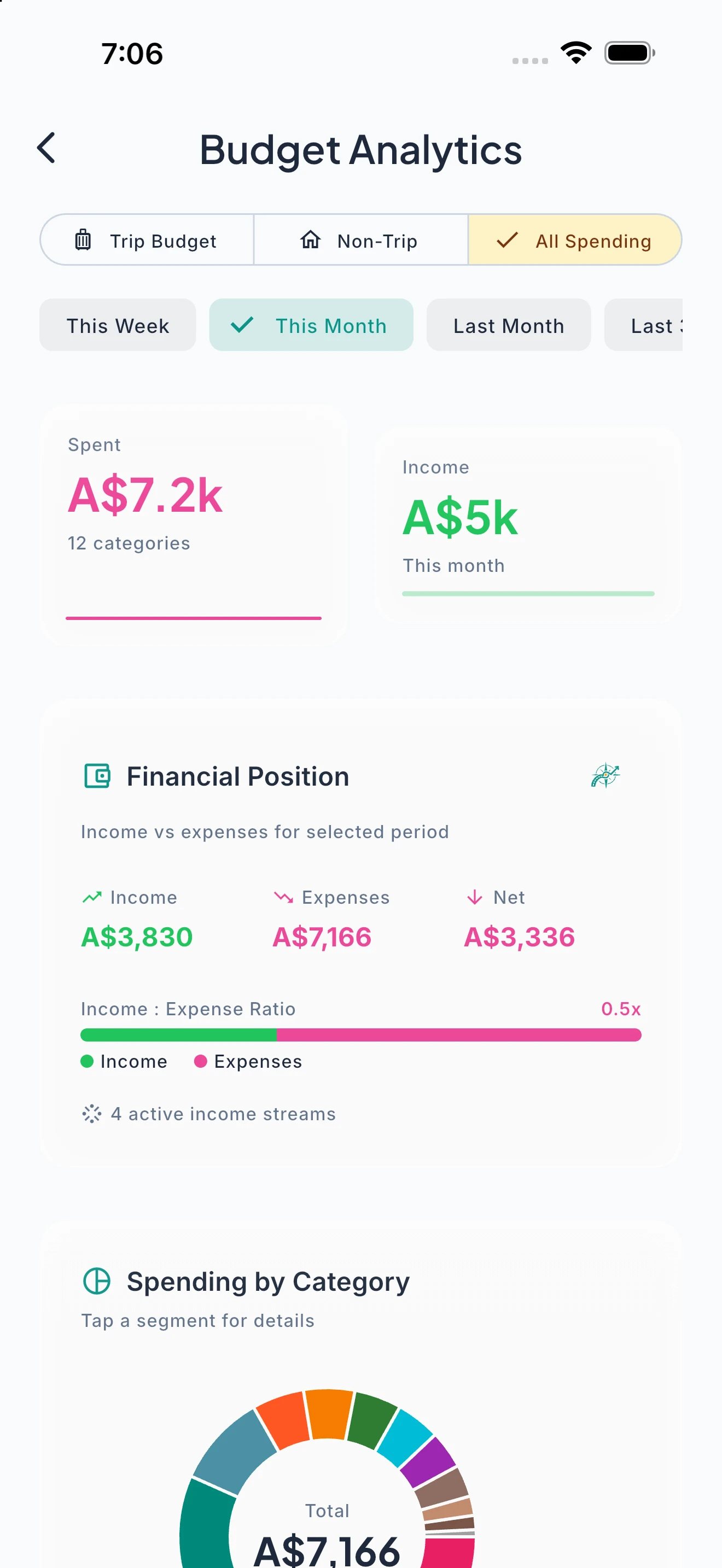
See How Your Trips Stack Up.
Compare spending across trips, so you know where the money really goes.
Trip Comparison lines your trips up side by side: what each one cost, where the money went by category, and how a trip compares with your usual. It’s the quickest way to see whether the long lap really costs more than the short loop.
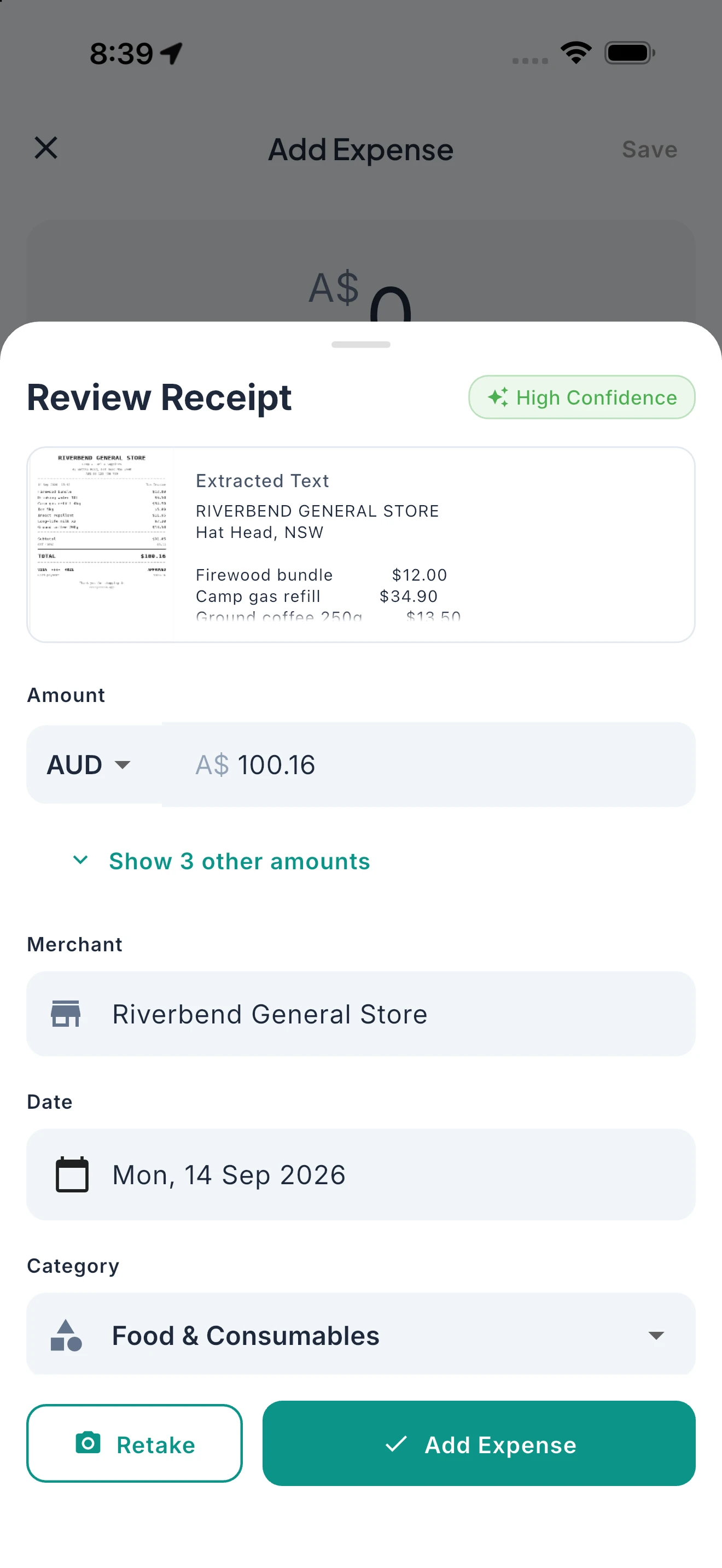
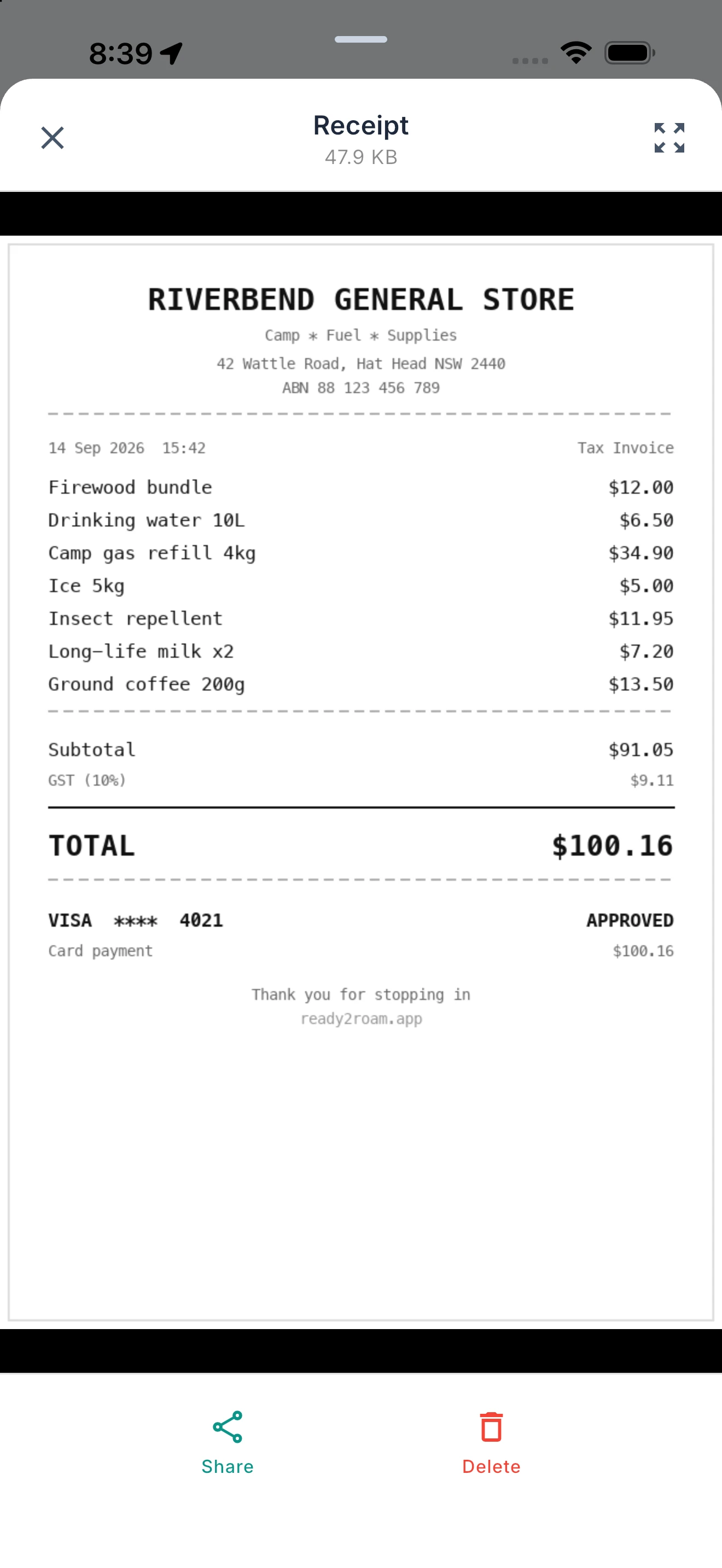
Snap It. It’s Logged.
Scan a receipt and the amount, merchant and date are filled in for you.
Photograph a receipt and Ready2Roam reads the amount, merchant and date, then files the expense in the right category. Open the receipt later from the expense itself. Fewer forms, fewer lost slips at tax time.
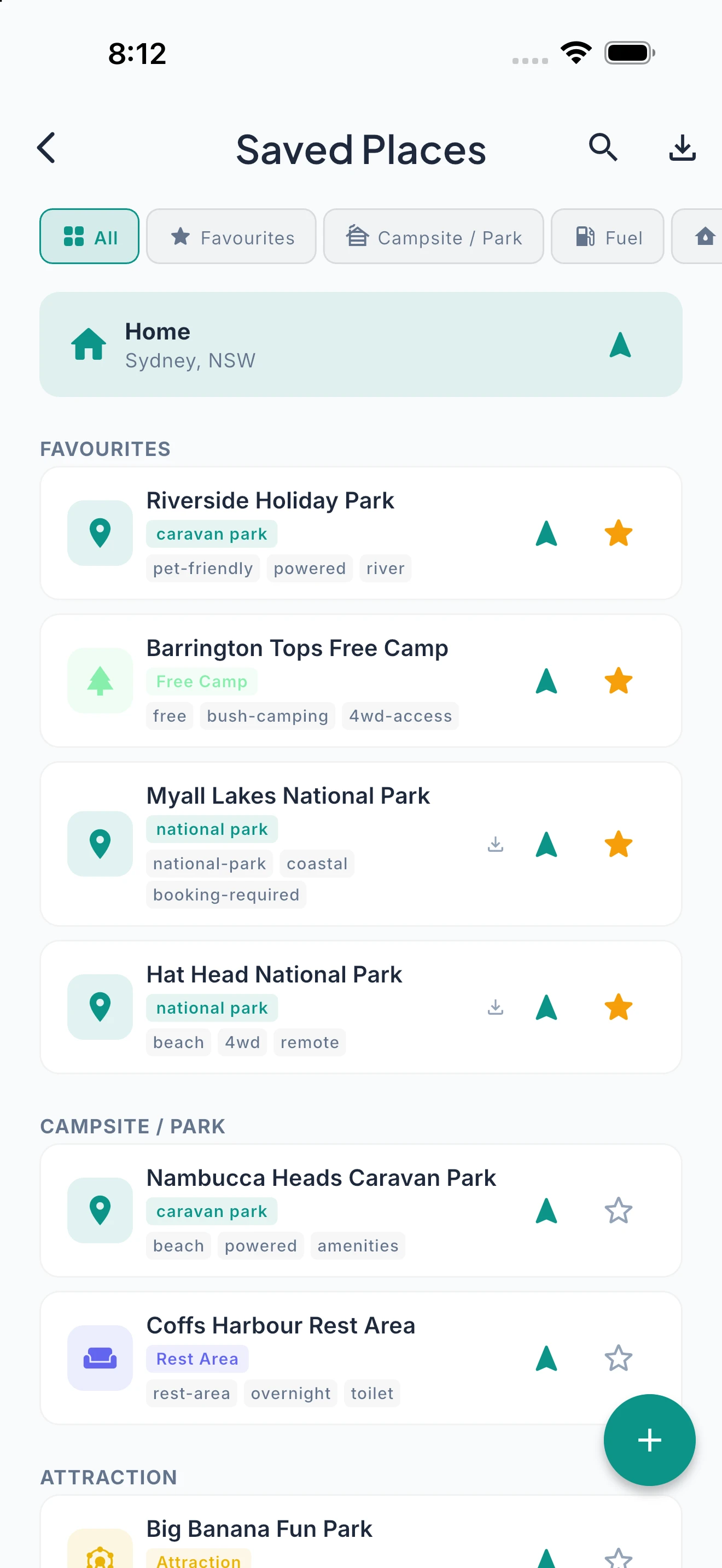
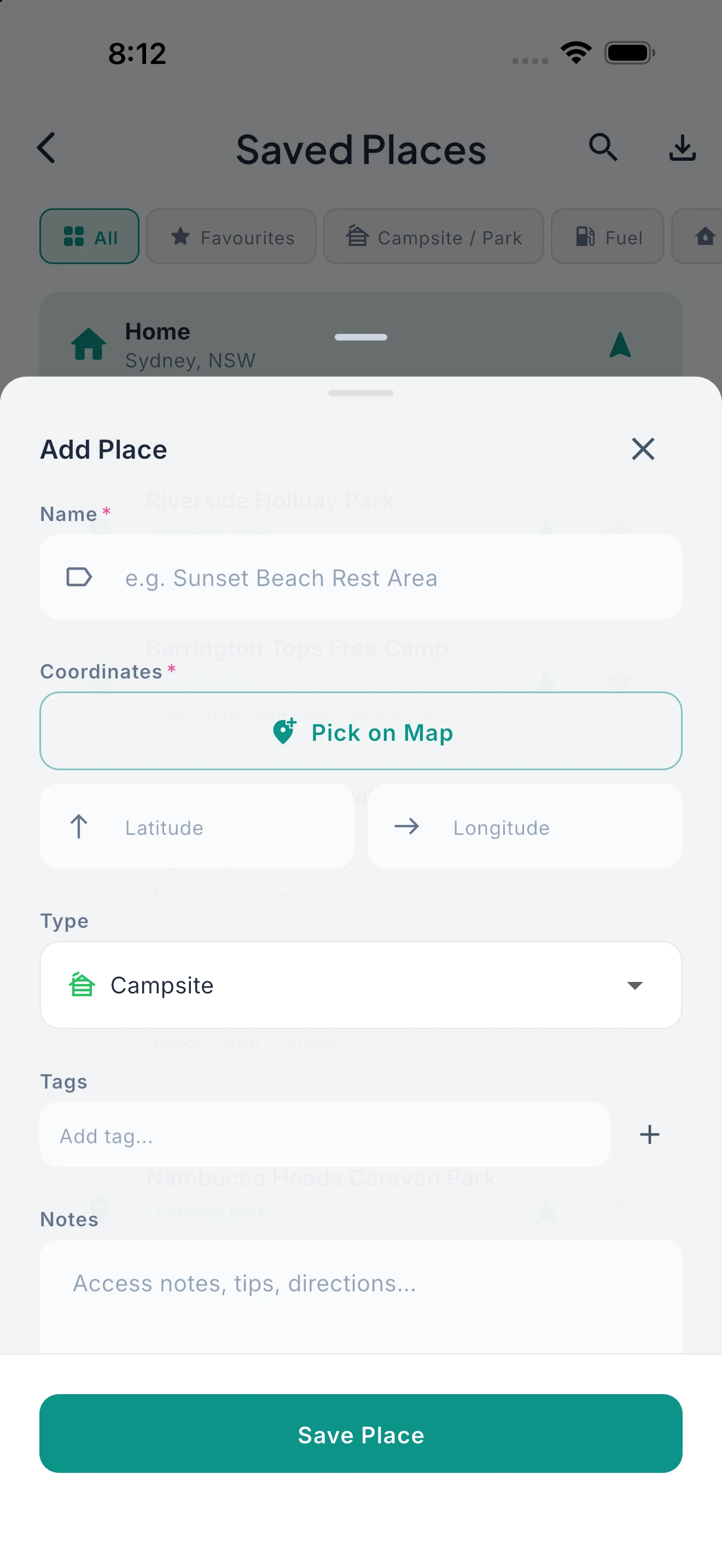
Your Places, Sorted.
Save any place, organise it your way, and navigate there in one tap.
Save campsites, fuel stops, lookouts and anything else worth remembering, sort them into your own categories, and edit the details. When you’re ready, tap to navigate: hand off to Apple Maps or Google Maps for free, or drive it with Ready2Roam navigation on Nomad Pro.
Travel in Your Language.
Ready2Roam is available in English, French, German, Spanish, Italian and Dutch — switch anytime in your profile.
Set the app to English, French, German, Spanish, Italian or Dutch from your profile screen, any time. Regional vocabulary already adapts to where you are — “campground”, “holiday park”, “Stellplatz” — and the interface speaks your language too.
Ready to plan your next adventure?
Download free. 14-day trial of every Pro feature.